Set up SPIRIUS to send order status updates, shipping notifications, and delivery SMS alerts to your customers.
- Go to WooCommerce → SMS Settings in your WordPress admin panel.
- Open Settings and click on SMS Service Provider.
- Select SPIRIUS from the list of SMS service providers.
- Log in to your SPIRIUS account.
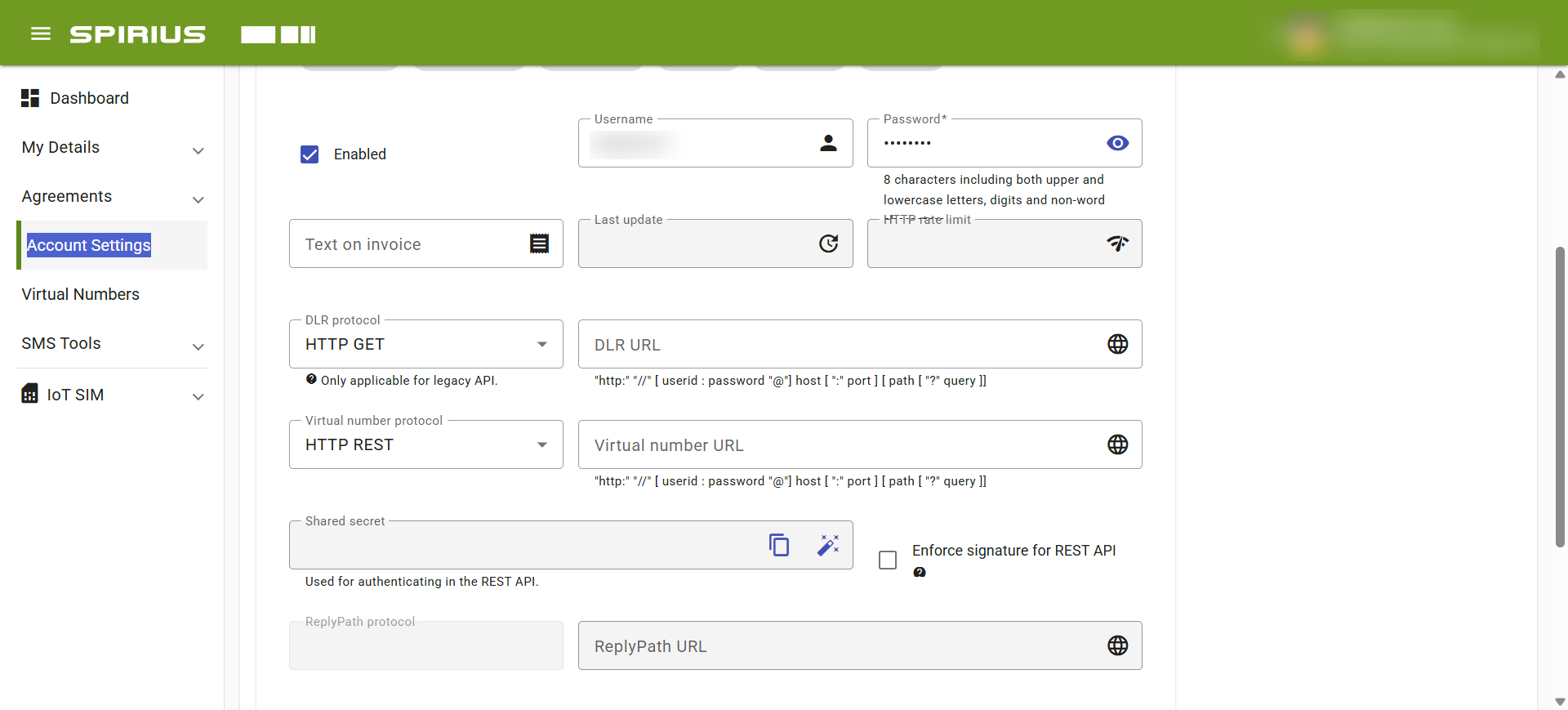
- Copy your API Username and API Password.
- Enter the API Username, API Password, and Sender ID provided by SPIRIUS.
- Save your changes.
How to get your SPIRIUS API Credentials:
About SPIRIUS
SPIRIUS is a Sweden-headquartered messaging provider whose primary coverage and strongest delivery rates are across the Nordics (Sweden, Norway, Denmark, Finland), alongside a developer-friendly API for sending automated SMS alerts or transactional messages from WooCommerce stores.
Coverage and sender ID requirements
Many Nordic and EU countries require alphanumeric Sender IDs to be pre-registered before they can be used for transactional traffic — check SPIRIUS’s sender ID requirements for your target countries before going live.
Test your connection
- In WooCommerce → SMS Settings, click Send Test SMS to confirm SPIRIUS delivers a message to your own phone.
- If the test fails, check the delivery log in your SPIRIUS portal for the specific error before troubleshooting further.
Troubleshooting
- Messages aren’t delivered: the Sender ID isn’t pre-registered or approved for the destination country.
- Authentication error: the API Username and API Password don’t match the same SPIRIUS account.
- Send blocked or fails silently: the SPIRIUS account balance is too low.
- Invalid recipient: the destination number is missing its country code — use full E.164 format (e.g. +14155552671).
More SMS gateway integrations
See every supported provider and how to get its API keys in the SMS Gateways overview.