Connect Plasgate using your Private Key and Secret.
- Go to WooCommerce → SMS Settings and select Plasgate.
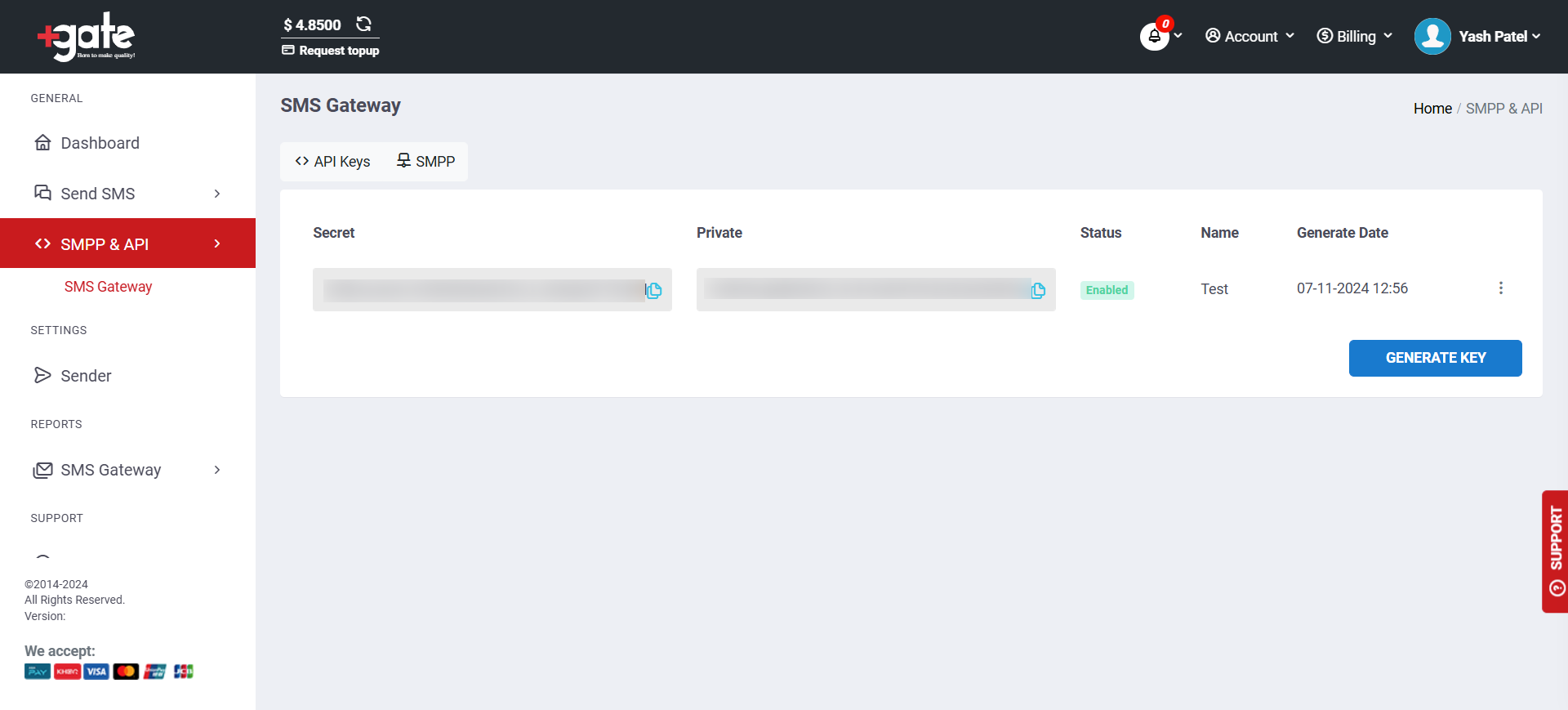
- Log in to Plasgate and go to SMPP & API → SMS Gateway.
- Copy your Private Key, Secret, and sender phone number.
- Paste these credentials into SMS For WooCommerce Settings.
- Save changes.
How to get your Plasgate Private Key and Secret:
Coverage and sender ID requirements
Plasgate is a Cambodia-based SMS gateway focused on Cambodia and the wider Southeast Asia region, with international routing available beyond that. Sender-ID rules vary by destination country and many require pre-registration of alphanumeric sender names — check Plasgate’s requirements for your target countries before going live.
Test your connection
- In WooCommerce → SMS Settings, click Send Test SMS to confirm Plasgate delivers a message to your own phone.
- If the test fails, check the delivery log in your Plasgate dashboard for the specific error before troubleshooting further.
Troubleshooting
- 401 Unauthorized: the Private Key and Secret come from different Plasgate API key pairs — both must come from the same pair.
- Messages aren’t delivered: the sender phone number isn’t approved for the destination country.
- Send blocked or fails silently: the Plasgate account balance is too low.
- Invalid recipient: the destination number is missing its country code — use full E.164 format (e.g. +14155552671).
More SMS gateway integrations
See every supported provider and how to get its API keys in the SMS Gateways overview.