Automatically notify vendors, admins and customers via SMS whenever something important happens in your Dokan marketplace — new vendor registrations, new orders, product approvals, withdrawal requests, refunds and more — using the Dokan Multivendor Marketplace plugin together with SMS for WooCommerce.
Requirements
Requires Dokan Multivendor Marketplace (free or Pro) and SMS for WooCommerce to both be installed and active on your site.
Setup Instructions
- Ensure Dokan Multivendor Marketplace is installed and active.
- Go to WooCommerce → SMS Settings → Settings and configure your SMS gateway (Twilio, Nexmo, MSG91, Lox24 or any of the supported providers).
- Make sure the Admin Phone Number and Sender Phone Number are saved on the Settings tab — admin events require the admin phone to be set.
- Go to WooCommerce → SMS Settings → SMS Notifications → Dokan.
- Enable the toggles for the vendor, admin and customer events you want to send SMS for.
- Edit the SMS message template for each event. Use placeholders like {vendor_name}, {order_number} and {withdrawal_amount} to personalise the message. Only placeholders that resolve for that specific event are listed in the sidebar.
- Click Save & Close to save your changes.
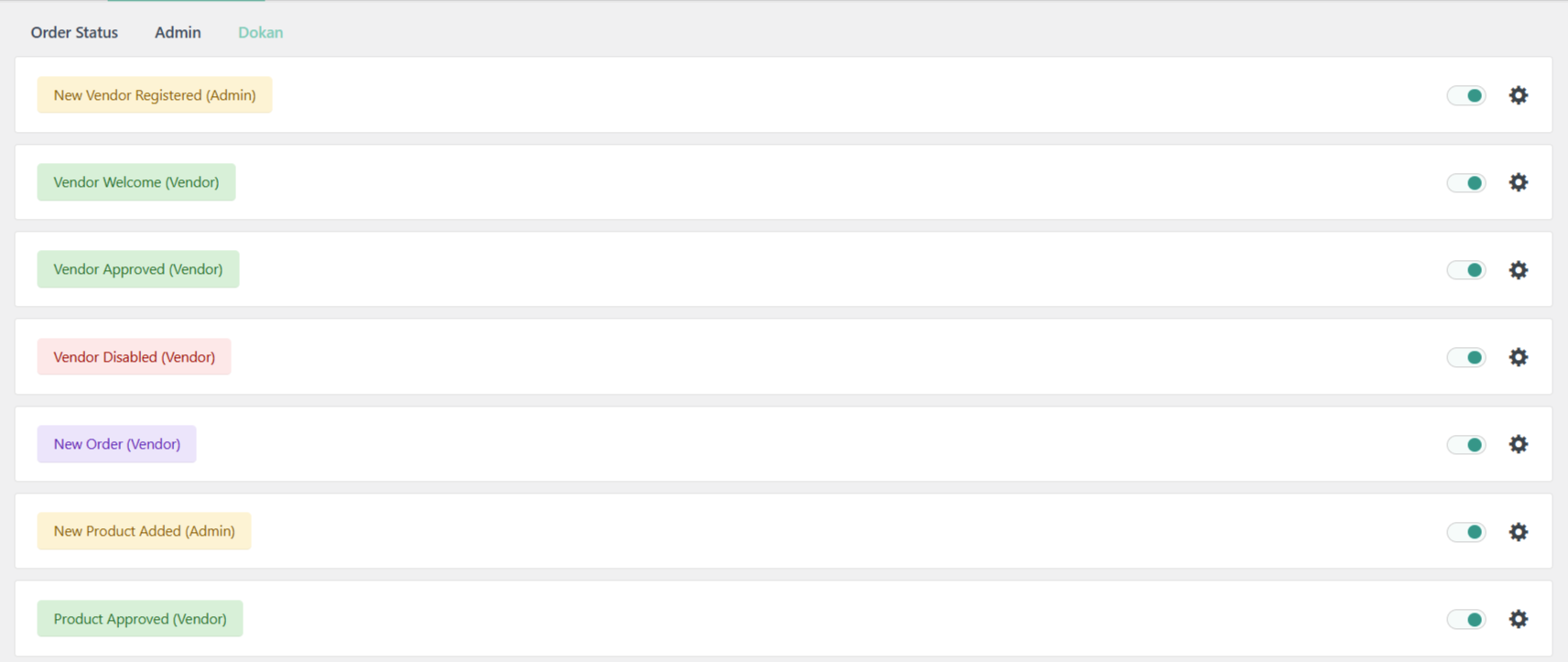
Available SMS events for Dokan
The Dokan integration supports 14 events grouped by recipient.
Vendor lifecycle (Admin & Vendor)
- New Vendor Registered (Admin) – A new vendor signs up on your marketplace.
- Vendor Welcome (Vendor) – Vendor account is created.
- Vendor Approved (Vendor) – Admin enables / activates the vendor account.
- Vendor Disabled (Vendor) – Vendor account is disabled by the admin.
Orders (Vendor)
- New Order (Vendor) – A new order containing the vendor’s products is placed. Fires on processing, on-hold or completed and deduplicates so the same order never sends twice.
Products (Admin & Vendor)
- New Product Added (Admin) – Vendor submits a new product for review.
- Product Approved (Vendor) – Admin publishes a pending vendor product.
- Product Rejected (Vendor) – Admin rejects a product (rejection reason supported on Dokan Pro 3.16+).
- Product Resubmitted (Admin) – Vendor resubmits a previously rejected product.
Withdrawals (Admin & Vendor)
- Withdrawal Requested (Admin) – Vendor submits a withdrawal request. Listens on both the legacy and modern REST endpoints, with dedup so a single request never fires twice.
- Withdrawal Approved (Vendor) – Admin approves the withdrawal.
Refunds (Admin & Customer)
- Refund Requested (Admin) – Customer requests a refund on a vendor order.
- Refund Approved (Customer) – Vendor or admin approves the refund.
Shipping (Customer)
- Shipment Tracking Added (Customer) – Vendor adds shipment tracking to an order.
Available placeholders for Dokan SMS
Use the following variables in your SMS message templates to include dynamic information. The settings page sidebar shows only the placeholders that resolve for the specific event being edited.
Common (every event)
- {vendor_name} – Vendor display / store name
- {vendor_store_url} – Public URL of the vendor store
- {vendor_email} – Vendor’s email address
- {vendor_dashboard_url} – Vendor dashboard URL
- {shop_name} – Your store name
- {shop_url} – Your store URL
- {email} – Recipient’s email
Order events (vendor_new_order, refund_*, shipment_tracking)
- {order_id} – WooCommerce order ID
- {order_number} – Order number (display)
- {order_amount} / {order_total} – Order total
- {item_count} – Number of items in the order
- {billing_name} / {billing_first} / {billing_last} – Customer name
- {billing_phone} – Customer phone
Product events (new_product, product_approved, product_rejected, product_resubmitted)
- {product_name} – Product title
- {product_url} – Public product permalink
- {rejection_reason} – Admin’s reason for rejecting (Dokan Pro 3.16+)
Withdrawal events
- {withdrawal_amount} – Withdrawal amount (formatted in your store currency)
- {withdrawal_method} – Payout method (PayPal, bank, etc.)
- {withdrawal_id} – Withdrawal ID
Refund events
- {refund_amount} – Refund amount
- {refund_reason} – Customer’s stated reason
- {refund_status} – Refund status
Shipment tracking
- {tracking_number} – Shipment tracking number
- {tracking_provider} – Shipping carrier name
For the full list of supported plugins, see the Compatibility overview.