Link Gunisms using your API key for outbound SMS.
- Go to WooCommerce → SMS Settings and select Gunisms.
- Log in to your Gunisms account and navigate to Integrations.
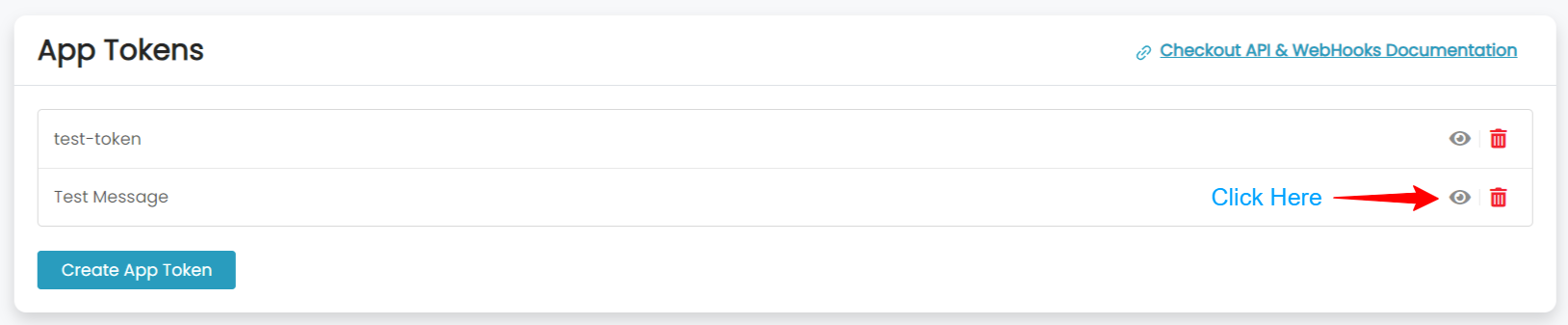
- Copy your API Key.
- Paste the API key and your sender phone number into SMS For WooCommerce Settings.
- Save changes.
How to get your Gunisms API Key:
Coverage and sender ID requirements
Gunisms is an Australia-based SMS gateway, and its primary coverage and fastest delivery are for Australian numbers, with international routing available for other destinations. Sender ID requirements vary by destination country — many require pre-registration for alphanumeric sender names — so check Gunisms’s requirements for your target countries before going live.
Test your connection
- In WooCommerce → SMS Settings, click Send Test SMS to confirm Gunisms delivers a message to your own phone.
- If the test fails, check the delivery log in your Gunisms dashboard for the specific error before troubleshooting further.
Troubleshooting
- Messages aren’t delivered: the sender phone number/ID isn’t approved for the destination country.
- Authentication error: the API key was regenerated in the Gunisms console since it was last saved here.
- Send blocked or fails silently: the Gunisms account balance is too low.
- Invalid recipient: the destination number is missing its country code — use full E.164 format (e.g. +14155552671).
More SMS gateway integrations
See every supported provider and how to get its API keys in the SMS Gateways overview.