Use ASPSMS credentials including UserKey and API Password.
- Go to WooCommerce → SMS Settings and select ASPSMS.
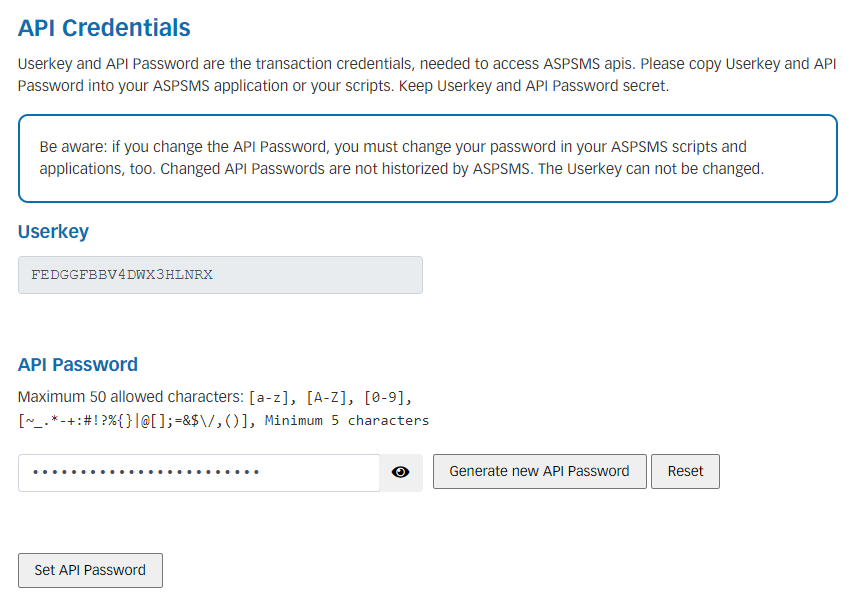
- Log in to ASPSMS and go to API Credentials.
- Copy your UserKey, API Password, and Originator value.
- Paste all three values into SMS For WooCommerce Settings.
- Save changes.
How to get your ASPSMS API Credentials:
Coverage and sender ID requirements
ASPSMS is a Switzerland-based SMS gateway (operated by VADIAN.NET AG), with strong coverage for Swiss and wider EU numbers alongside international routing. Many EU countries require the Originator (sender ID) to be pre-registered before it can be used for transactional traffic — check ASPSMS’s requirements for your target countries before going live.
Test your connection
- In WooCommerce → SMS Settings, click Send Test SMS to confirm ASPSMS delivers a message to your own phone.
- If the test fails, check the delivery log in your ASPSMS account for the specific error before troubleshooting further.
Troubleshooting
- Messages aren’t delivered: the Originator isn’t pre-registered or approved for the destination country.
- Authentication error: the UserKey and API Password don’t match the same ASPSMS account.
- Send blocked or fails silently: the ASPSMS account balance is too low.
- Invalid recipient: the destination number is missing its country code — use full E.164 format (e.g. +14155552671).
More SMS gateway integrations
See every supported provider and how to get its API keys in the SMS Gateways overview.