Alert customers automatically when their order is ready for pickup, and send scheduled pickup reminder texts before their pickup window — using the Advanced Local Pickup (ALP) plugin together with SMS for WooCommerce.
Requirements
Requires Advanced Local Pickup (free or Pro) and SMS for WooCommerce to both be installed and active on your site. The reminder cron below only fires on orders that have a pickup location assigned.
Setup Instructions
- Activate Advanced Local Pickup and configure at least one pickup location under its own settings.
- Go to WooCommerce → SMS Settings → Settings and configure your SMS gateway (Twilio, Nexmo, MSG91, Lox24 or any of the supported providers).
- Go to WooCommerce → SMS Settings → SMS Notifications and enable SMS for the order status you use for ‘ready for pickup’ (and, if your store tracks it separately, ‘picked up’).
- Customize the messages and insert pickup placeholders (e.g. {pickup_location_address}, {pickup_location_hours}).
- Under the same screen, enable and customize the dedicated Pickup reminder SMS if you want a reminder texted before the pickup window — ALP schedules this automatically once an order is marked ready.
- Save your changes.
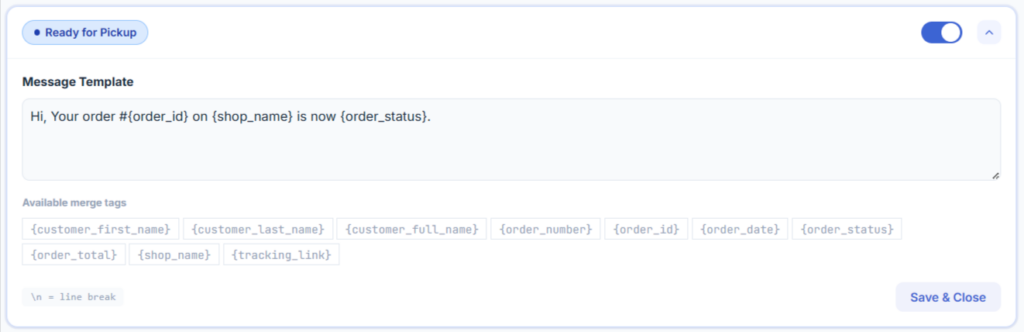
Local pickup SMS Placeholders
Use the following variables to dynamically add pickup information to your SMS messages. If an order has more than one pickup location, each placeholder lists every matching value separated by ” | “.
- {pickup_location_name} – the pickup location name for the pickup information
- {pickup_location_address} – the pickup location address for the pickup information
- {pickup_location_hours} – the pickup location business hours for the pickup information
- {pickup_location_appointment} – the pickup location appointment details for the pickup information
Pickup reminder SMS
The pickup reminder is scheduled as a background cron job as soon as an order is marked ready for pickup, and fires ahead of the pickup window rather than at a fixed order-status change. Non-appointment pickup locations can fire up to two staggered reminder crons before the pickup window closes. You can edit the reminder message content via the Pickup reminder SMS option, and a location can override the global reminder message with its own template under Advanced Local Pickup’s own settings.
Available placeholder: {pickup_location_name}, {pickup_location_address}, {pickup_location_hours}, {pickup_location_appointment}

Troubleshooting
- Pickup reminder never arrives – the reminder is scheduled per-location the moment the order is marked ready, so confirm the order actually has a pickup location assigned and that the reminder toggle is enabled before that happens; reminders scheduled before you enable the toggle will not retroactively fire.
- Pickup placeholders are blank – they read from the pickup location saved on the order; make sure Advanced Local Pickup itself has that location fully configured (address, hours).
- Reminder fires twice – on non-appointment pickups ALP can schedule two staggered reminder crons; disable the second one in Advanced Local Pickup’s own settings if you only want a single reminder.
See the full list of supported integrations on the Compatibility page.