When shipping software, a fulfilment service, or a direct REST API or CSV import sends a carrier name that does not exactly match an AST PRO carrier entry, the tracking number is rejected or assigned to the wrong carrier. The Custom API Name (alias) field lets you map those external names to the correct AST PRO carrier so matching always succeeds.
Why you need this
AST PRO matches the carrier name in the incoming payload against its carrier list. The match must be exact. For example:
| Your shipping system sends | AST PRO carrier name | Result without alias |
|---|---|---|
| USPS Priority | USPS | No match — tracking rejected |
| FedEx Ground | FedEx | No match — tracking rejected |
| ups | UPS | No match — matching is case-sensitive |
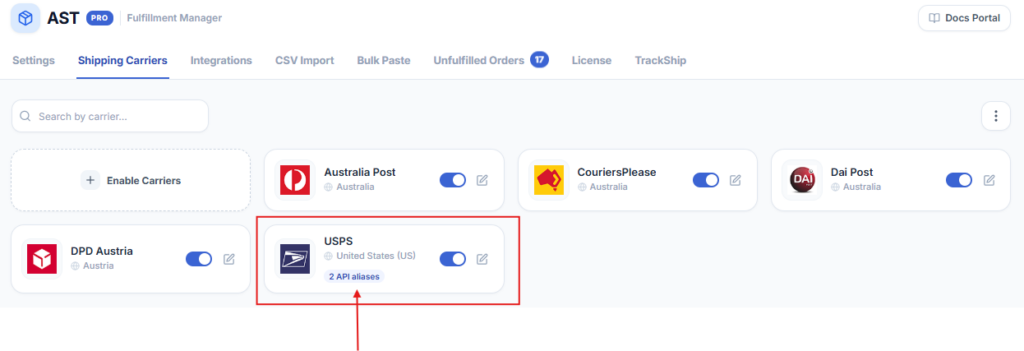
Once you add “USPS Priority” as an alias on the USPS carrier, all future API and CSV imports using that name are matched correctly.
How to add a carrier alias
- 1Go to WooCommerce → Shipment Tracking → Shipping Carriers.
- 2Find the carrier you want to map and click its three-dot menu.
- 3Select Edit.
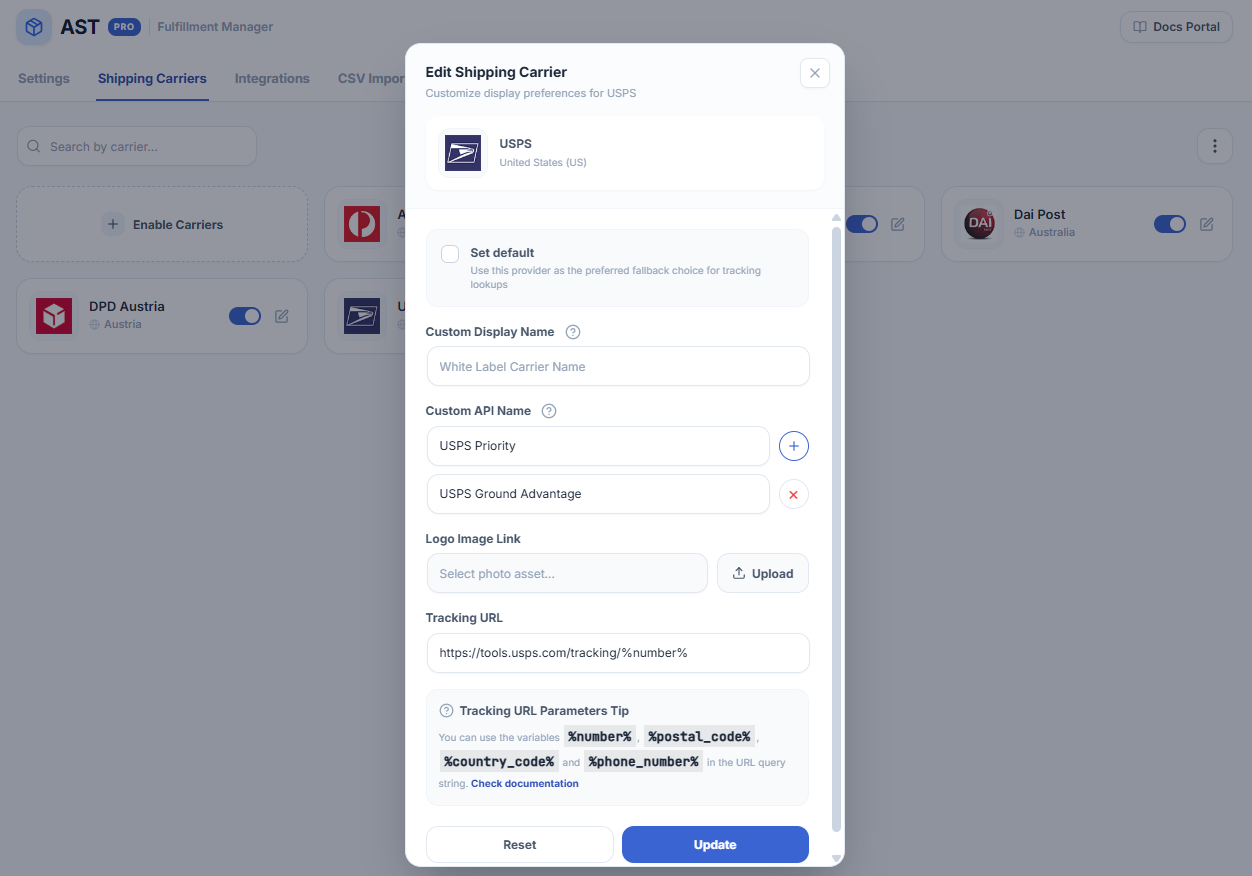
- 4In the Edit Shipping Carrier sidebar, find the Custom API Name field.
- 5Enter the exact string your external system sends — including any spaces, capitalisation, or punctuation (matching is case-sensitive and whitespace-sensitive).
- 6Click the + icon to add more aliases if the same carrier arrives under multiple names.
- 7Click Update to save.
Matching rules
- Case-sensitive — “FedEx” and “fedex” are treated as different strings. Enter the alias exactly as your system sends it.
- Whitespace-sensitive — “USPS Priority” and “USPS Priority” (double space) do not match. Check your source system for leading, trailing, or double spaces if matching fails.
- Multiple aliases per carrier — add as many aliases as needed if the same carrier arrives under different names from different sources.
- One alias per carrier — the same alias string cannot be assigned to two different carriers. If it is, AST PRO matches the first one it finds.
Troubleshooting
- Alias saved but still not matching — copy the exact carrier name string from your API payload or CSV file (not from memory) and paste it directly into the Custom API Name field. A single character difference will cause a miss.
- Carrier not enabled — the alias only works if the carrier is in your active carrier list. If you removed the carrier, re-enable it via Enable Carriers first.
- Duplicate alias on two carriers — if the same alias is set on more than one carrier, the match is ambiguous. Remove the duplicate from the carrier you do not intend to use.