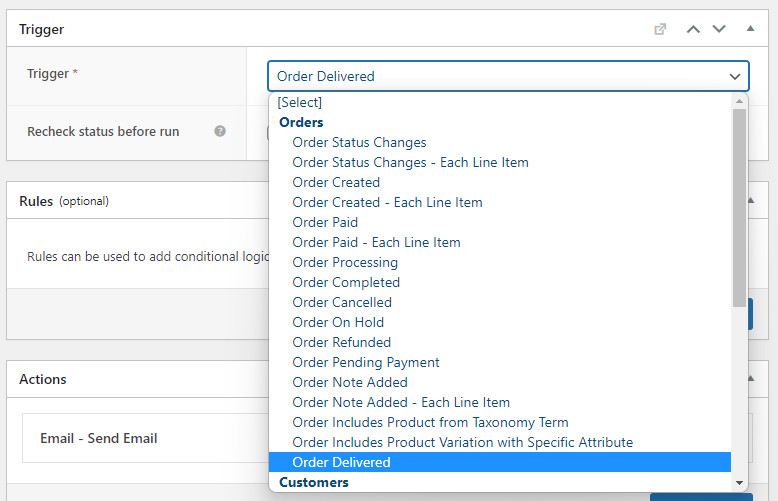
AST PRO is fully compatible with AutomateWoo. When both plugins are active, AST PRO adds shipment tracking variables and a custom Order Delivered trigger to AutomateWoo’s workflow builder.
Requirements
- AST PRO installed, active, and licence activated.
- AutomateWoo installed and active.
Tracking variables
AST PRO adds the following variables to AutomateWoo’s variable picker. Use them in workflow email bodies, SMS actions, or conditional logic:
| Variable | Returns | Provided by |
|---|---|---|
{{ order.tracking_number }} | The tracking number added to the order | AST PRO |
{{ order.shipping_provider }} | The carrier display name (e.g. FedEx, USPS) | AST PRO |
{{ order.tracking_url }} | The full tracking link for the shipment | AST PRO |
{{ order.date_shipped }} | The date the tracking number was added | AST PRO |
Order Delivered trigger
AST PRO adds an Order Delivered trigger to AutomateWoo’s triggers list. This fires when an order’s status changes to Delivered.
The Delivered status is set automatically by TrackShip when the carrier confirms delivery. The Order Delivered trigger has no effect unless TrackShip is connected and the Delivered status is enabled under Order Statuses & Notifications.
A common use case: build an AutomateWoo workflow triggered by Order Delivered to send a post-purchase review request or a follow-up email with a discount code.