Enable D7network SMS using your API Token.
- Go to WooCommerce → SMS Settings and select D7network.
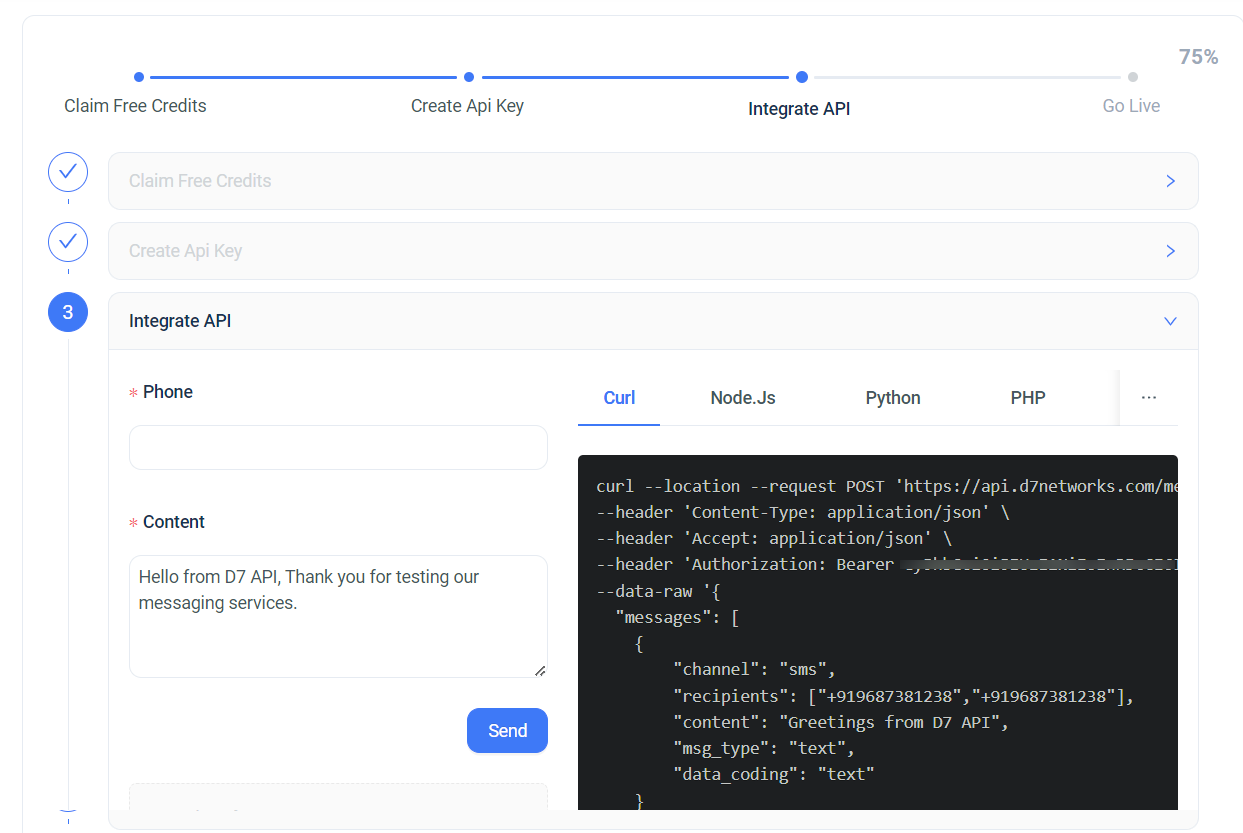
- Log in to your D7network account and go to Getting Started.
- Create or copy your API Token.
- Paste the API token into SMS For WooCommerce Settings.
- Save changes.
How to get your D7network API Token Credentials:
- Login into your D7network account.
- navigate to the Getting Started section and Create your API Token.
About D7network
D7 Messaging and SMS API helps start-ups and enterprises to easily communicate with their customers. Our global coverage, developer-friendly API, easy integration and expert support make the developer’s job of sending alerts or notifications to the customers easier.