You have two ways to put Smart Form in front of your customers.
Option 1 — Shortcode (any page or post)
Add this shortcode to any page, post, or widget where you want the form to appear:
[cev_smart_form]
The shortcode takes no attributes. The form always renders using the template and verification methods you chose in Settings — there is currently no way to override the template or mode per placement. You can place the shortcode in your theme’s account page, a custom landing page, or anywhere else you want to direct sign-ups.
Option 2 — Replace the WooCommerce My Account form
If you want Smart Form to take over the standard /my-account/ page automatically (without adding a shortcode):
- Go to WooCommerce → Email Verification → Settings → Signup Verification.
- Enable the Replace the My Account page form with Smart Form toggle.
- Click Save Changes.
WooCommerce’s default login form on /my-account/ will be replaced by your chosen Smart Form template for logged-out visitors. The logged-in dashboard is not affected.
Smart Form templates
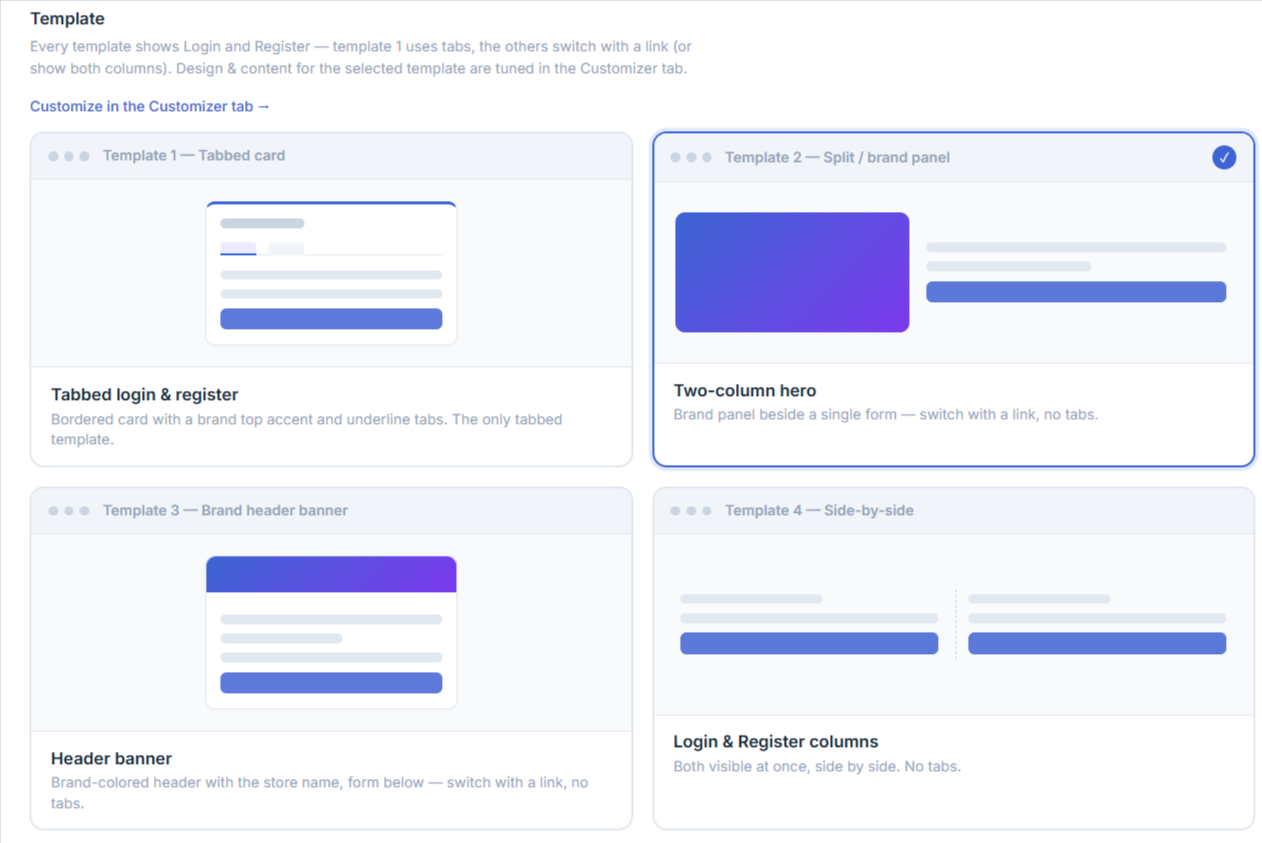
Four layouts are included. All four are fully responsive and inherit your brand colour, title, and panel image from the Customizer.
- Template 1 — Tabbed card – Single centered card with Login and Register tabs. Best for stores that want both forms on one screen with minimal scrolling.
- Template 2 — Split / brand panel – Two-column hero with brand image or colour on the left and the form on the right. Best for branded landing pages where you want to show the brand prominently.
- Template 3 — Brand header banner – Single column with a brand banner header above the form. Best for clean, distraction-free sign-up — perfect for ad landing pages.
- Template 4 — Side-by-side – Login and Register shown in parallel columns. Best for returning-customer-heavy stores where both flows need equal weight.
Troubleshooting
- Shortcode prints as literal text instead of the form — confirm the license is active and Form type is set to Smart Form; also check your page builder isn’t stripping or escaping shortcodes (use a dedicated shortcode block if available).
- My Account takeover doesn’t apply — some themes and page builders override
form-login.phpdirectly; if your theme ships its own My Account login template, it may take precedence over Smart Form’s. Use the shortcode on a dedicated page as a workaround.