Customer Email Verification Pro helps WooCommerce store owners reduce spam registrations and fake orders by requiring customers to verify their email address using a One-Time Password (OTP).
Requirements
| Requirement | Minimum Version |
|---|---|
| WordPress | 6.0 or higher |
| WooCommerce | 4.8 or higher |
| PHP | 7.4 or higher |
How to Install the Plugin?
- Download the plugin ZIP file from your Zorem account → Subscriptions page.
- In WordPress admin, go to Plugins → Add New → Upload Plugin.
- Select the ZIP file and click Install Now.
- After installation, click Activate Plugin.
How to Activate the License?
To access all plugin features, you must activate your license. Your license key is available on the same Subscriptions page you downloaded the plugin from.
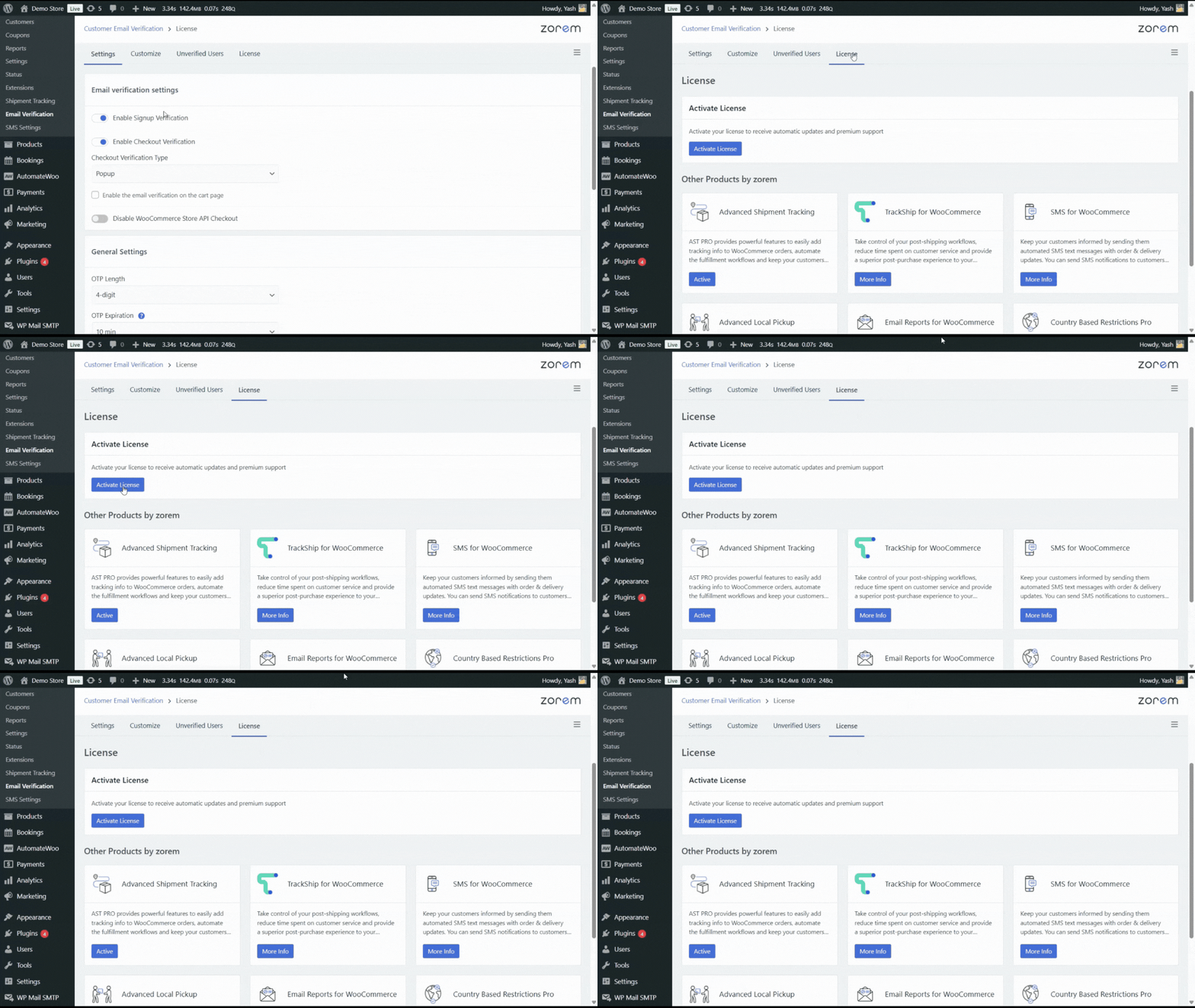
- Go to WooCommerce → Email Verification → License.
- Click Activate License. You’ll be redirected to zorem.com to connect your store, then redirected back with an active license.
- If your store can’t complete the redirect (for example, a firewalled or staging environment), paste your license key directly into the License Key field on this screen instead and click Activate.
How to Deactivate or Move Your License?
Each license can only be active on a limited number of sites at once. To move it to a new site, or to free it up when decommissioning a staging or old site, go to WooCommerce → Email Verification → License and click Deactivate License. This releases the activation on the current site so the same key can be activated on another one.
Troubleshooting
- “Activation limit reached” — deactivate the license on a site you no longer use (see above), or upgrade your plan on your Zorem account for more activations.
- Redirect doesn’t complete — use the manual License Key field instead of the redirect flow.
- License shows inactive after activating — confirm your subscription is active on the Subscriptions page, then retry activation.
Next Steps
Once your license is active, head to Settings to enable Signup Verification, Checkout Verification, and Login Authentication.