Overview
Customer Email Verification Pro fully supports the WooCommerce Checkout Block (Cart and Checkout blocks). Inline verification lets customers request and enter a verification code directly on the checkout page — without any popup — before placing their order. This prevents fraud and reduces failed orders caused by incorrect email addresses. Enable it under Settings → Checkout Verification, with the Checkout Verification Type set to Inline; OTP length (4 or 6 digits) is set separately under OTP Settings on the same page.
This page documents Inline verification, the mode the Checkout Block is built for. Popup mode’s behaviour on Blocks checkout hasn’t been separately verified here — test it on a staging site before relying on it in production.
User flow (what the customer experiences)
- Customer opens Checkout page and enters an email in the Contact information email field.
- A “Send verification code” button appears (or becomes enabled) near the email field.
- Customer clicks Send verification code → an email with a 4-digit or 6-digit code is sent.
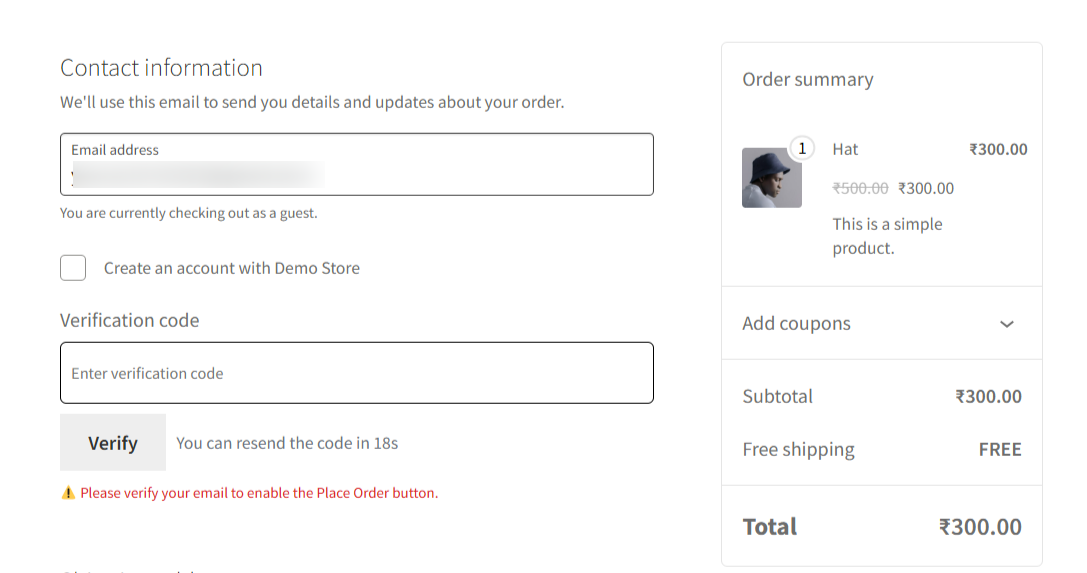
- An inline “Verification code” input appears beneath email, with a Verify button and a resend countdown timer.
- Customer enters the code and clicks Verify.
On success
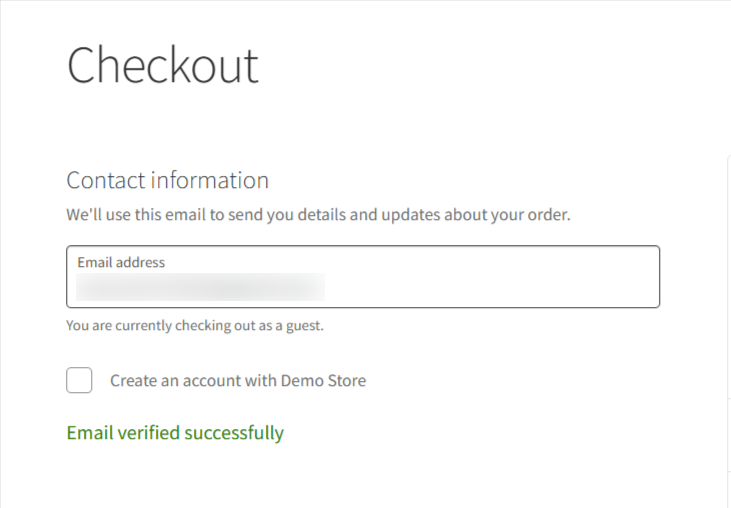
- The Place Order button is enabled, and the “Please verify your email to enable the Place Order button” warning disappears.
- A success message appears (a green checkmark, “Email verified successfully”).
- The verification stays valid for the rest of the checkout session, so re-entering other checkout fields doesn’t ask the customer to verify again.
Troubleshooting
- Wrong or expired code — the customer sees an error and can request a new code once the resend countdown finishes; the code follows the same expiry window set under OTP Settings.
- Resend limit reached — once the configured resend limit is hit, the customer sees the Resend Limit Message and needs to contact support or wait, depending on how you’ve configured it.
- Customer changes their email after verifying — verification is tied to the specific address that was verified; changing the email field invalidates that verification and the customer needs to verify the new address before placing the order.
- No verification field appears at all — confirm Checkout Verification is enabled and set to Inline in Settings. Also check that Disable WooCommerce Store API Checkout is OFF: that setting blocks the Store API entirely, which breaks Blocks-based checkout altogether, not just verification — it’s meant for stores running the classic shortcode checkout only.
Related
- Compatibility — all supported plugins.
- Settings — enable Checkout Verification and configure OTP length/expiry.