Customer Email Verification Pro is compatible with the One Page Checkout feature of the Cashier plugin. Email verification works within the one-page checkout flow because Cashier’s page still uses WooCommerce’s standard checkout process — the same billing-email field and checkout validation that CEV Pro’s Checkout Verification hooks into on any checkout page. There’s no dedicated Cashier-specific code involved; guest customers are simply required to verify their email address before they can proceed to checkout or place an order, the same as on the default WooCommerce checkout.
Choose a Verification Mode
Both Inline and Popup verification modes are fully supported with Cashier’s One Page Checkout.
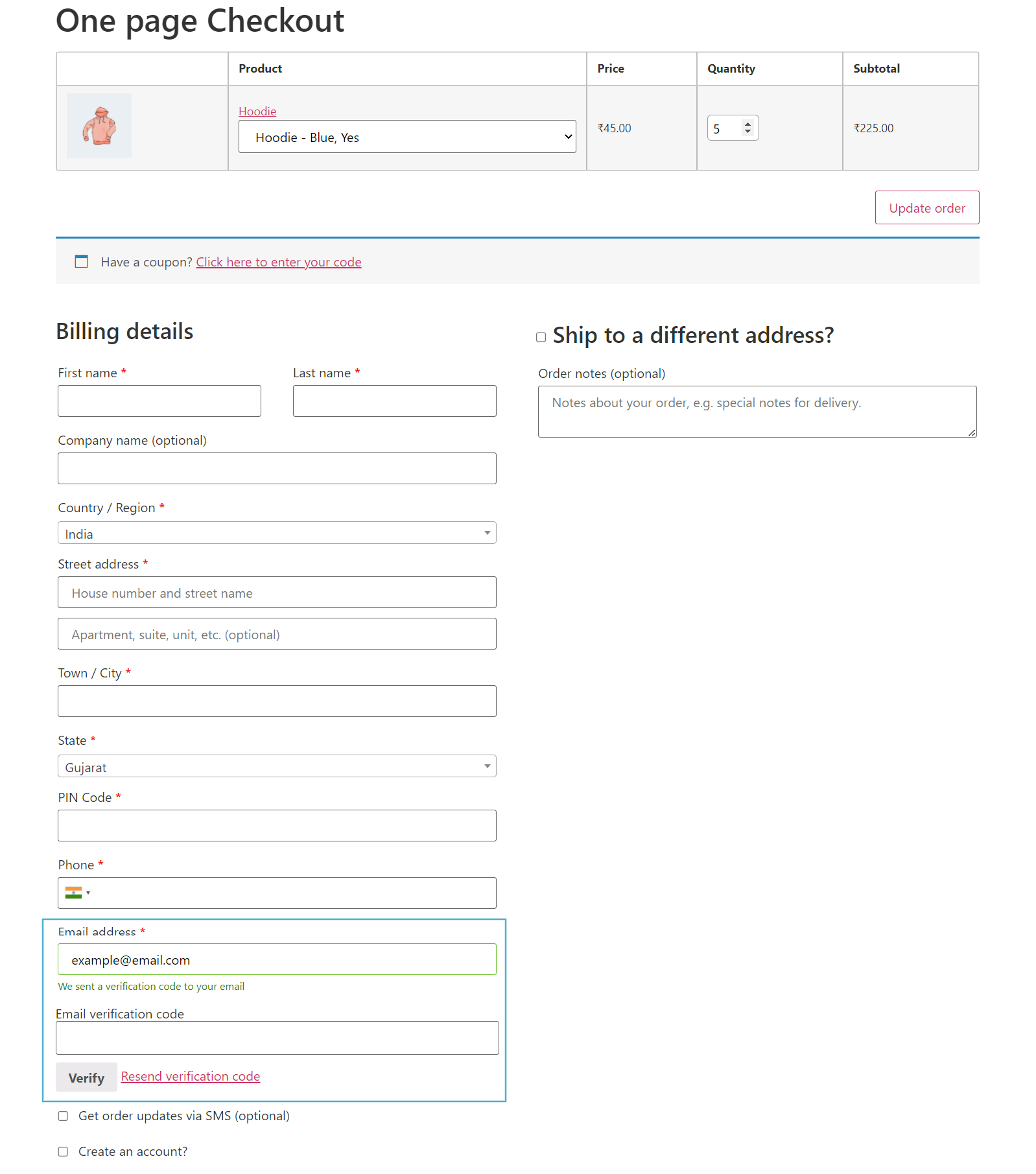
Option A — Inline Verification
- Guest customer enters their email on the One Page Checkout.
- An OTP (verification code) field appears inline on the page.
- Customer enters the code received by email and clicks Verify.
- Once verified, the customer can proceed to place their order.
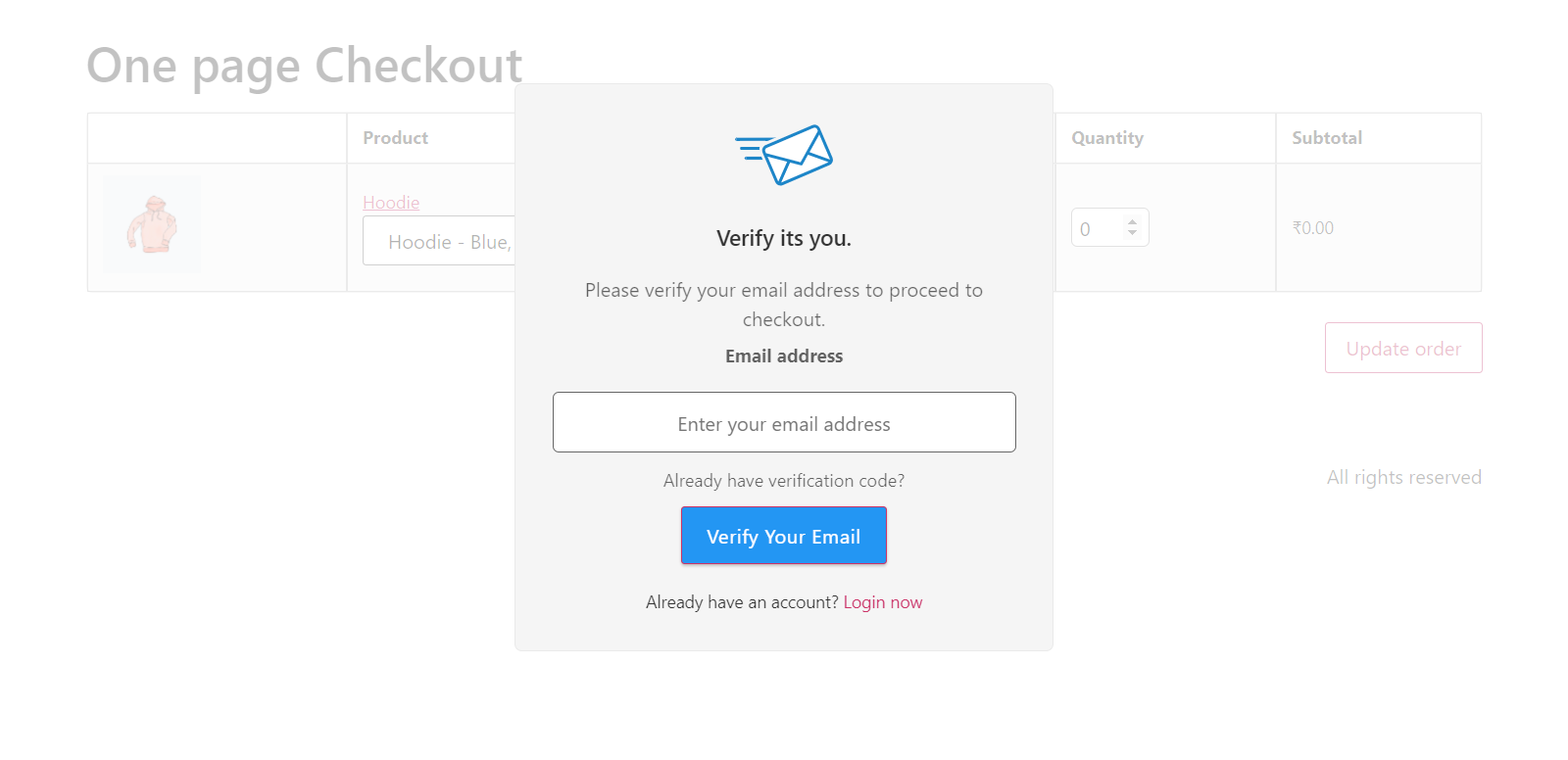
Option B — Popup Verification
- Guest customer enters their email on the One Page Checkout.
- A verification popup modal appears, prompting the customer to enter a code.
- Customer completes verification via the popup.
- Customer can then proceed with checkout.
No minimum tested version is documented for either plugin, so treat this as generally compatible rather than verified against a specific version pairing.
Related
- Compatibility — all supported plugins.
- Settings — configure Checkout Verification mode and options.