Requirements
- WordPress installed and running
- WooCommerce installed and active
- WooCommerce Local Pickup shipping method enabled in at least one shipping zone
⚠ NOTE The WooCommerce Local Pickup shipping method is the foundation this plugin builds on. If it is not already enabled, go to WooCommerce → Settings → Shipping, open the relevant shipping zone, and add Local Pickup before proceeding.
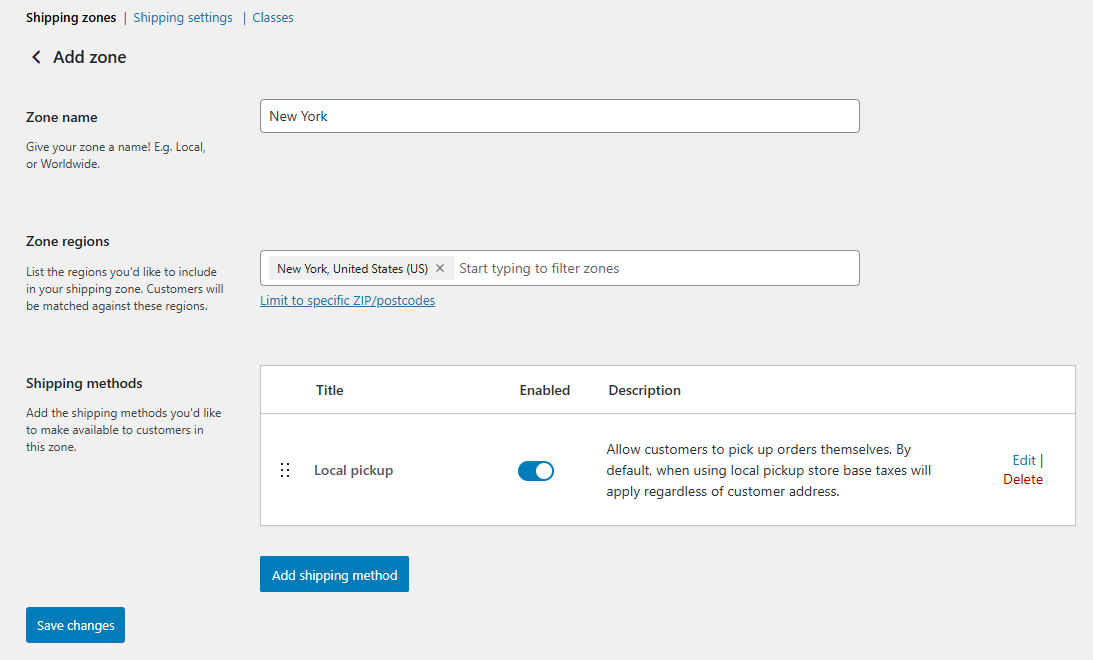
How to Enable the WooCommerce Local Pickup Shipping Method
WooCommerce → Settings → Shipping- Click on the shipping zone — you want to apply pickup to (e.g. your country or region).
- Click Add shipping method.
- Select Local Pickup from the list — and click Add shipping method.
- Click Save changes. — You can set the rate as Free, or assign discounts and fees per location inside the plugin settings.
How to Install the Plugin
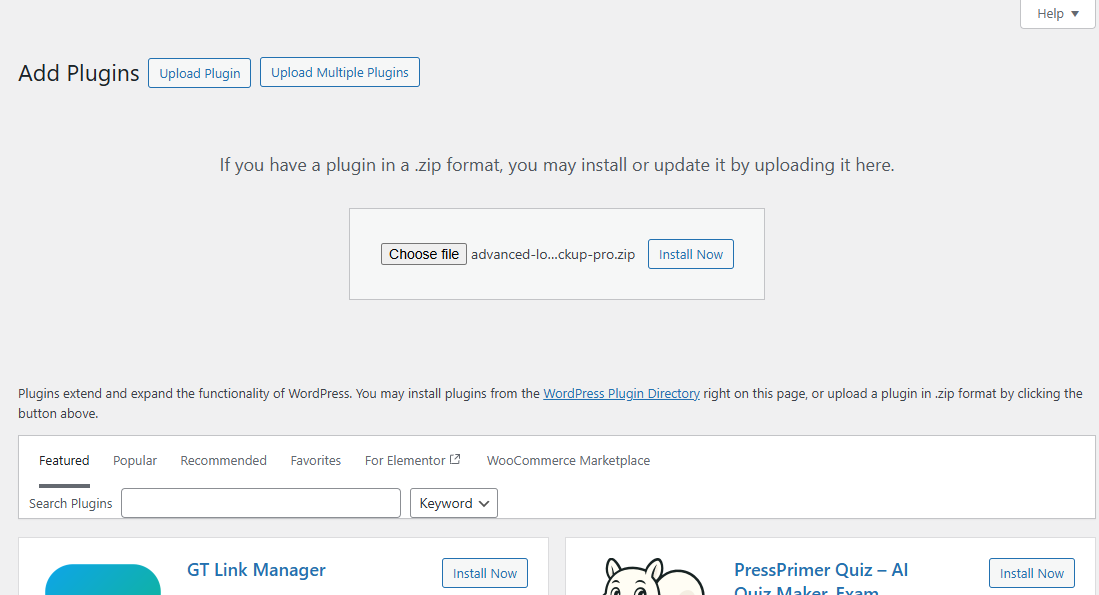
WordPress Admin → Plugins → Add New → Upload Plugin- Download the plugin .zip file — from the Subscriptions tab in your account at zorem.com/my-account/subscriptions/.
- In your WordPress admin — go to Plugins → Add New.
- Click Upload Plugin — at the top of the page.
- Click Choose File — and select the downloaded .zip file.
- Click Install Now — then click Activate Plugin.
- Navigate to WooCommerce → Local Pickup Pro — to access all settings.
ℹ INFO Advanced Local Pickup Pro is an independent version. Upon activation it will automatically deactivate the free version, but all free version settings and pickup location data are preserved and carried over automatically.
How to Activate the License
WooCommerce → Local Pickup Pro → License- In your WordPress dashboard — go to WooCommerce → Local Pickup Pro → License.
- Click Activate License. — This redirects you to zorem.com to connect your store.
- Once activated — the License tab will confirm your license status and expiry date.

How to Deactivate the License
Follow the instructions on your store page to deactivate the license as needed.