The Local Pickup Dashboard (also called the Fulfillment Dashboard) is the central hub for managing your store’s pickup orders — every pickup order, its status, location, and appointment in one place.
WooCommerce → FulfillmentWhat’s on the Dashboard
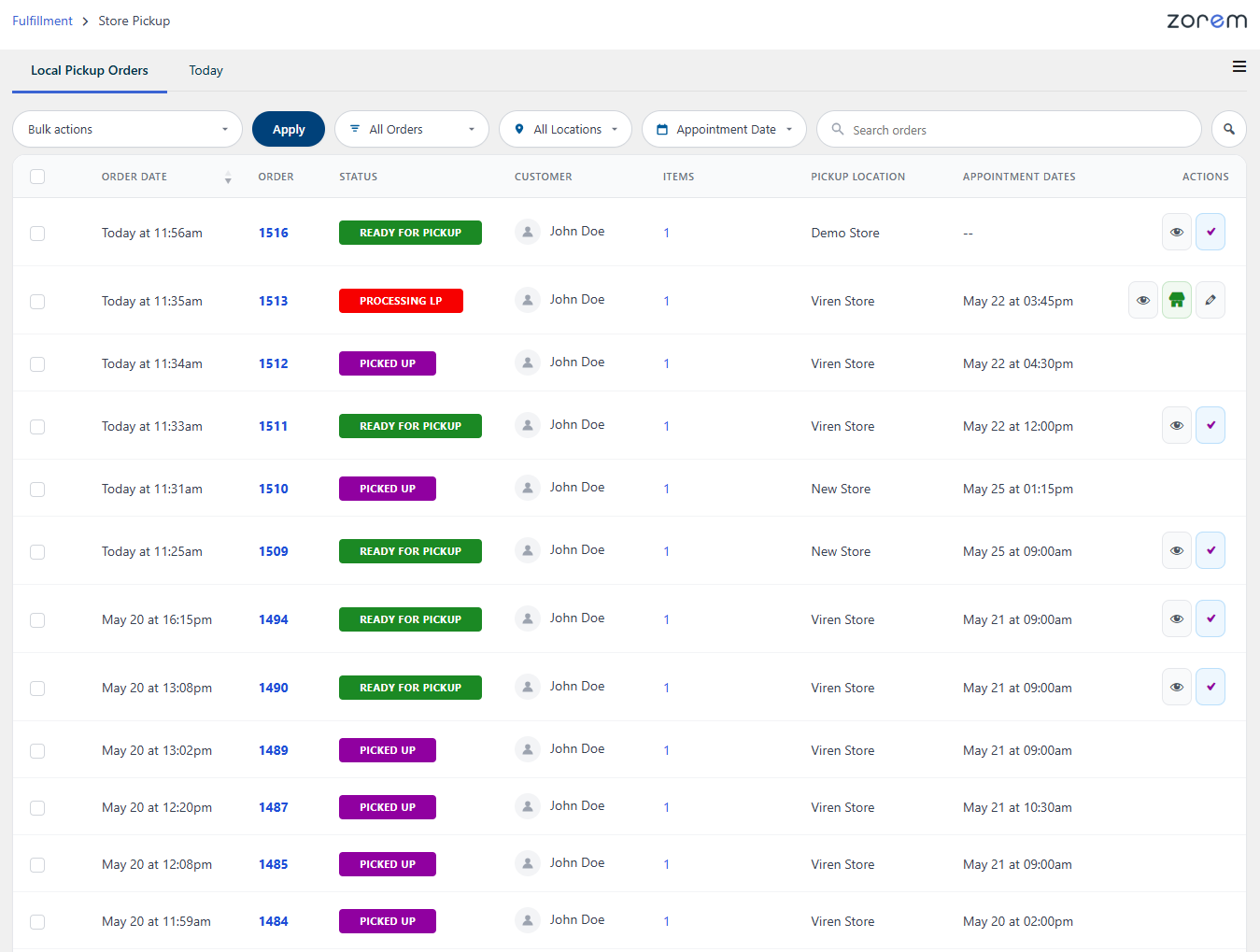
Dashboard Settings
WooCommerce → Local Pickup Pro → Settings → Local Pickup Dashboard- Order statuses to display — choose which order statuses appear on the dashboard. By default the pickup workflow statuses (Processing LP, Ready For Pickup, Picked Up) are shown; you can add other statuses such as Processing.
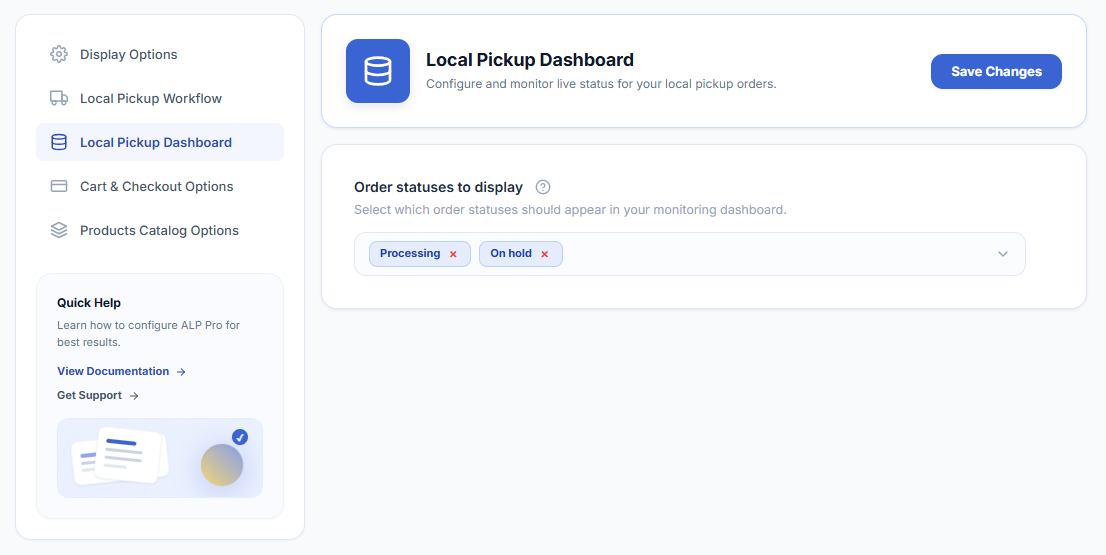
Next Steps
- Daily Pickup Pick-List (“Today” Mode) — today’s pickups on one board.
- How to Use the Local Pickup Workflow — the statuses the dashboard tracks.
- QR Code Pickup Handoff System — confirm handoffs by scanning.