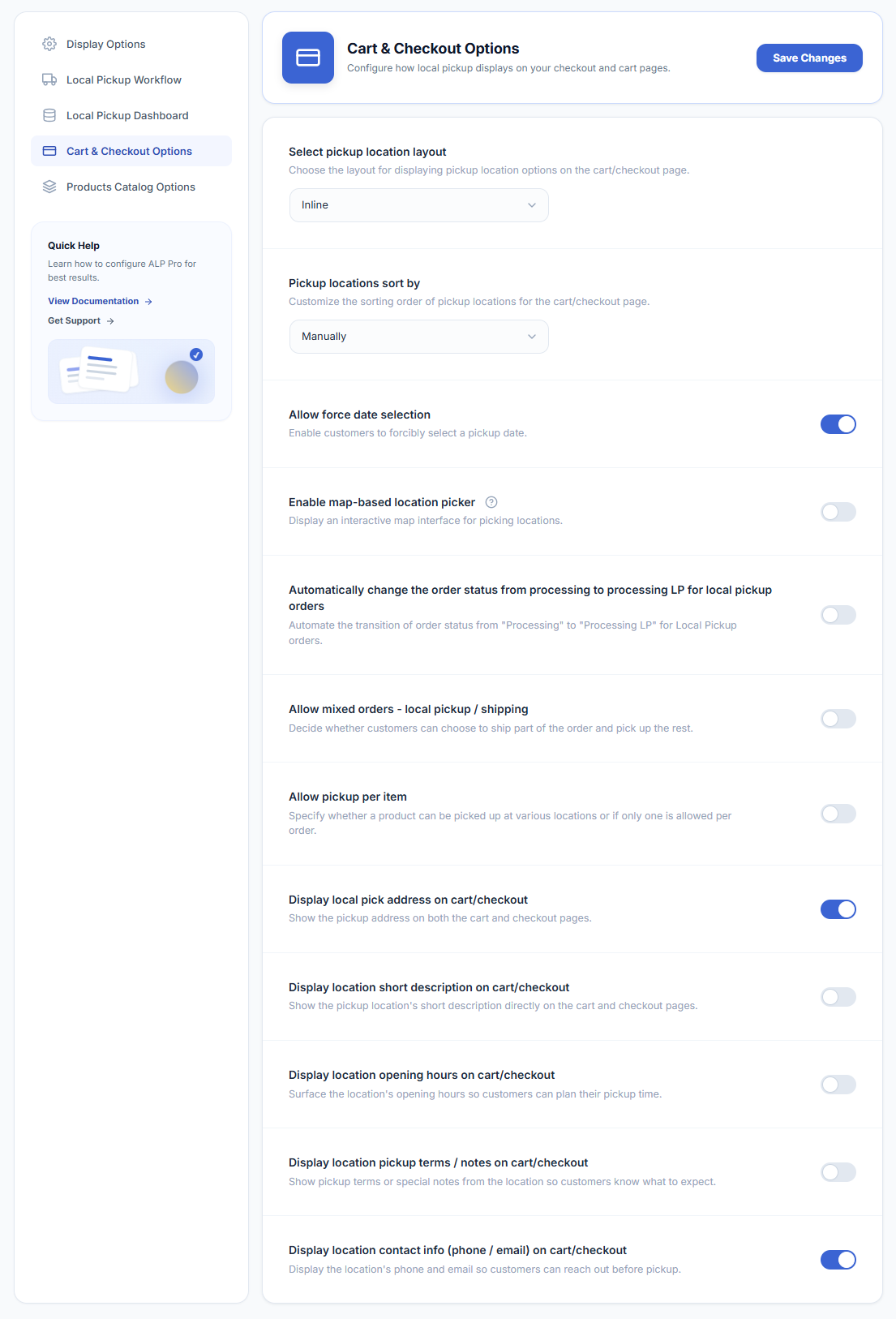
WooCommerce → Local Pickup Pro → Settings → Cart & Checkout OptionsCustomize your cart and checkout experience with the following options:
- Select Pickup Location Layout – Choose the layout for displaying pickup location options on the cart/checkout page.
- Pickup Locations Sort By – Customize the sorting order of pickup locations for the cart/checkout page.
- Google Maps API Key – Input the Google Maps API key to enable sorting pickup locations by distance. Refer to the guide on “How to Get your Google Map API credentials?” for assistance.
- Allow Force Date Selection – Enable customers to forcibly select a pickup date.
- Automatic Processing to Processing LP – Automate the transition of order status from “Processing” to “Processing LP” for Local Pickup orders.
- Mix Local Pickup/Shipped Orders – Decide whether customers can choose to ship part of the order and pick up the rest, or if a single handling method must be chosen for all eligible items.
- Allow Pickup Per Item – Specify whether a product can be picked up at various locations or if only one pickup location is available per order.
- Display Local Pickup Address on Cart/Checkout – Show the pickup address on both the cart and checkout pages.