WooCommerce → Local Pickup Pro → Settings → Cart & Checkout OptionsINFO
These options apply on both the classic checkout and the block checkout. ALP PRO renders its location picker, layouts, and pickup details for the classic zone-based Local Pickup method and the checkout block’s “Local pickup” (pickup_location) method alike — see Getting Started for which one your store uses.
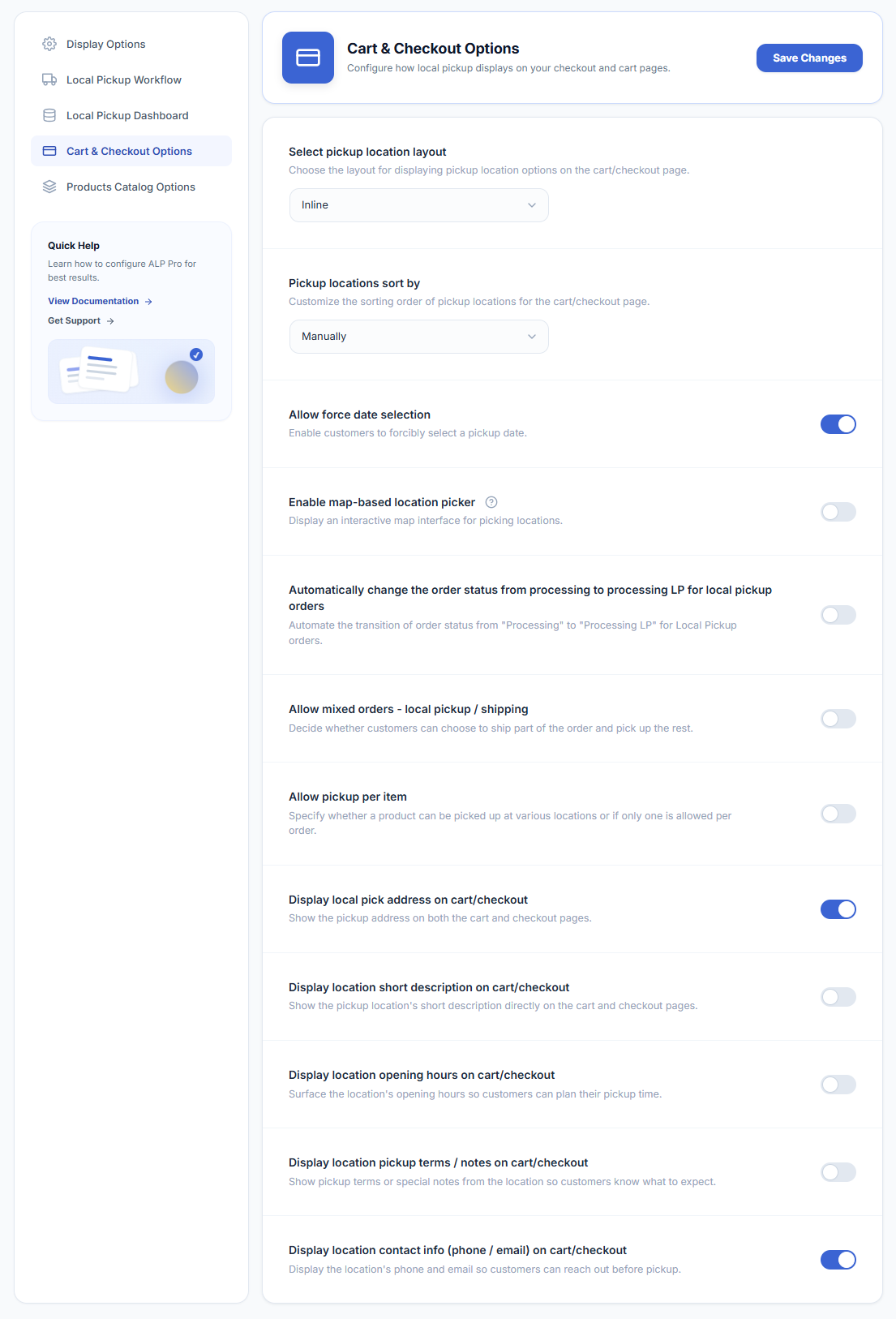
Customize your cart and checkout experience with the following options:
Pickup Details Shown on Cart & Checkout
Five toggles control which details of the selected location display on the cart and checkout pages:
- Display local pick address on cart/checkout — show the pickup address.
- Display location short description on cart/checkout — show the location’s short description.
- Display location opening hours on cart/checkout — show the opening hours so customers can plan their pickup time.
- Display location pickup terms / notes on cart/checkout — show pickup terms or special notes from the location.
- Display location contact info (phone / email) on cart/checkout — show the location’s phone and email.
Troubleshooting: The Location List Doesn’t Appear
- No matching shipping zone — the customer’s address must fall in a zone that offers Local Pickup (or, on the block checkout, the Local pickup setting must be enabled). See Getting Started.
- No location covers the cart — if a location has a product include list, it only appears when the cart contains those products. Check each location’s Products section.
- Location excluded for the payment or shipping method — a location can exclude specific payment or shipping methods; the customer’s current selection may hide it.
- Distance sorting failing — if Pickup locations sort by is set to Distance and the Google API key is missing, restricted, or over quota, sorting can fail; switch to Manually to test, and check the key’s API restrictions.
Next Steps
- How to Display on Cart/Checkout — what these options look like to customers.
- Map-Based Pickup Location Picker — the map option in detail.
- How to Set Up a Pickup Location — location details these options display.