ALP PRO lets you set up multiple pickup locations (a PRO feature — the free plugin supports a single location), giving customers the freedom to choose their preferred pickup spot during checkout. When customers select the Local Pickup shipping option, they see the list of available pickup locations for the products in their cart. You can also limit the selection to one pickup location per order (see Cart & Checkout Options).
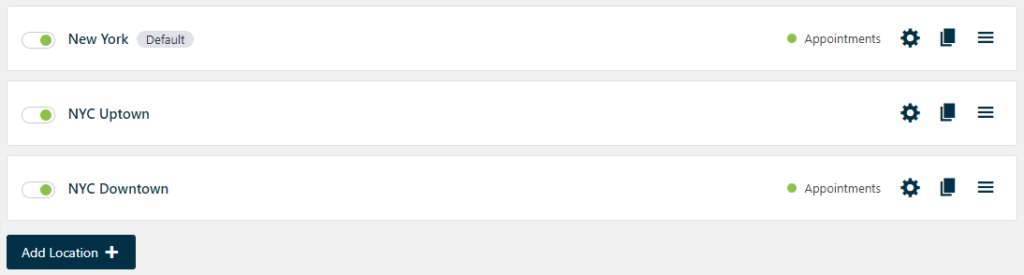
WooCommerce → Local Pickup Pro → Pickup LocationsManagement Options
- Add Location — add new pickup locations to expand your network.
- Enable/Disable Location — toggle the availability of specific pickup locations. Disabling a location hides it from new orders; existing orders keep their recorded pickup details.
- Duplicate Location — replicate an existing pickup location to speed up setup.
- Delete a Location — remove an unnecessary or outdated pickup location. Orders already placed for it keep the pickup information stored on the order.
- Drag & Drop — rearrange pickup locations to set the sort order shown to customers (used when Pickup locations sort by is set to Manually).
Guides
- How to Set Up a Pickup Location — address, business hours, products, notifications, and every other location setting.
- How to Set Up Pickup Appointments — date and time slots, capacity, and preparation time.