This panel holds the store-wide settings for the shipment tracking REST API, which lets you create, view and delete tracking on your orders from an external system. The settings here apply to every API call; the API reference itself, with the endpoints and examples, is on the Shipment Tracking API page.
To open this panel, go to WooCommerce > Shipment Tracking > Settings and select the Shipment Tracking API panel.
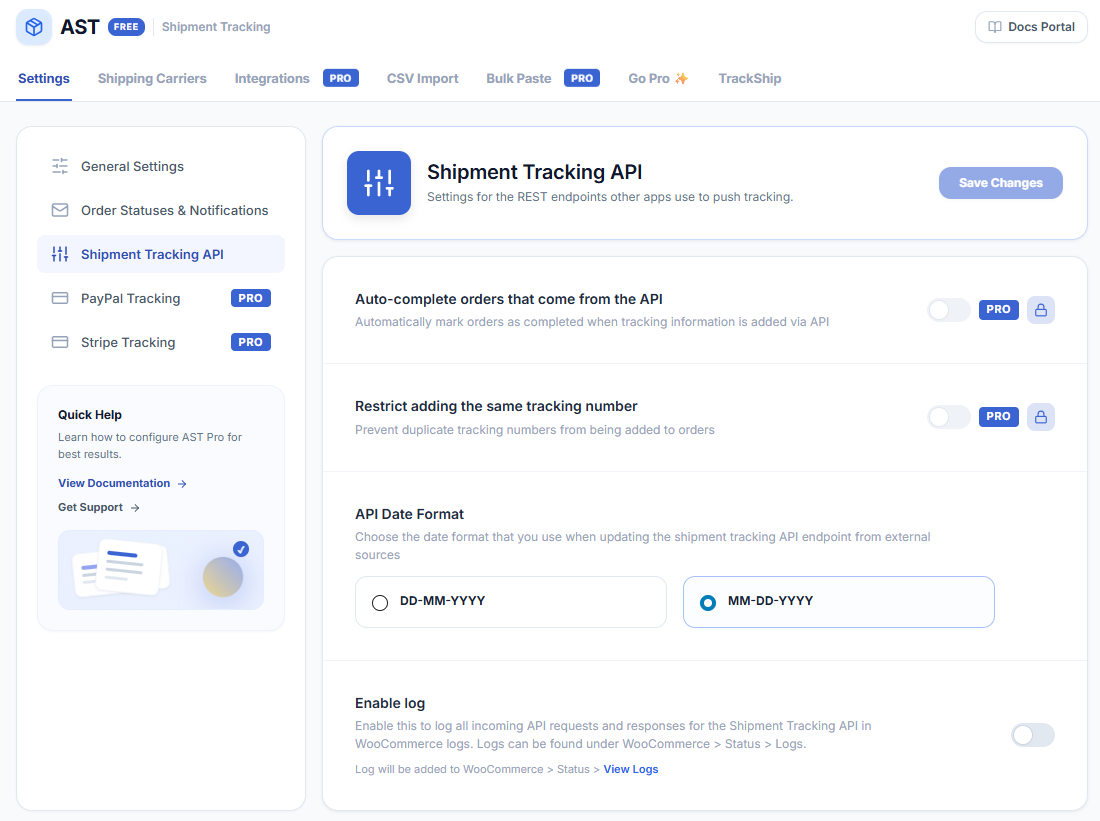
| Setting | Description |
|---|---|
| API Date Format | The format AST expects for the date_shipped value sent to the API. Choose DD-MM-YYYY or MM-DD-YYYY, and send dates in the format you picked. This setting affects API calls only — CSV imports have their own date format setting on the import screen. |
| Enable Log | Logs every API request and response so you can debug an integration. Read the log under WooCommerce > Status > Logs. Turn it off again once you’re done, so the log doesn’t grow. |
Next: Shipment Tracking API — the endpoints, fields and request examples.