The Audit Log (under AI Assistant > Audit Log in the left sidebar) records every action taken by an AI assistant — with the result and any error — so you always have a complete, reviewable history.
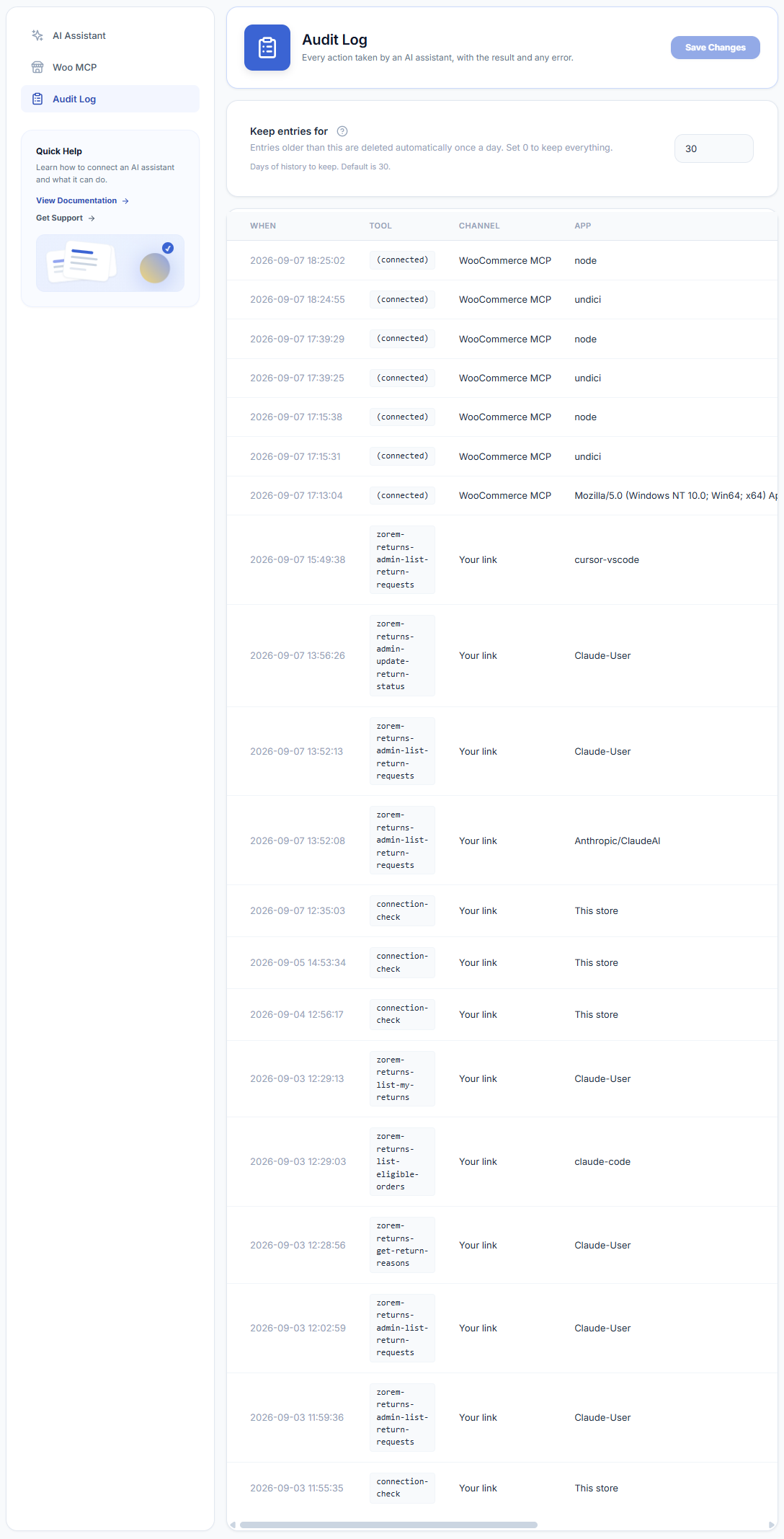
Keep entries for
At the top of the Audit Log screen is a Keep entries for field (default: 30 days). Entries older than this are deleted automatically once a day. Set it to 0 to keep everything indefinitely.
What each column means
- When — the date and time the action ran (displayed in your store’s timezone).
- Tool — the action that was called, shown as a code name (for example,
zorem-returns-admin-list-return-requestsorzorem-returns-admin-update-return-status). Connection events appear as(connected). - Channel — which connection route was used: Your link (the OAuth Connection URL) or WooCommerce MCP.
- App — the AI client that made the request (for example, Claude-User, claude-code, Anthropic/ClaudeAI, or cursor-vscode).
- User — the store account the assistant was acting as (shown as the WordPress username).
- Result — OK for success, or Refused if the action failed or was blocked.
- Error — the reason, when a call did not succeed. Hover over a truncated entry to see the full message.