Store credit is a refund method that issues a WooCommerce coupon to the customer instead of a cash refund — keeping revenue in the store while still resolving the return. When a customer chooses this option at request time, the coupon is generated automatically once the return is approved.
WooCommerce → Returns Center → Settings → Return Settings → Refund method preferencesCoupon Generation Process
- Customer submits a return request and selects “Refund to Store Credit” as the refund method.
- Admin approves the return request — this triggers the store credit refund.
- Coupon generated: A WooCommerce coupon equal to the refund amount is created automatically.
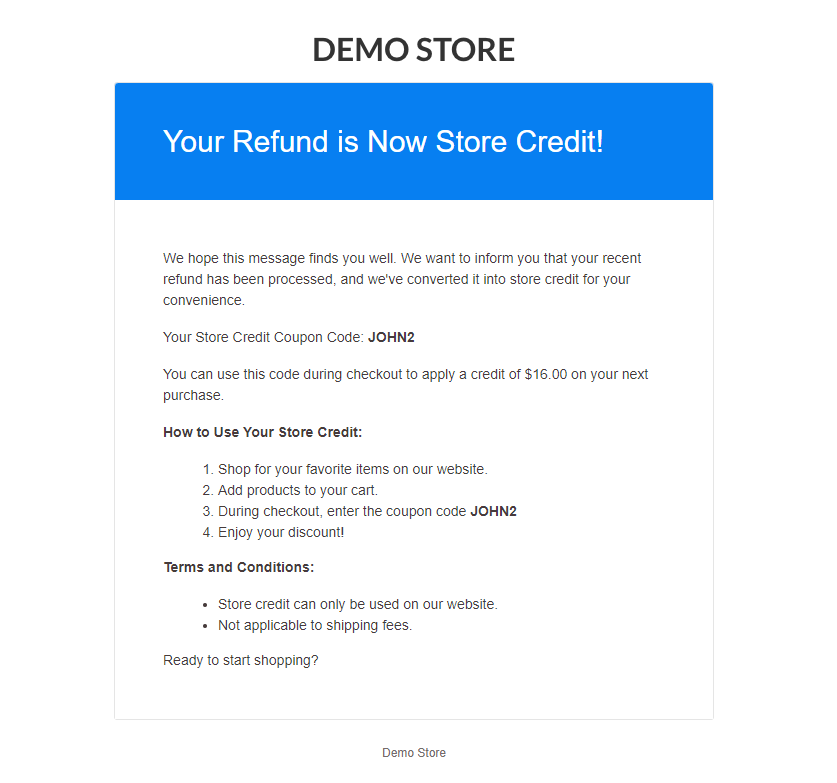
- Email notification: The coupon code and refund amount are emailed to the customer.
- Customer redeems: The customer applies the coupon code on their next purchase.
Next Steps
- Setup & Configuration – Configure available refund methods and other return settings.
- How to Use the Returns & Exchanges Center – Approve or reject return requests and manage the full returns workflow.
- Email Notifications – Customise the store credit email template sent to customers.