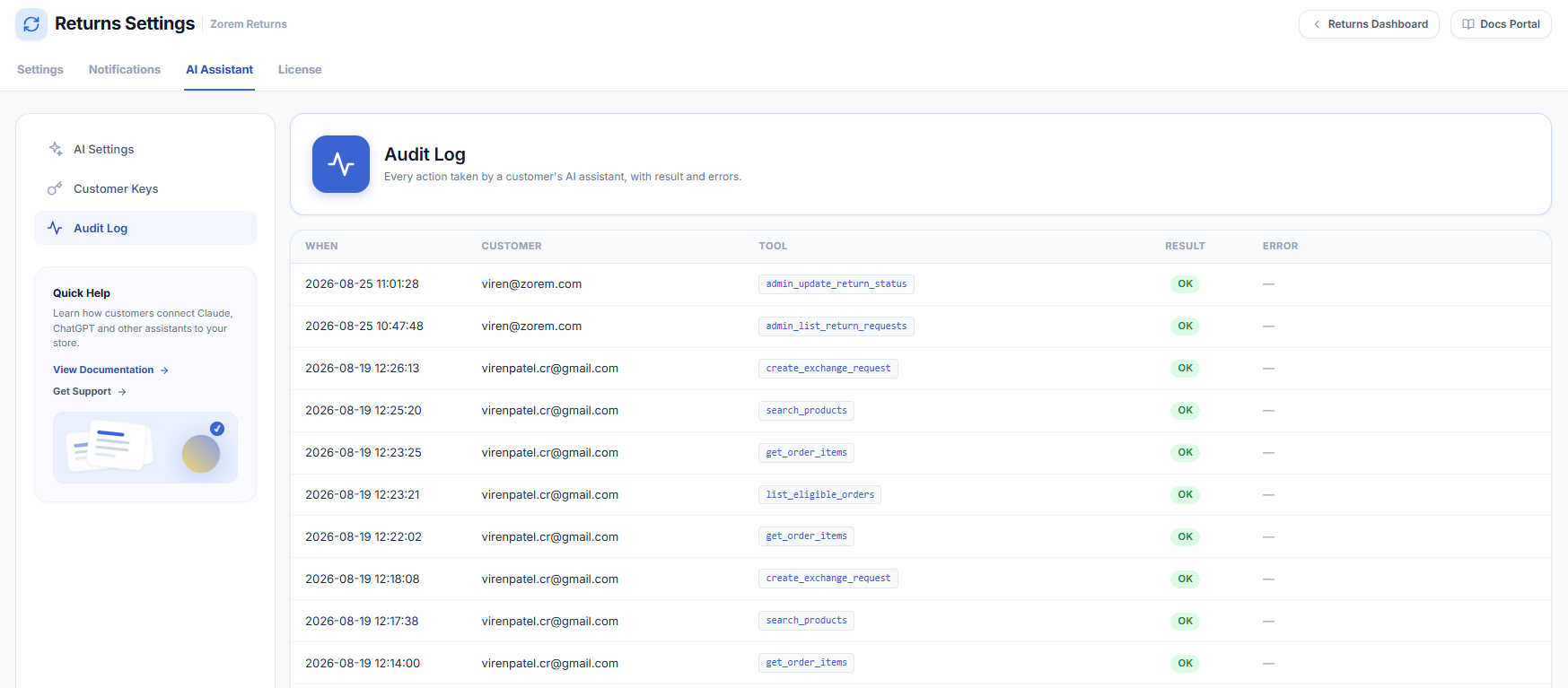
The Audit Log (under AI Assistant > Audit Log) records every action taken by a customer’s AI assistant, so you always have a complete, reviewable history of what the AI did.
What each column means
- When — the date and time the action ran.
- Customer — the account whose assistant made the request.
- Tool — which action was called (for example,
create_return_requestoradmin_update_return_status). - Result — OK for success, or an error state if the action was refused or failed.
- Error — the reason, when a call did not succeed (for example, an item outside the return window).
How long entries are kept
Entries older than your Audit log retention setting are deleted automatically once a day (default 30 days). Set the retention to 0 in AI Settings if you want to keep the full history indefinitely.