The AI Assistant lets your customers start and track returns & exchanges by chatting with their own AI — Claude, ChatGPT, or any assistant that supports connectors — and lets you (the store owner) manage return and exchange requests the same way. It works by exposing a secure MCP (Model Context Protocol) endpoint on your store that AI assistants can connect to.
No external AI API key is required. The customer’s own AI subscription powers the conversation. Your store only provides the secure tools and the authenticated connection — you never pay per message and no order data is sent to any third-party model by the plugin itself.
What you can do with it
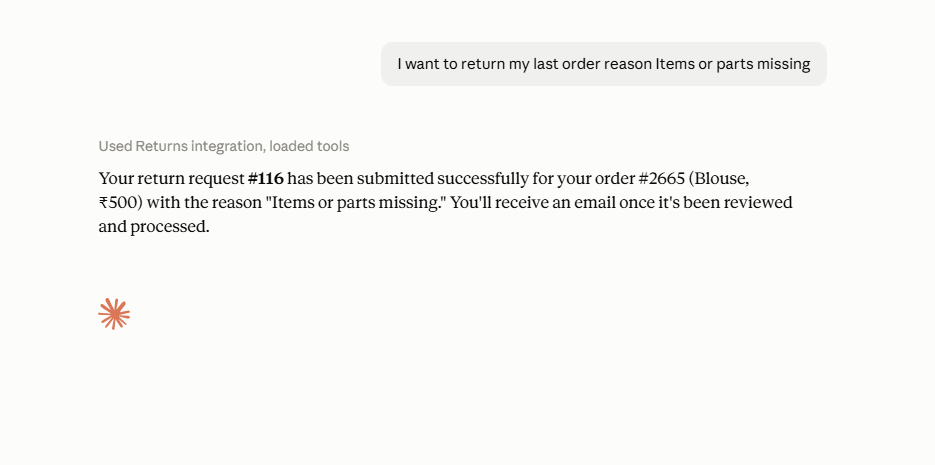
- Customers can list their eligible orders, see the items on an order, get your store’s accepted return reasons, file a return request, start an exchange, and check the status of their existing requests — all in plain language.
- Store owners can list all return/exchange requests, look up a single request, and approve, reject or complete requests directly from their AI assistant.
- Same rules as your storefront — every request the AI files goes through the exact same eligibility, return-window, fraud-prevention and refund-method checks as your normal return forms. The AI cannot bypass your policy.
How it works
The plugin adds a standards-based MCP server to your store at:
https://your-store.com/wp-json/zorem-returns/mcp/v1/mcp- Connect — the customer pastes your Connection URL into their AI assistant’s connector settings.
- Log in & consent — the AI is redirected to your store, where the customer logs in with their normal account and approves access. This uses OAuth 2.1 with PKCE, so no API key is ever copied by hand.
- Chat — the AI can now call the returns tools on the customer’s behalf, scoped strictly to that customer’s own orders.
Two ways an AI can connect
- Connection URL (recommended) — the built-in OAuth 2.1 route. It works from claude.ai in a browser, from the Claude and ChatGPT mobile apps, and from desktop apps. This is the only route that works from a phone.
- WooCommerce MCP — if your store already runs WooCommerce’s native MCP feature, the same return/exchange tools automatically appear there too, alongside WooCommerce’s own product and order tools. No extra setup.
Requirements
- WooCommerce active, with the Zorem Returns & Exchanges plugin installed and up to date.
- Your site’s REST API must be reachable by outside clients over HTTPS. Some security plugins block anonymous REST access — see Troubleshooting if the connection fails.
- An AI assistant that supports custom connectors (Claude, ChatGPT, and others).
In this section
- Enable & Configure the AI Assistant — turn it on and set your usage limits.
- Connect Your AI Assistant (Claude / ChatGPT) — step-by-step connection guide.
- Customer Keys — issue and manage connected assistants.
- What the AI Can Do (Tools) — the full list of actions and their limits.
- Audit Log — see every action taken.
- Troubleshooting — fix connection problems.