CBR PRO provides shortcodes to display the country selector anywhere in your store — including on block themes, which have no classic widget areas. A country selected through any of them is stored in the country cookie and overrides IP geolocation (see How CBR PRO Detects the Customer’s Country).
[cbr_location_widget]
Displays the detected country; clicking it opens the country-selection popup. Place the shortcode in any page, post, Shortcode block, or template:
[cbr_location_widget]Optional attributes:
Example:
[cbr_location_widget label="Shipping to " icon=show border=show country_type=selling]Showing the Selector in the Theme Header
Block themes: edit the Header template part (Appearance → Editor → Patterns → Header), add a Shortcode block, and paste the shortcode — no code needed.
Classic themes: add this to the header.php of your child theme (edits to the parent theme are lost on theme updates):
<?php echo do_shortcode( '[cbr_location_widget label="Shipping to " icon=show border=show]' ); ?>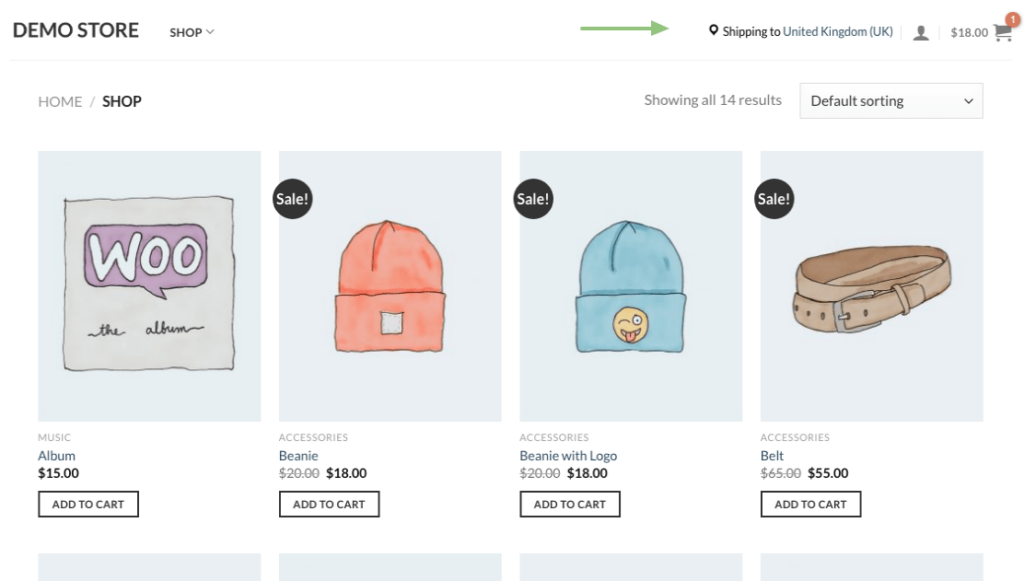
[cbr_select_countries_widget]
Displays a country dropdown, without the popup, for customers to select their country directly:
[cbr_select_countries_widget]Optional attribute:
- refresh (default: 1) — refresh=1 reloads the page as soon as a country is selected, so restrictions apply immediately. refresh=0 shows an Apply button next to the dropdown instead; the page reloads when the customer clicks it.
Example:
[cbr_select_countries_widget refresh=1]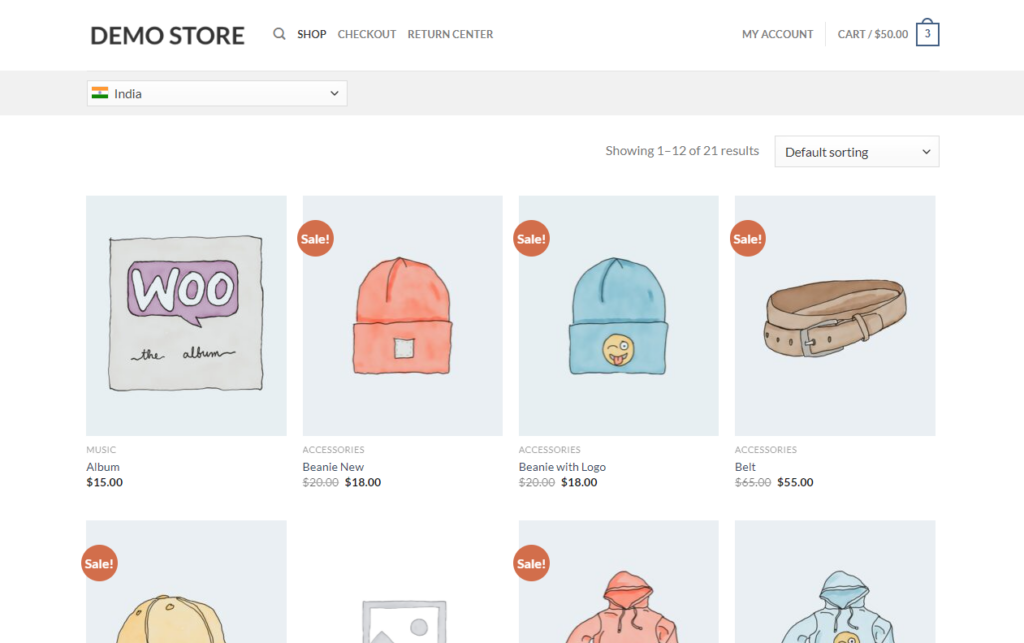
Message Placement Shortcodes
Two further shortcodes control where restriction messages appear in custom templates:
- [cbr_message_position] — outputs the product restriction message. Use it in a custom product template or page builder (Elementor, UX Builder) together with the Use shortcode option of the Product restriction message position setting.
- [cbr_category_message] — outputs the category restriction message in a custom category template.
Both settings are described in Setup & Configuration.
Next Steps
- How to Use the Country Detection Widget — the classic widget and the popup customizer.
- How CBR PRO Detects the Customer’s Country — the country cookie, caching, and testing with ?country=XX.