Country Based Restrictions PRO (CBR PRO) works with WPML multilingual stores. The one thing to configure is how restriction rules carry over to translated products — set once, they sync automatically. For translating the plugin’s texts and messages, see How to Translate with WPML.
Sync Product Rules Across Languages (Recommended)
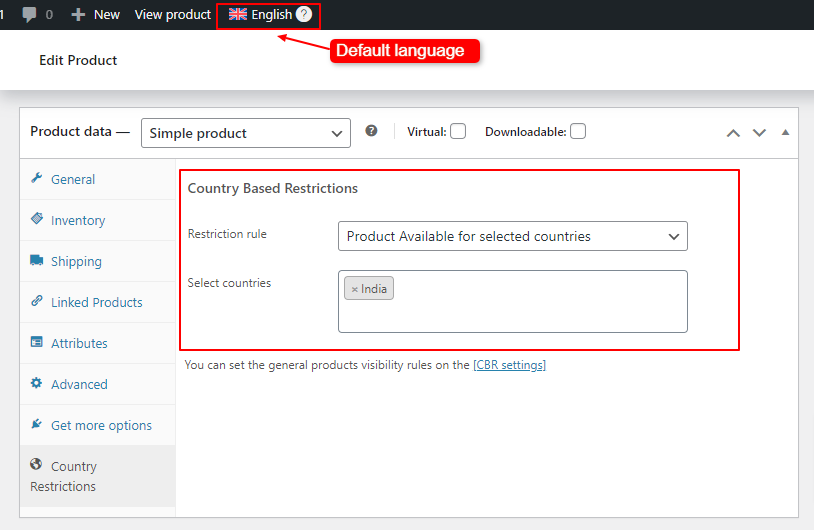
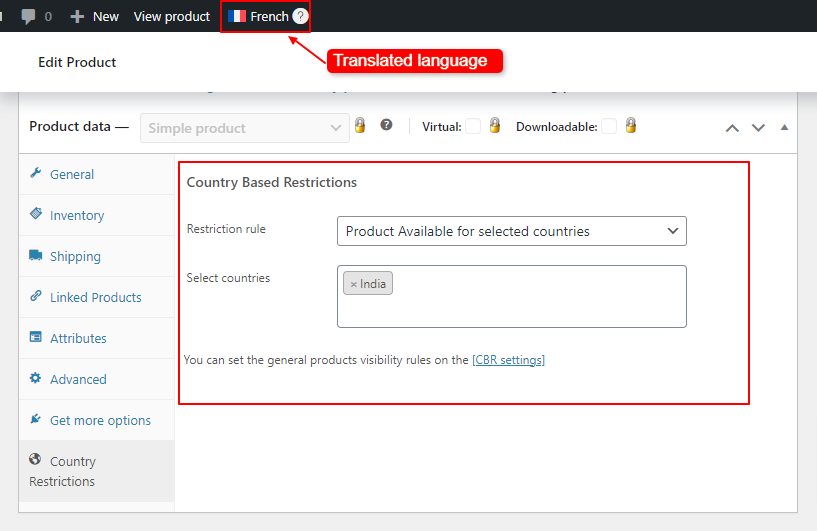
Product restriction rules are stored in two custom fields: _fz_country_restriction_type and _restricted_countries. Tell WPML to copy them to translations, so a rule saved on the original product applies to every language version automatically:
WPML → Settings → Custom Fields Translation- Open WPML → Settings — and scroll to the Custom Fields Translation section (click Show system fields if the fields are not listed).
- Find _fz_country_restriction_type — and set it to Copy.
- Find _restricted_countries — and set it to Copy.
- Save — then update the original product once (or use WPML’s option to apply the copy to existing translations) so existing translations pick up the rules.
From then on, set restriction rules only on the product in your default language — WPML keeps the translations in sync.
Alternative: Different Rules per Language
If you deliberately want different restriction rules per language version (rare), leave the two fields set to Don’t translate and apply rules to each language version of the product by hand, the same way as on the original.
Bulk Catalog Rules in a Multilingual Store
Bulk rules match categories, tags, and other terms — and WPML gives each language its own terms. Build the rule so it covers the terms of every language:
- Select All Languages in WPML — in the WPML language dropdown in the admin toolbar, choose All languages, so every language’s categories are selectable.
- Create the bulk rule — in WooCommerce → Country Restrictions → Catalog Restrictions, and select the relevant categories of each language (for example the English, German, and French versions of the category).
- Save the rule — it now applies across all languages.
- Test — check the restriction in each language on the storefront.

Next Steps
- How to Translate with WPML — translate the restriction messages and widget texts.
- Compatibility — caching and other plugins.