WP Rocket’s full-page cache can serve a page geolocated for one visitor to everyone. This guide keeps CBR PRO’s country detection working with WP Rocket. Background: How CBR PRO Detects the Customer’s Country.
First: Enable Caching-Aware Geolocation
WooCommerce → Settings → General → Default customer location → Geolocate (with page caching support)This handles the visitors who have no country cookie yet (first-time guests): the country is resolved in the browser after the cached page loads, so a cached page isn’t wrong for them. The steps below handle visitors who have a country cookie.
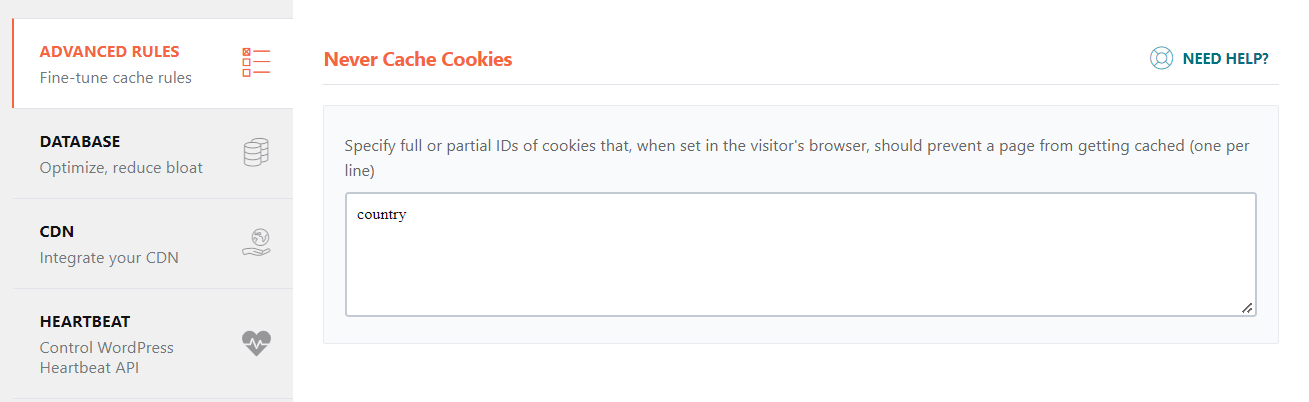
Never Cache Cookies
Add country to WP Rocket → Advanced Rules → Never Cache Cookies. Visitors who selected a country then always get an uncached page with the correct catalog.
Never Cache URL(s)
If country-specific pages still show wrong content, exclude them in WP Rocket → Advanced Rules → Never Cache URL(s). Cover every page whose content depends on the country — shop, products, categories, and search results — using WP Rocket’s wildcard patterns (adjust to your permalink structure):
/shop/(.*)
/product/(.*)
/product-category/(.*)
/?s=(.*)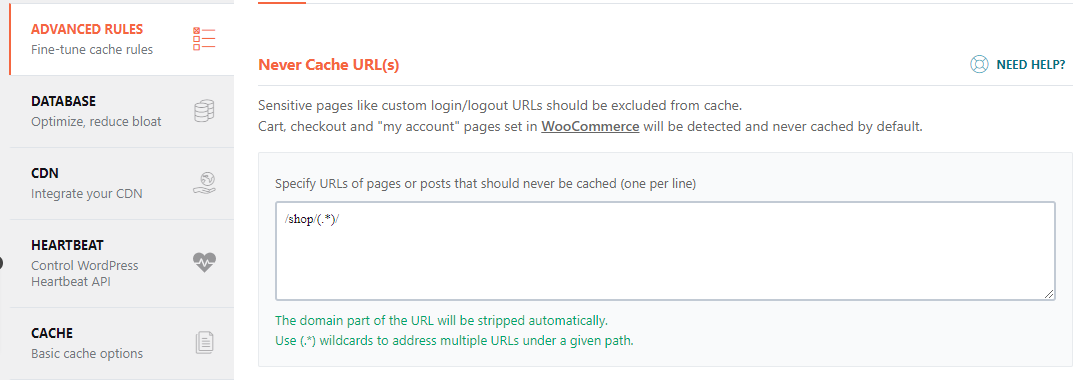
Clear the Cache
After changing any of these settings, clear WP Rocket’s cache (WP Rocket → Dashboard → Clear and preload cache) so previously cached country-specific pages are removed.
Next Steps
- Compatibility — the general caching guidance and other cache plugins.
- How CBR PRO Detects the Customer’s Country — the country cookie and testing.