When the chat cannot help, or a shopper asks for a person, it can show how to reach your team.
AI Shopping Assistant → Settings → Contact a person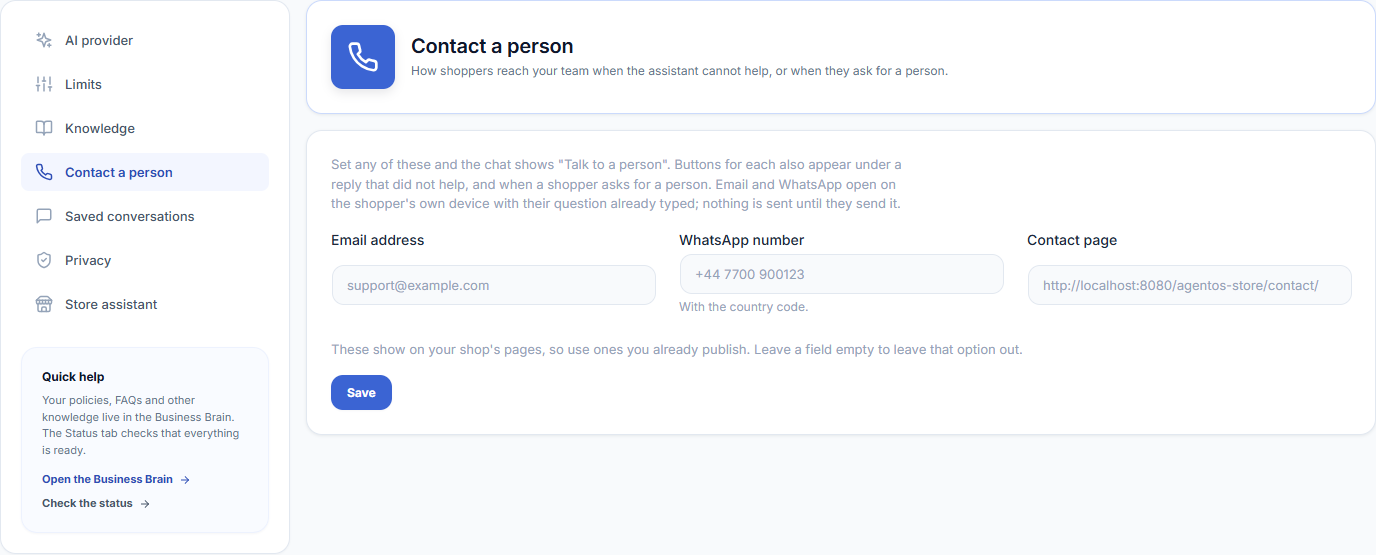
Set It Up
| Field | Example | What the shopper gets |
|---|---|---|
| Email address | [email protected] | An Email button that opens their mail app with their question typed in. |
| WhatsApp number | +44 7700 900123 | A WhatsApp button that opens WhatsApp with your number and their question typed in. Include the country code. |
| Contact page | https://yourshop.com/contact/ | A Contact page button. |
Fill in any of them and click Save. Leave a field empty to leave that option out. All three are empty by default, and until you set at least one, nothing about contacting a person appears in the chat.
When Shoppers See It
- At the bottom of the chat — a Talk to a person link, from the moment one of the three is set.
- Under a reply that did not help — the Email, WhatsApp and Contact page buttons.
- When the shopper asks for a person — for example “can I talk to someone?”, in any of the seven languages the chat understands.
Nothing is sent by your site. Email and WhatsApp open on the shopper’s own device, and nothing is sent until the shopper sends it there. With an AI provider, the assistant points shoppers to these buttons and never makes up an email address or phone number.
The address and number appear on your shop’s pages, so use ones you already publish.