The store assistant is a separate chat for administrators. Open it from Ask the store assistant in the admin bar, on any admin screen. It answers from your shop’s knowledge and from read-only store reports, with edit links. It cannot change anything.
AI Shopping Assistant → Settings → Store assistant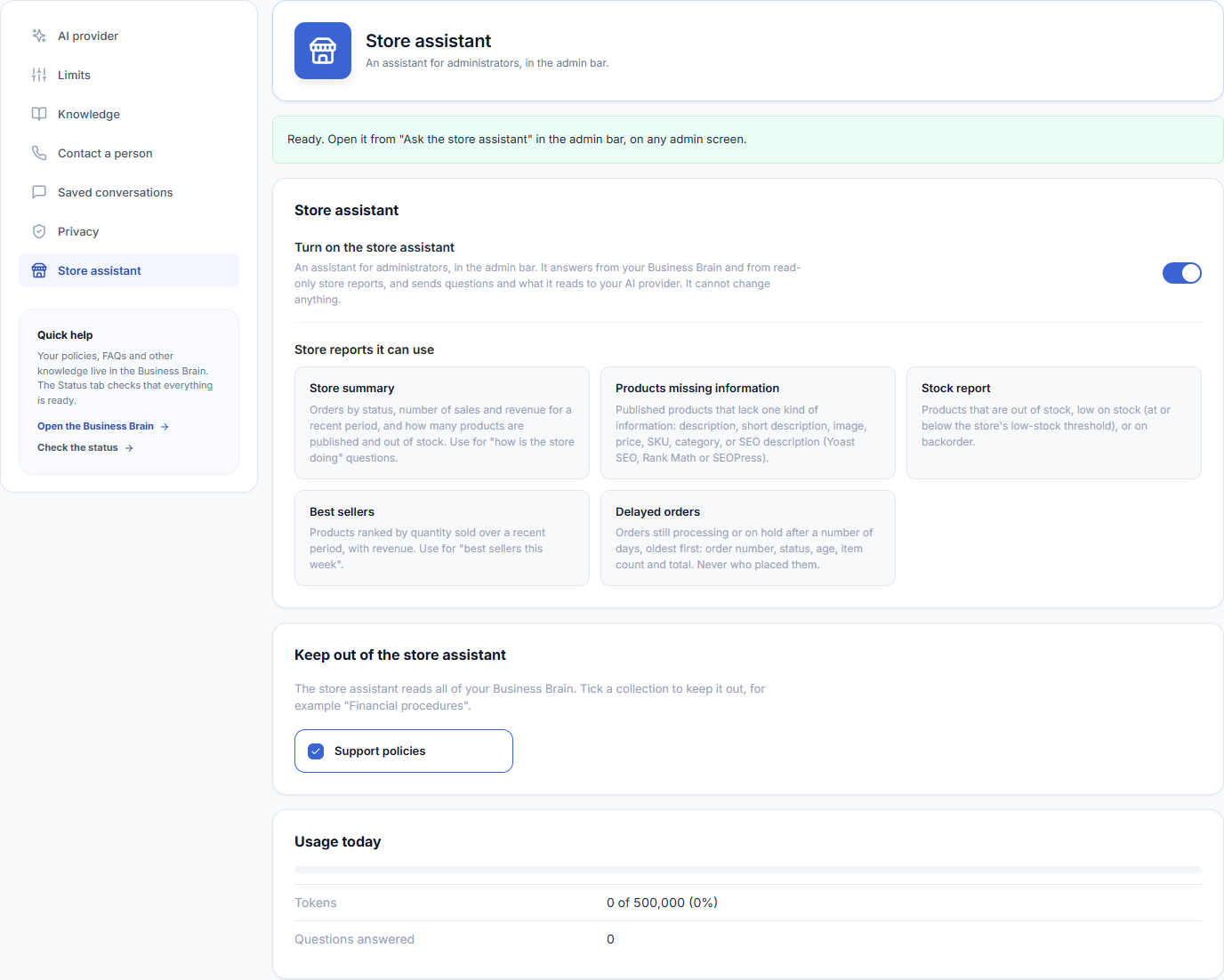
Switch It On
- Turn on Turn on the store assistant. It is off by default.
- Check the note at the top. “Ready” means it can answer; otherwise it lists what is missing, such as an AI provider.
- Open it from the admin bar and ask, for example, “which products have no SKU?”.
The store assistant needs an AI model to answer at all. The shopping assistant does not — without one it quotes your shop’s own information instead.
Store Reports It Can Use
| Report | Example question | What it reads |
|---|---|---|
| Store summary | How is the store doing this week? | Orders by status, sales and revenue for a recent period, and how many products are published or out of stock. |
| Products missing information | Which products have no SKU or no image? | Published products lacking a description, short description, image, price, SKU, category or SEO description. |
| Stock report | What is out of stock or running low? | Products out of stock, at or below your low-stock threshold, or on backorder. |
| Best sellers | What sold best this week? | Products ranked by quantity sold over a recent period, with revenue. |
| Delayed orders | Which orders are stuck in processing? | Orders still processing or on hold after a number of days, oldest first: order number, status, age, item count and total — never who placed them. |
The SEO description check reads the fields of Yoast SEO, Rank Math and SEOPress, whichever you have installed.
What It Cannot Do
- It cannot change anything — no edits, refunds, repricing or order changes. Every report is a read.
- It does not read customer details. Delayed orders are listed without the customer who placed them.
- Administrators only, and only while you switch it on.
Answers cite the Website Brain entries they came from, with a link into the Brain’s Entries screen so you can read the same text the assistant read. Every report it runs, and anything it is refused, is listed on the Activity tab.
With an AI provider, questions and what the store assistant reads are sent to your provider. Usage today is shown in the same section.