The Settings tab groups everything that is set once and rarely changed. It is where the menu opens. Pick a section from the menu on the left.
AI Shopping Assistant → SettingsAI Provider
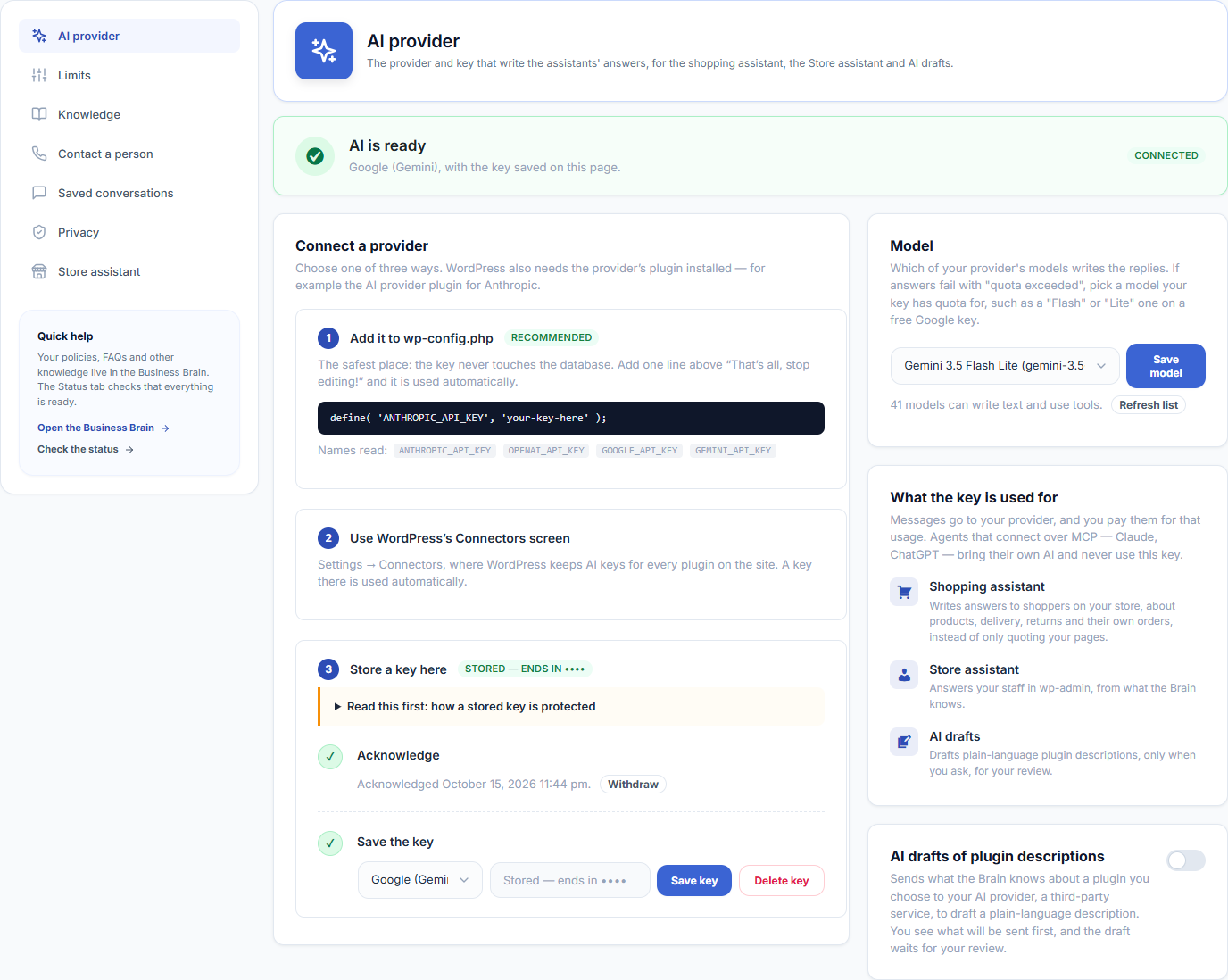
Shows whether AI is ready, connects a provider with its key and your acknowledgement, and picks the model. The same key writes answers for the shopping assistant and the store assistant. See Installation & Setup for the steps.
Limits
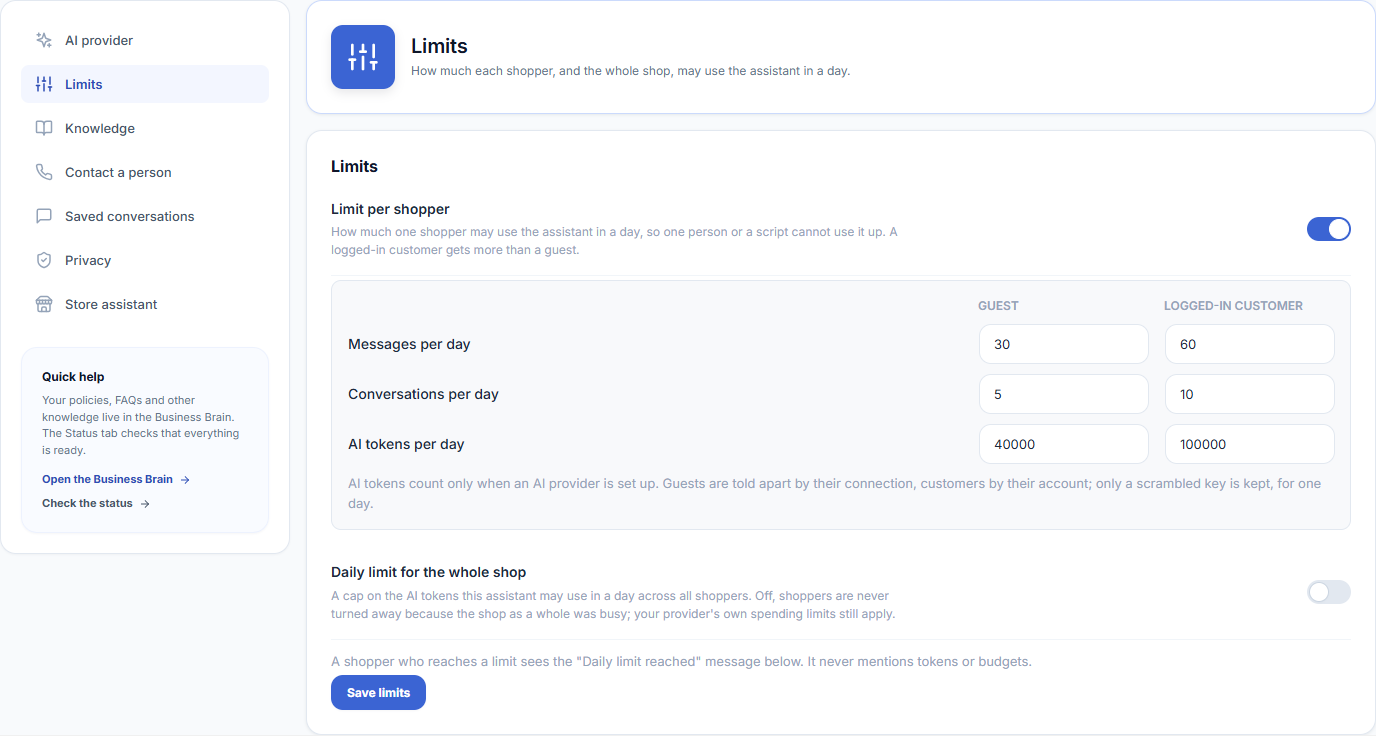
| Setting | Default | What it does |
|---|---|---|
| Limit per shopper | On | How much one shopper may use the chat in a day, so one person or a script cannot use it up. |
| Guest | 30 messages, 5 conversations, 40,000 AI tokens a day | Guests are told apart by their connection; only a scrambled key is kept, for one day. |
| Logged-in customer | 60 messages, 10 conversations, 100,000 AI tokens a day | Customers are told apart by their account. |
| Daily limit for the whole shop | Off | A cap on the AI tokens the chat may use in a day across all shoppers. |
A shopper who reaches a limit sees the “Daily limit reached” message. It never mentions tokens or budgets. AI tokens only count when an AI provider is set up.
Knowledge

Choose which kinds of knowledge the shopping assistant may read and quote to shoppers, such as manuals and FAQs. Tick a kind to allow it, untick it to take it away. Only shopper-facing kinds are offered here, so you cannot expose anything meant for administrators by mistake.
The knowledge itself lives in the Website Brain. See Website Brain for what it holds and how to choose the pages the chat answers from.
Contact a Person
An email address, a WhatsApp number (with country code) and a contact page. See Talk to a Person.
Saved Conversations
| Setting | Default | What it does |
|---|---|---|
| Save conversations | Off | Keeps what shoppers ask and what the chat answers, with email addresses removed, for the Conversations tab. Shoppers are told in the chat while it is on. |
| Keep for | 30 days | From 1 to 365 days. Older conversations are deleted every day. |
| Delete all | — | Deletes every saved conversation and search count now. This cannot be undone. |
Privacy
Shows what shoppers are told, links to WordPress’s Export and Erase personal data tools (a logged-in customer’s saved questions are included), and opens the privacy policy guide with suggested text for your policy.
Store Assistant
Switch on the store assistant for administrators and see the store reports it can use. See Store Assistant.