Status
AI Shopping Assistant → Status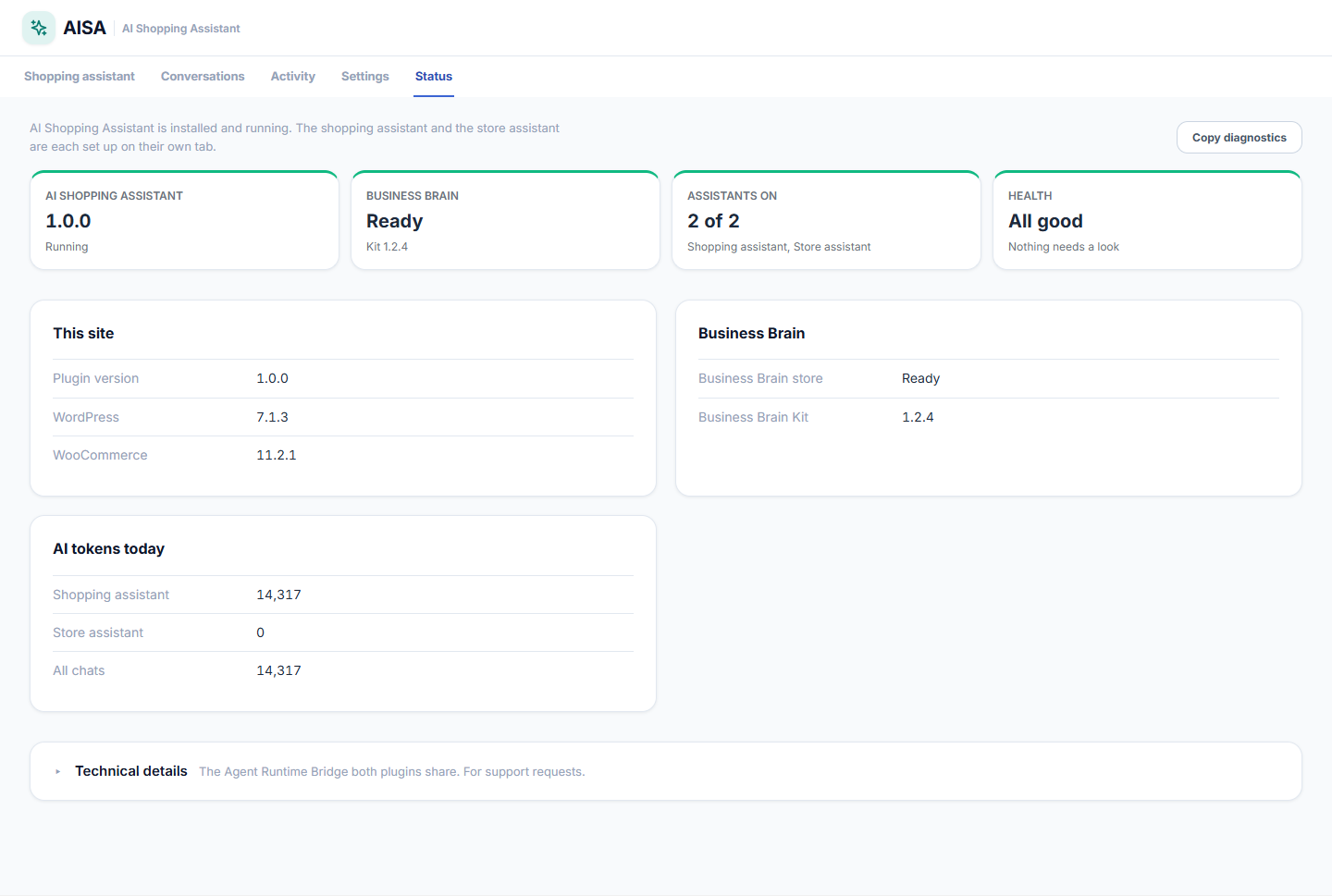
The Status tab shows whether the plugin, the shopping assistant, the store assistant and your Website Brain are ready, and lists anything under Needs a look. It also shows the AI tokens each chat used today. Click Copy diagnostics and paste the result into a support request.
You will only see this tab with an active license. Without one, License is the only tab — see Installation & Setup.
AI Agent OS is listed as optional. You do not need it — when it is installed, the two plugins share one Website Brain and nothing else.
Common Problems
| Problem | What to check |
|---|---|
| Only the License tab is there | The license is not activated on this site. Open AI Shopping Assistant → License and click Connect & Activate License. The other tabs come back as soon as it is active, with your settings and history as you left them. |
| The chat disappeared from the shop | Check the License tab first. A subscription that lapsed, or a license released from this site, locks the plugin and takes the chat off the shop. It returns when a license is active again. |
| The chat button does not show | Show the shopping assistant is on; On every page is on (or the page has the shortcode); the page is not hidden under Where it appears. |
| The chat does not know my returns or shipping policy | The page must be in the Website Brain and published. Open Website Brain → Overview, set your policy pages and tick any other page that holds answers, then click Save selection. A draft page is never read. |
| Answers are quoted, not written | No AI provider is ready, or the shop’s daily AI limit is used up. See Settings → AI provider and Settings → Limits. |
| Settings → AI provider says a key is not enough | Each provider needs its own WordPress AI provider plugin as well as a key. The status card says which of the two is missing. |
| Shoppers see “Daily limit reached” | They reached the limit per shopper. Raise it under Settings → Limits. |
| No tracking in an order answer | Tracking comes from Advanced Shipment Tracking or WooCommerce Shipment Tracking, with status from TrackShip. Without one of them there is nothing to show, and the order still gets its status, dates and total. |
| No return options in the chat | Returns for WooCommerce must be active (with a licence for Pro). Reload the shop page after activating it, then click Restart in the chat. |
| No Return or Exchange buttons under an order | The order is not eligible in Returns for WooCommerce, for example it is still Processing or outside the return window. |
| The Conversations tab is empty | Turn on Settings → Saved conversations. Only conversations after that are saved. |
| No Talk to a person link | Set an email address, WhatsApp number or contact page under Settings → Contact a person. |
| The store assistant says it is not ready | It needs an AI model. The shopping assistant does not, so the shop chat can be working while this one is not. |
After changing a setting that affects the chat, reload the shop page. A page open from before keeps its old settings until it is reloaded.