Returns for WooCommerce sends automated email notifications to customers and administrators at every step of the return and exchange process — from submission through approval, rejection, and completion.
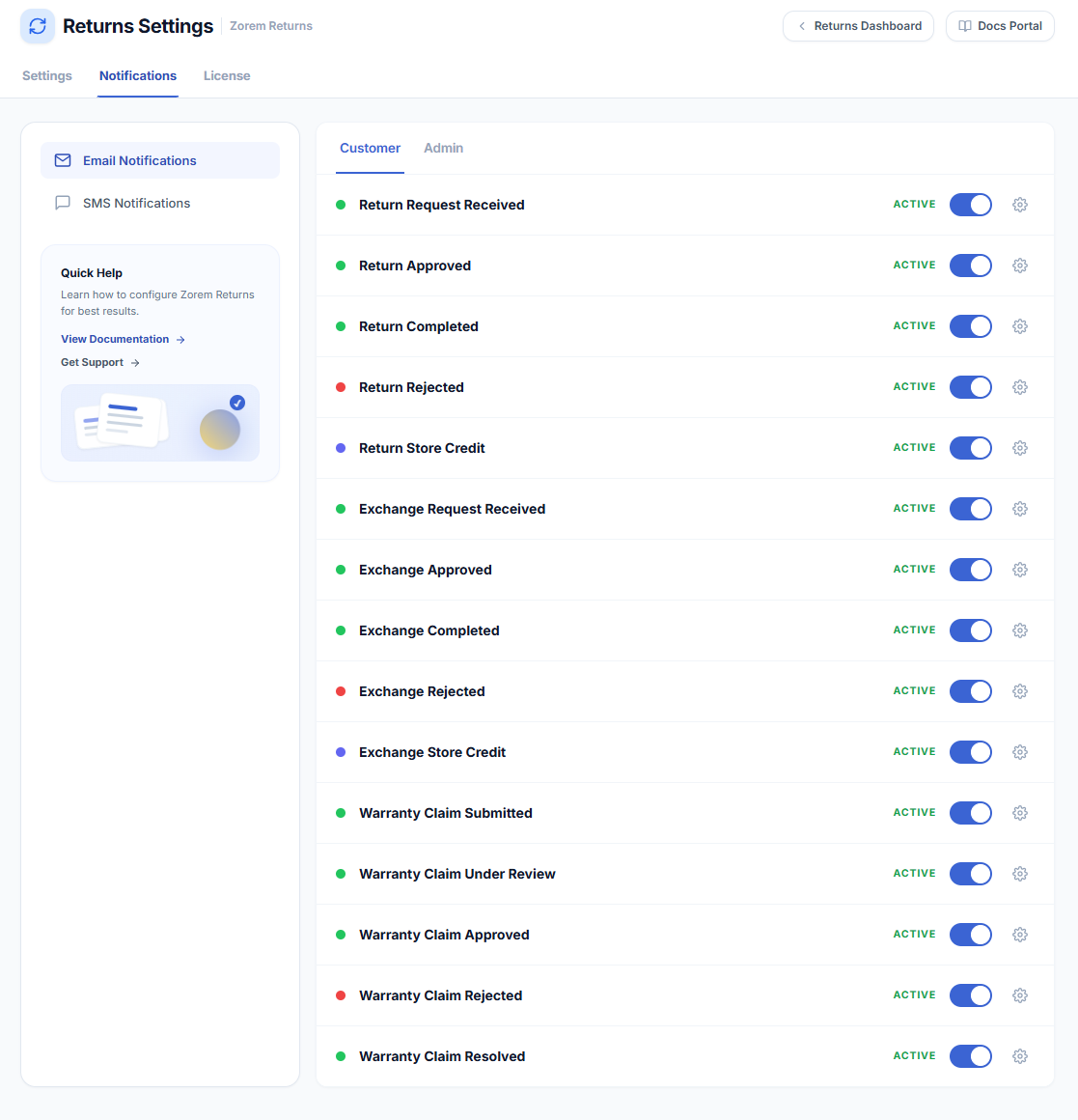
WooCommerce → Returns Center → Email NotificationsThe Email Notifications tab links directly to the WooCommerce email settings screen filtered to Returns for WooCommerce emails, where you can enable, disable, and customise the subject, heading, and body of each template.
Available Email Templates
Admin Emails
- Return Request Received (Admin) — sent when a customer submits a return request.
- Return Request Approved (Admin) — sent when a return is approved.
- Return Request Rejected (Admin) — sent when a return is rejected.
- Return Request Cancelled (Admin) — sent when a customer cancels a return request.
- Return Request Completed (Admin) — sent when a return is marked completed.
- Exchange Request Received (Admin) — sent when a customer submits an exchange request.
- Exchange Request Approved (Admin) — sent when an exchange is approved.
- Exchange Request Rejected (Admin) — sent when an exchange is rejected.
- Exchange Request Cancelled (Admin) — sent when a customer cancels an exchange request.
- Exchange Request Completed (Admin) — sent when an exchange is marked completed.
- Warranty Claim Submitted (Admin) — sent when a warranty claim is filed.
- Warranty Claim Approved (Admin), Rejected, and Resolved/Under Review — sent at each warranty status change.
Customer Emails
- Return Requested (Customer) — confirms the return request was received.
- Return Approved (Customer) — notifies the customer the return is approved.
- Return Completed (Customer) — notifies the customer the return is complete.
- Return Rejected (Customer) — notifies the customer the return was declined.
- Exchange Requested (Customer), Approved, Completed, Rejected — status emails for exchanges.
- Store Credit Coupon (Customer) — sends the coupon code when store credit is issued as a refund method.
Next Steps
- How to Customise Email Notifications — edit subject, heading, and body text for each template.
- SMS Notifications — add SMS alerts alongside email notifications.
- Setup & Configuration — control which refund methods and exchange options are available.