Some integrations do not speak MCP and use WooCommerce’s classic REST API (/wp-json/wc/v3/…) with a consumer key and secret instead. A key issued from an agent belongs to that agent, so every request made with it gets exactly what the agent is granted — the same permissions, the same customer-data masking, and the same Activity Log.
AI Agent OS → Agents → Configure → Connection → WooCommerce APIThe WooCommerce API card appears only when WooCommerce is active.
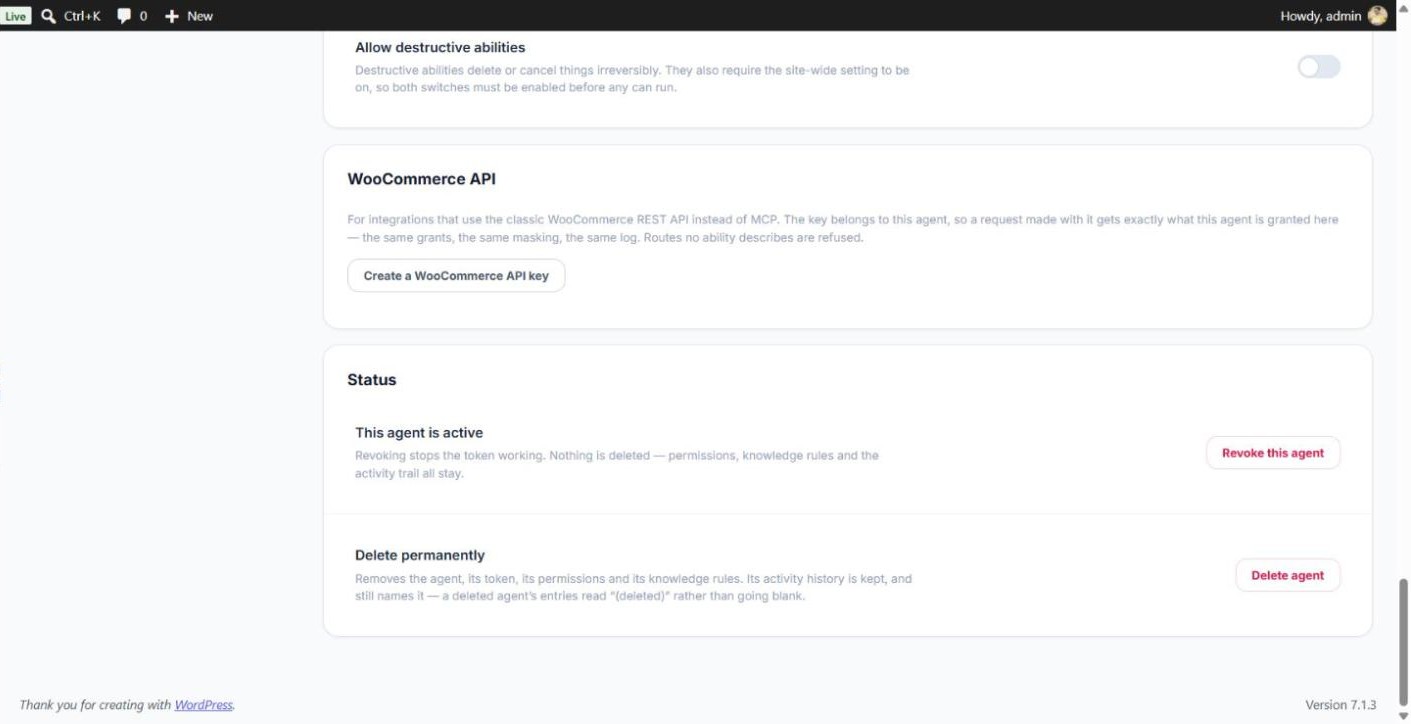
How to Create a Key
- Open the agent and go to its Connection section.
- In the WooCommerce API card, click Create a WooCommerce API key.
- Copy the consumer key, consumer secret and endpoint into your integration. They cannot be shown again.
You need to be able to manage WooCommerce to issue a key, and the agent must be active.
What a Key Can Do
Each WooCommerce route is matched to the agent tool it corresponds to, and the agent’s grant on that tool (on its Permissions section) decides:
| Request | Needs a grant on |
|---|---|
| Read orders and order notes (GET) | woocommerce/orders-query — Read |
| Change only an order’s status | woocommerce/order-update-status — Write (cancelling or refunding also needs the destructive switches) |
| Add an order note | woocommerce/order-add-note — Write |
| Read products (GET) | woocommerce/products-query — Read |
| Create, update or delete a product | woocommerce/product-create, product-update or product-delete — Write (delete also needs the destructive switches) |
| Anything else (customers, coupons, reports, other order edits) | Refused — no agent tool describes it |
Revoke a Key
Each key is listed in the card with its last characters and when it was last used. Click Revoke next to it and confirm — anything using it stops working at once.
Keys are also deleted automatically when the agent is revoked, deleted or expires. Reactivating the agent does not bring them back — create a new key.
Example
Your shipping software reads new orders every 10 minutes. Give it a key from a Fulfillment agent with Read on orders and masking on: it receives the orders with customer names shown as [masked], cannot touch products, and every request appears in the Activity Log under the agent’s name.