The Status tab is the is everything in order? page. It shows what is running, checks the setup, warns you about problems that only a person can fix, and has Copy diagnostics for support requests.
AI Agent OS → StatusThe Tiles
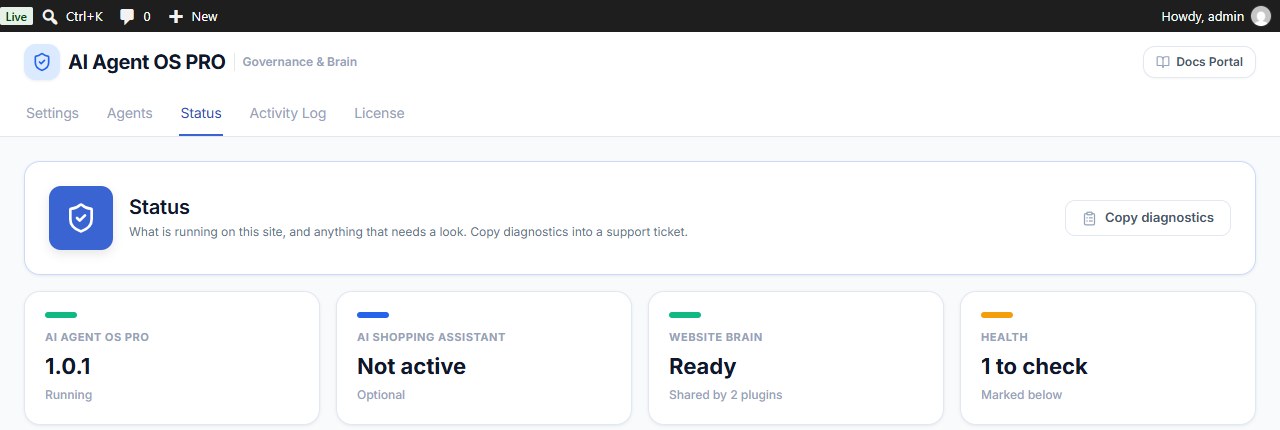
| Tile | What it means |
|---|---|
| AI Agent OS PRO | The version running. |
| AI Shopping Assistant | Whether that optional companion plugin is connected. Not active is fine if you don’t use it. |
| Website Brain | Ready, Incomplete or Not created yet, and how many plugins share it. If it is not ready, deactivate and reactivate the plugin. |
| Health | All good, or how many rows below need a look. Those rows are marked CHECK. |
The Checks
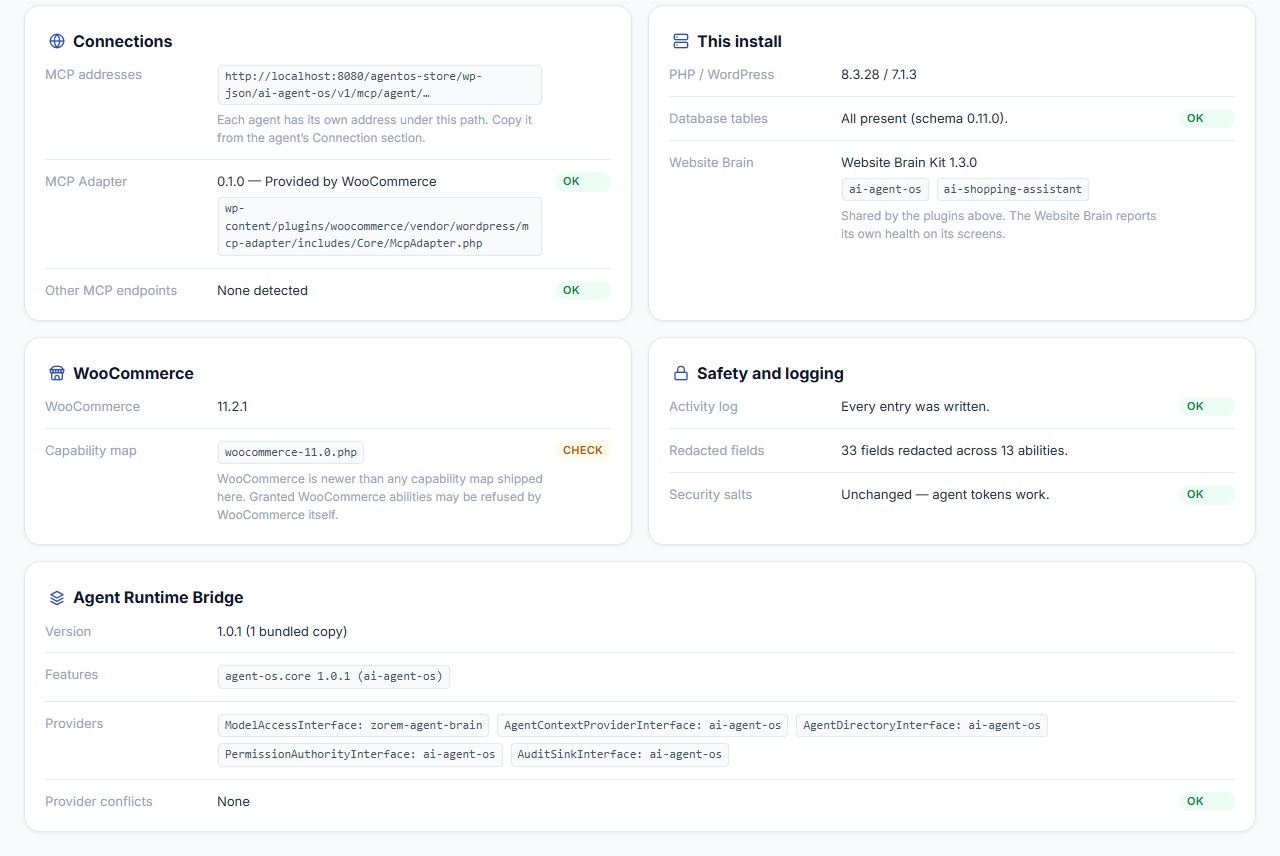
| Card | Row | What it tells you |
|---|---|---|
| Connections | MCP addresses | The path under which every agent has its own address. Copy an agent’s address from its Connection section. |
| MCP Adapter | The MCP library version in use and which plugin supplied it. Not found means no MCP connection can work. | |
| Other MCP endpoints | Other MCP servers on your site. | |
| This install | PHP / WordPress | The versions running. |
| Database tables | Whether all the plugin’s tables exist. If some are missing, deactivate and reactivate the plugin. | |
| Website Brain | The Website Brain Kit version and the plugins that share it. | |
| WooCommerce | WooCommerce | The WooCommerce version, or Not active. |
| Capability map | Which built-in list of WooCommerce capabilities is in use. CHECK appears when your WooCommerce is newer than the list; granted WooCommerce tools may then be refused by WooCommerce itself. | |
| Safety and logging | Activity log | Whether any log entry could not be saved. |
| Redacted fields | How many customer-data fields and tools masking covers. | |
| Security salts | Whether agent tokens still work (see below). | |
| Agent Runtime Bridge | Version, features, providers | The shared bridge library: the version loaded, which plugin provides each service, and any provider conflicts. A conflict means two plugins claim the same job; deactivate the one that should not provide it. |
Click Copy diagnostics at the top to copy the full report and paste it into a support ticket. It contains no tokens or passwords.
If a red banner says your site’s security salts changed, every agent token has stopped working. Agents and permissions are fine — issue each agent a new token from its Token card, and reconnect signed-in apps.
Needs Attention
This card appears only when something is wrong. Each warning describes a tool that agents cannot use for safety reasons, and what to do about it:
| Warning | What to do |
|---|---|
| Another plugin read the WordPress abilities list before Agent OS could oversee it… | Some tools were registered before AI Agent OS PRO could check them, so agents cannot use them. Deactivate plugins one at a time to find the cause and report it to that plugin’s author. |
| The ability … uses its own class / was registered without a permission or execute callback… | That tool cannot be checked, so no agent may use it (people still can). Report it to the tool’s author. |
| The Agent Runtime Bridge in use is another plugin’s copy… | Keep that plugin updated, or update AI Agent OS PRO so its copy is the newest again. |
Without this card you would only see the AI say it cannot do something, with no reason.