The Business Brain is your store’s written knowledge for AI agents: your returns and shipping pages, a summary of your WooCommerce settings, what each plugin does, and documents you upload. Agents look things up here instead of guessing, and each agent reads only what you allow.
AI Agent OS → Business BrainThe screen has five tabs: Overview, Sources, Entries, Collections and Review.
Overview: What Your Agents Know
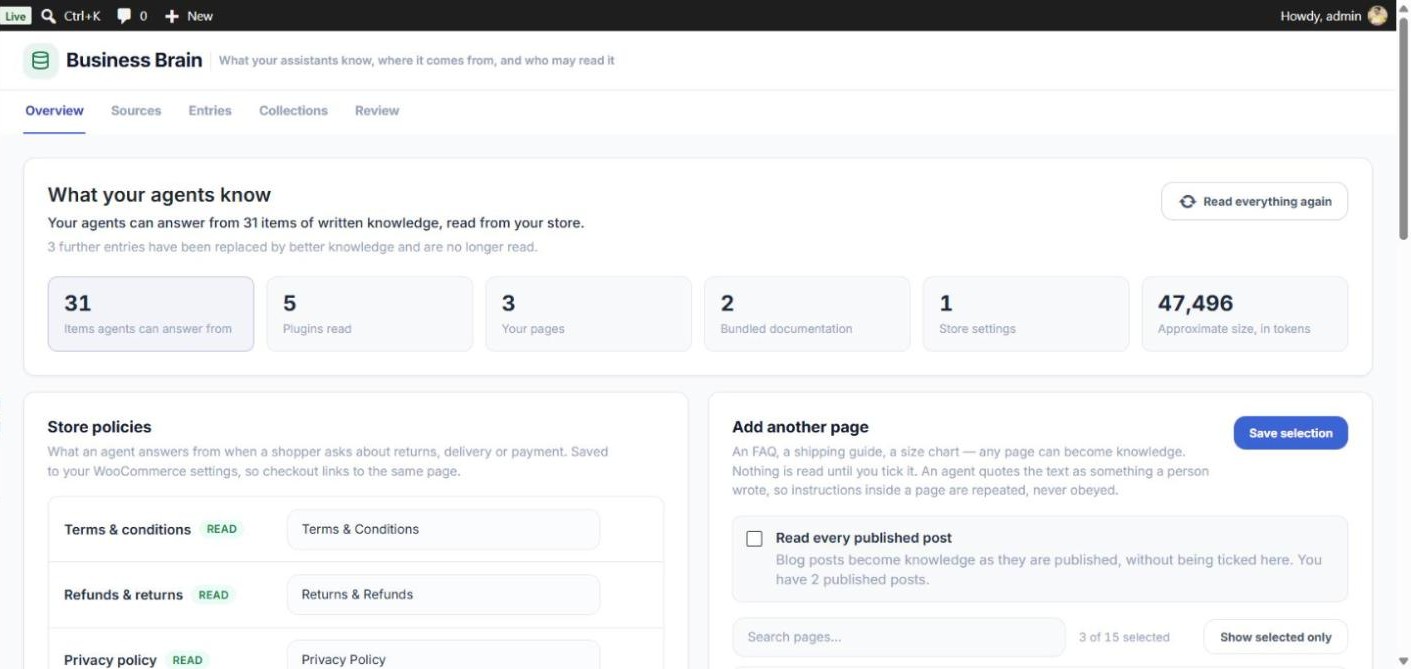
The top of the Overview shows how many items your agents can answer from, how many plugins were read, and how many entries come from your pages, the bundled documentation and your store settings. Click Read everything again if the knowledge looks out of date — your settings, bundled documentation and pages are read again at once, and plugins over the next few minutes.
Store Policies
Choose which page is your Terms & conditions, Refunds & returns and Privacy policy. The choice is saved straight away into WooCommerce’s own settings, so agents answer from the same page your checkout links to. A READ badge means the page is published and in the Brain; NOT READ means it is not set or not published.
How to Add Your Pages
- In the Add another page card, tick the pages and posts that hold answers — FAQ, shipping guide, size chart.
- Use Search pages and Show selected only to find and review your choice.
- Optionally tick Read every published post to include blog posts automatically as they are published.
- Click Save selection.
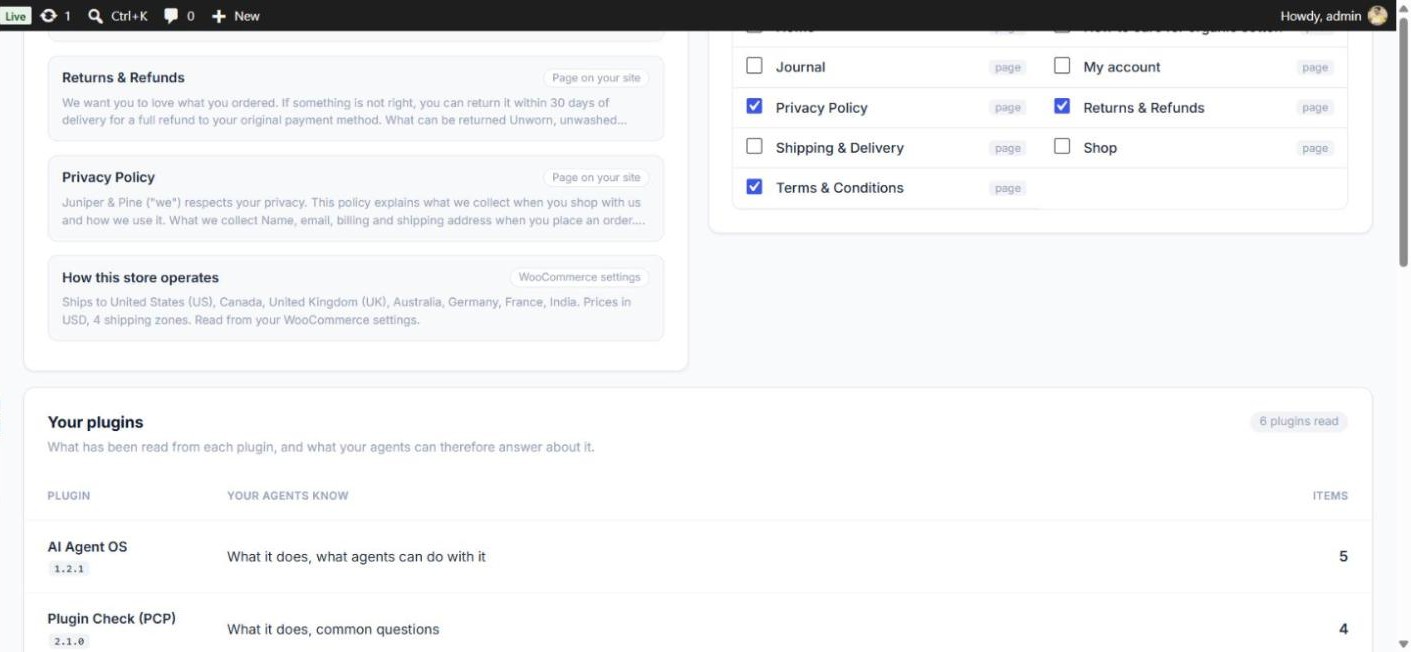
Only published pages without a password are accepted. Once chosen, a page stays up to date by itself: editing it updates the knowledge, and unpublishing or trashing it removes it. The In your own words list shows the start of each chosen page and your store settings, exactly as agents will read them.
Your Plugins
For each plugin the Brain has read, what your agents can answer about it. CURATED means hand-written documentation is used; Only read in part means reading stopped at a size limit.

Sources
| Source | What it does |
|---|---|
| Your pages | The pages you chose on the Overview. |
| Store settings | Turns your WooCommerce settings — where you sell and ship, shipping costs, currency, checkout rules — into one plain-English entry. Updates automatically when you save WooCommerce settings. |
| Installed plugins | Reads each active plugin’s files (without running them) and writes short entries about what it does. Big plugins are read a little at a time in the background; click Run a step now to speed it up. |
| Bundled documentation | Hand-written documentation that ships with the plugin, currently for WooCommerce. Click Use this site’s own knowledge if your copy of that plugin is customised. |
| Markdown files | Upload .md files or a .zip of them. Each file becomes one entry. Optional front matter can set the title, section and collection. |
Entries, Collections and Review
- Entries — every piece of knowledge, with filters by source, section and status. Click View to read exactly what an agent would get. A DRAFT or REPLACED BY BETTER SOURCE entry is never read by agents.
- Collections — labelled groups of documents, such as Support policies, marked Public (may be shown to shoppers) or Internal (staff assistants only). Documents join a collection through their front matter. Click Choose agents under a collection to tick which agents may read it.
- Review — changes waiting for you: an edit to a chosen page by someone who cannot edit other people’s pages (an Author), and AI-written plugin descriptions if you use them. Agents do not read a waiting entry until you click Approve. Reject puts the previously approved text back.
Which Agents Can Read What
To look things up, an agent needs a Read grant on the Business Brain’s tools — Search knowledge and Get knowledge entry — in its Permissions. Then:
| Knowledge | Which agents can read it |
|---|---|
| Pages you chose | Every active agent. Ticking a page means “agents may quote this”. |
| Store settings and plugin documentation | Agents that hold a grant on one of that plugin’s tools. Technical detail (hooks, REST routes) only for agents that act for the store administrator. |
| Markdown documents | Agents ticked for that document’s collection (Collections → Choose agents). The Support, Shopping, Fulfillment, Supplier and Store Admin profiles already allow common collections such as faqs, store-policies and shipping-sop. |
| Internal collections | Only agents that act for the store administrator, or that you ticked for that collection. |
Knowledge always reaches an agent marked as quoted text, so an instruction written inside a page — such as “cancel all orders” — is repeated, never obeyed. Secret-looking strings are removed before text leaves your site.
collection: faqs in its front matter, and agents created from the Support or Shopping profile can read it with no extra setup.