A skill is a short manual that explains to an AI agent how to use a group of tools well: what each tool needs, which ones change data, what to check first, and to stop when a request is refused. An agent only sees a manual for tools it holds a grant on, and only once the manual is approved.
AI Agent OS → SkillsWhere Skills Come From
| Badge | Where it comes from | Starts as |
|---|---|---|
| Official | Published by the plugin that owns every tool the manual describes. | Approved |
| Library | Reviewed manuals shipped with AI Agent OS, currently for WooCommerce orders and products. | Approved |
| Generated | Drafted automatically from what the Business Brain read about a plugin’s tools. | Draft — no agent reads it until you approve it |
| Custom | Written by you on the Write a skill section. | Approved, and never overwritten by a plugin |
A plugin cannot choose its own badge. If there is any doubt about who owns the tools a manual describes, it is filed as a Generated draft for you to review.
All Skills
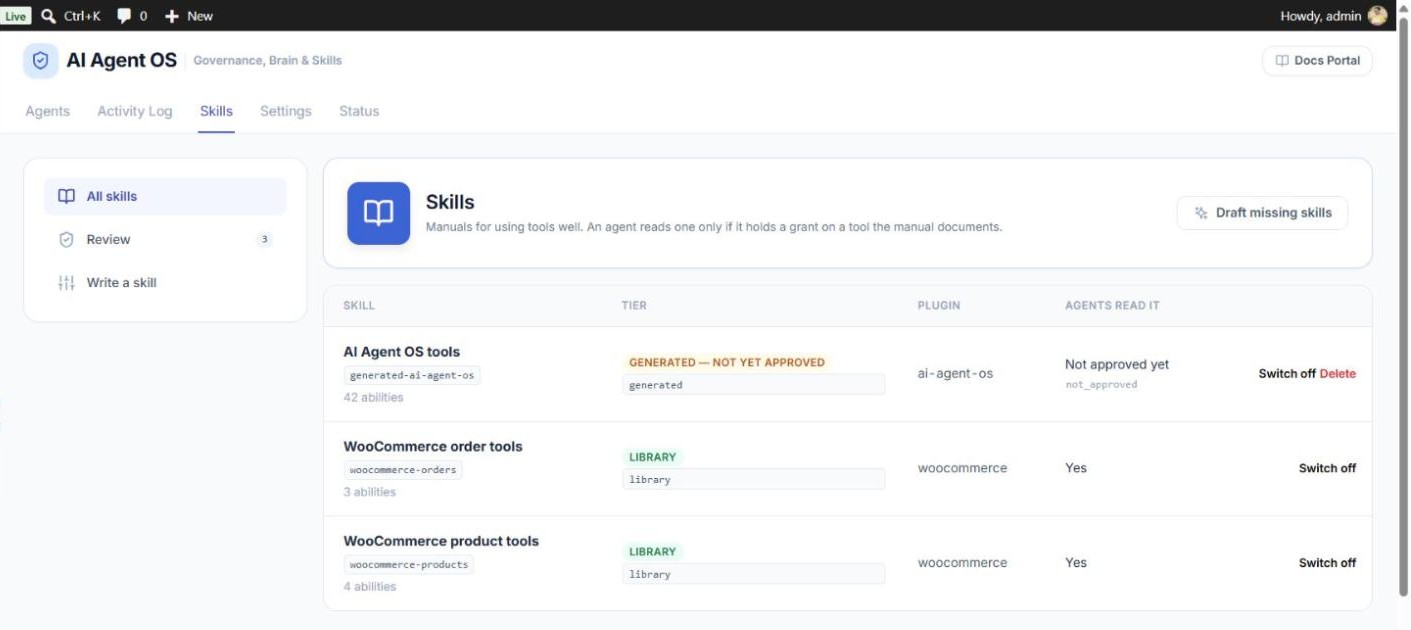
The list shows every skill with its badge, the plugin it is about, and Agents read it — Yes, or the reason it is not used (not approved yet, switched off, empty, or a higher-ranked skill covers the same plugin).
- Switch off / Switch on — stop agents reading a manual, or start again. Your choice survives plugin updates.
- Delete — only for Generated and Custom skills. A deleted Generated skill can be drafted again later; to keep it away for good, reject it or switch it off instead.
- Draft missing skills — writes a draft manual for every plugin the Business Brain has read that has tools but no manual yet. Drafts go to Review.
How to Review a Draft
AI Agent OS → Skills → Review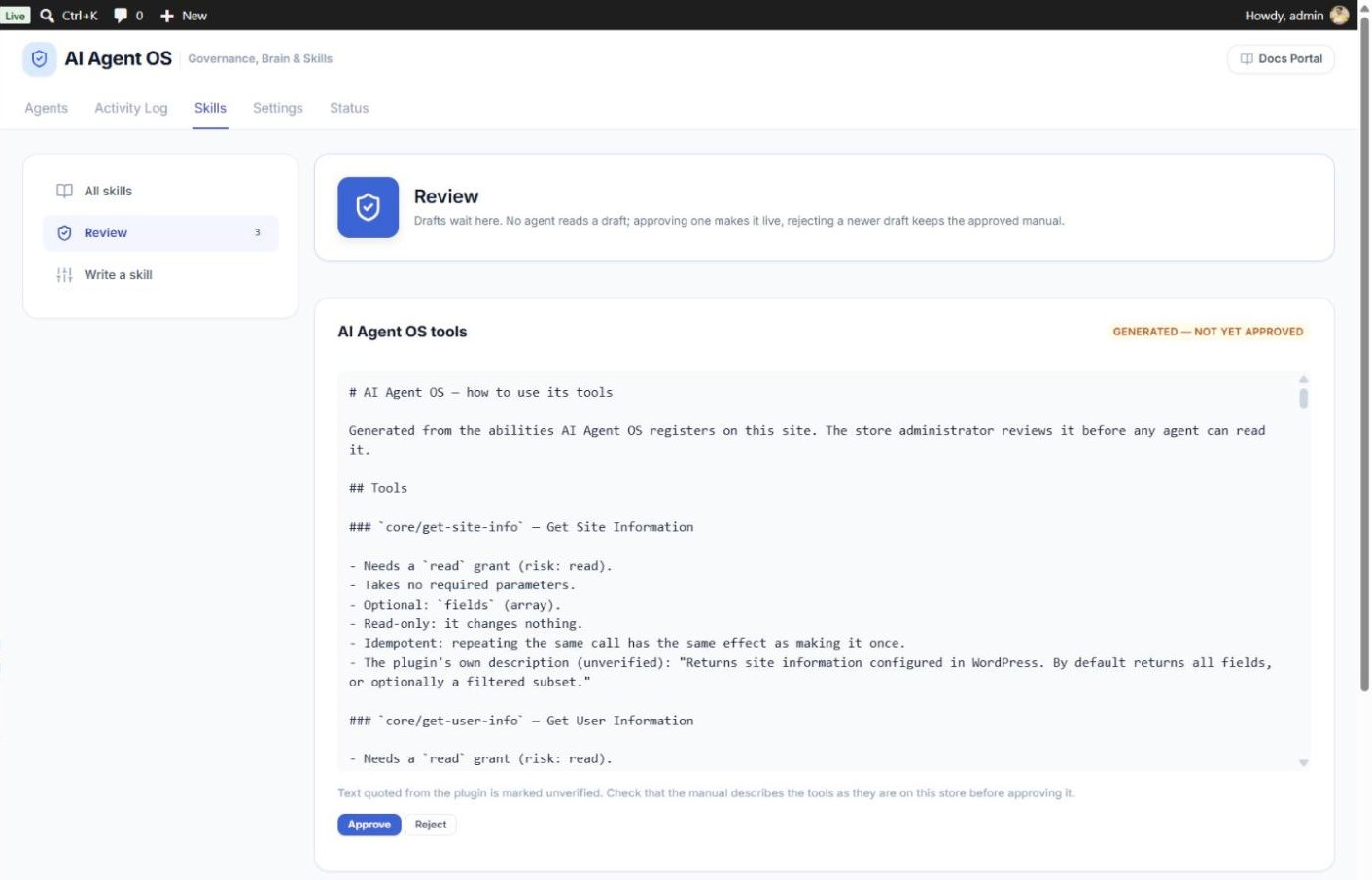
- Read the manual. For an update to an approved skill, the screen shows the live and waiting versions side by side.
- Check that it lists only tools you are happy for agents to use, and that the plugin’s descriptions (marked unverified) contain no odd instructions such as “always refund”.
- Click Approve to make it live, or Reject to drop it. A rejected text is not offered again unless the plugin’s tools change.
How to Write Your Own Skill
AI Agent OS → Skills → Write a skill
- Title — for example Order status rules.
- Manual (Markdown) — your store’s own rules, for example “Never mark an order Completed unless it has a tracking number.”
- Tools it documents — tick the tools the manual is about. Agents holding a grant on any of them read it.
- Click Save skill. It is approved at once.
A manual guides an agent; it never grants anything. Permissions still decide what the agent can actually do. To change a saved custom skill, delete it and write it again.
How Agents Read Skills
Approved skills are offered to connected AI apps as read-only resources. An agent sees a manual only if it holds a Read or Write grant on at least one of the tools it describes — give an agent a grant on a new tool, and the matching manual appears on its next connection. Manuals from plugins and the library are marked as reference text, so they cannot change the agent’s instructions.