Loco Translate lets you translate Email Reports for WooCommerce from inside the WordPress admin, without any external tools. It’s the quickest way to change a handful of strings — a metric label, a subject line — into your language or your own wording.
Translating the plugin
- Install and activate the Loco Translate plugin.
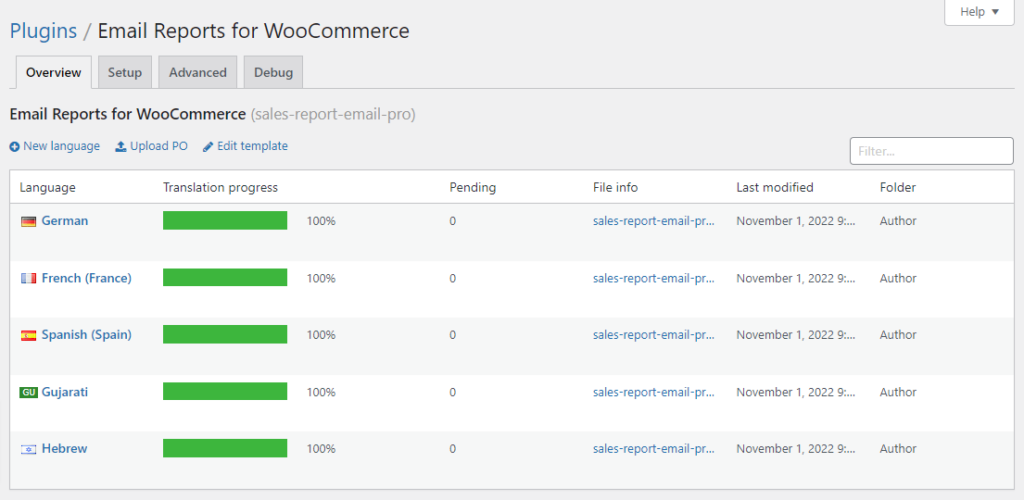
- Go to Loco Translate > Plugins and choose Email Reports for WooCommerce.
- You’ll see every language the plugin already has a translation file for. Click Edit next to the one you want — German, for example. If your language isn’t listed, click New language and pick it.
- Choose where to save the file. Pick the custom location (
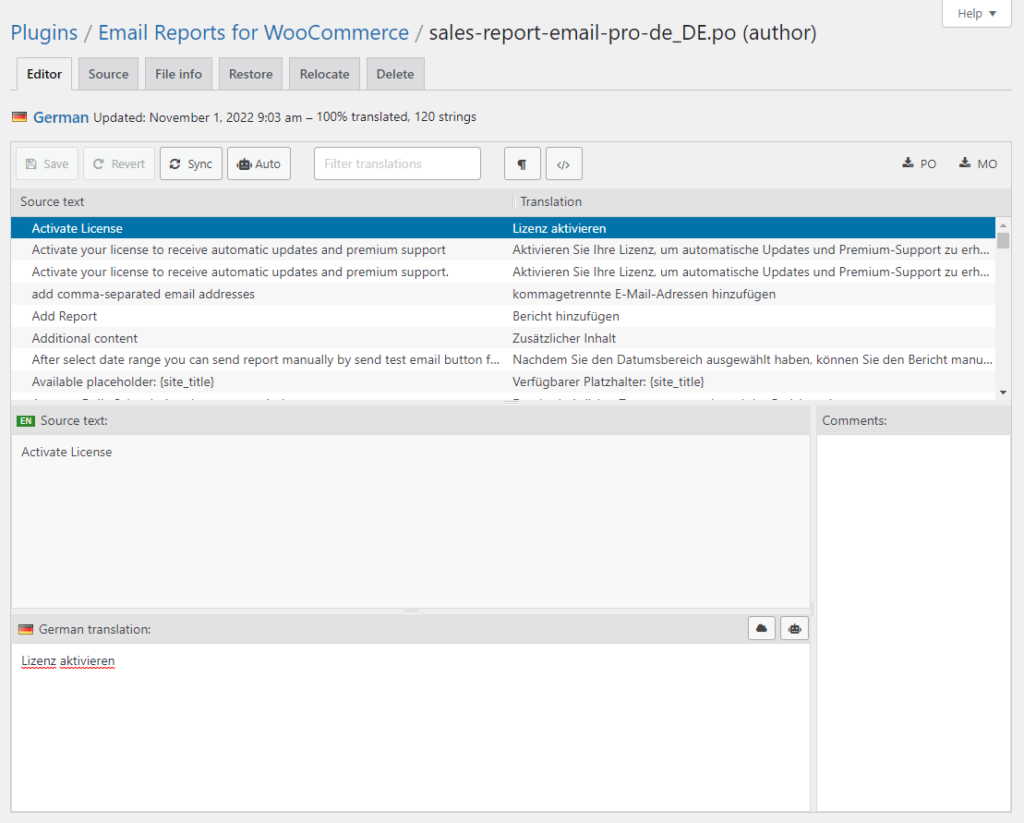
languages/loco/plugins/), not the plugin’s own folder — see the warning below. - Select a string from the list, type your translation in the field underneath, and repeat for the strings you need.
- Click Save. Loco Translate writes the
.poand.mofiles and your translation is live.
Save to the custom folder
If you save translations inside the plugin’s own
lang/ folder, the next plugin update overwrites them and your work is gone. Loco Translate offers a custom location outside the plugin — always choose that one. It survives updates.The plugin’s text domain is sales-report-email-pro, which is what Loco Translate matches on. That’s a code identifier and doesn’t change, even though the plugin is now called Email Reports for WooCommerce.
See also: WPML, if you run a multilingual store and need translations per language rather than one set of strings.