Report Details are the tables that appear under the totals block. Where the totals tell you how much, these tell you what — which products sold, which coupons were used, where the orders came from.
Switch on the tables you want in the Report Details panel, and choose how many rows each should show. They’re drawn from the same WooCommerce Analytics data as the totals, over the same report period and the same order statuses.
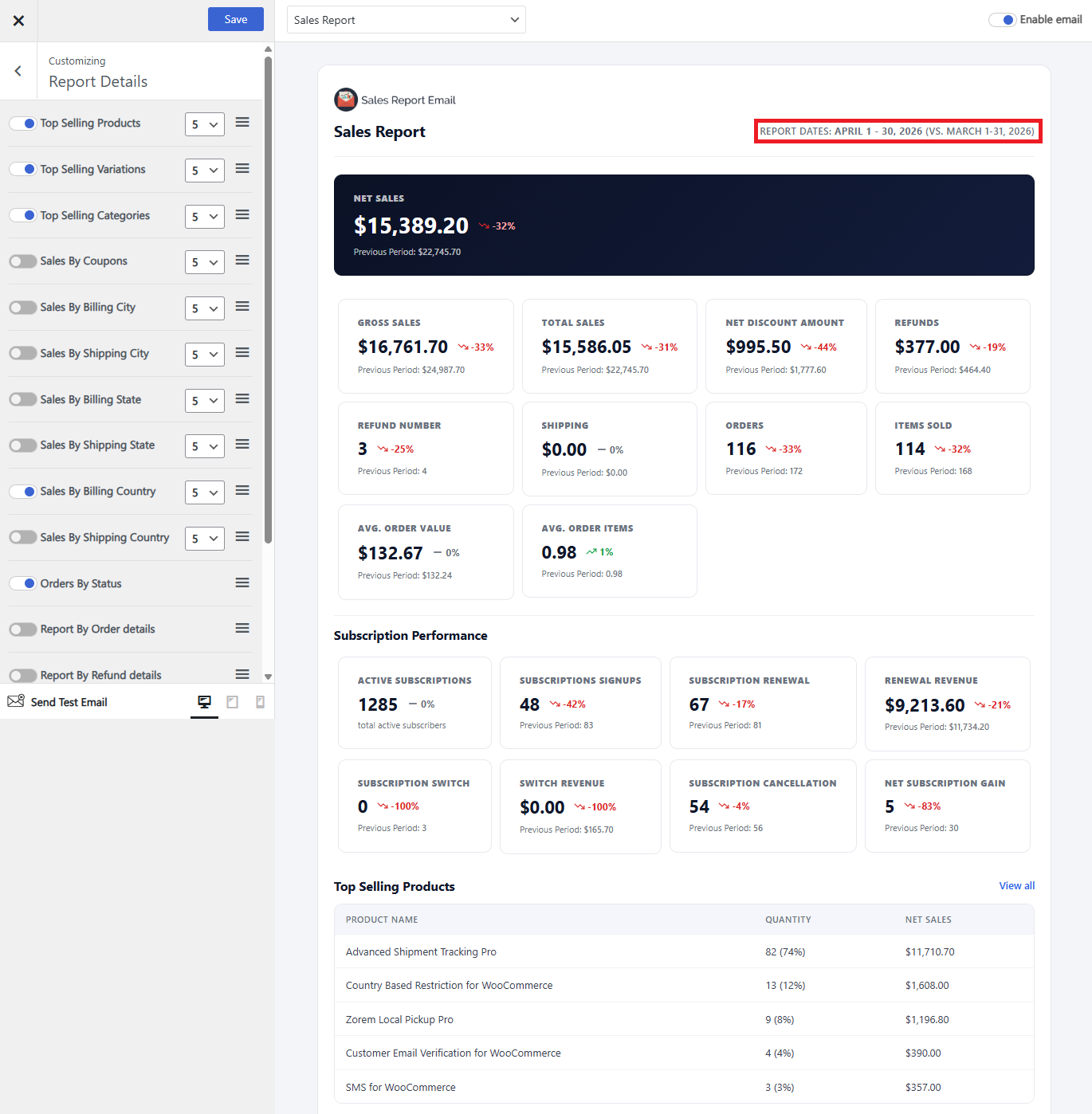
Report details reference
| Table | Columns | Rows |
|---|---|---|
| Top Selling Products | Product name, Quantity, Total amount | 5, 10, 20, All |
| Top Selling Variations | Variation name, Quantity, Total amount | 5, 10, 20, All |
| Top Selling Categories | Category name, Quantity, Total amount | 5, 10, 20, All |
| Report by order details | One row per order, with the order number, date, customer, status and total. Use it when you want the underlying orders rather than a summary — it is also the table the custom columns hooks extend | 5, 10, 20, All |
| Refund details | One row per refund issued in the period, so you can see what was returned rather than only the refunded total | 5, 10, 20, All |
| Downloads list | Downloadable files downloaded during the period, with the download count | 5, 10, 20, All |
| Sales by Coupons | Coupon, Quantity used, Total discount amount | 5, 10, 20, All |
| Sales by Payment Method | Payment method, Orders count, Total amount | All |
| Sales by Billing Country | Country, Orders count, Total amount | 5, 10, 20, All |
| Sales by Billing State | State, Orders count, Total amount | 5, 10, 20, All |
| Sales by Billing City | City, Orders count, Total amount | 5, 10, 20, All |
| Sales by Shipping Country | Country, Orders count, Total amount | 5, 10, 20, All |
| Sales by Shipping State | State, Orders count, Total amount | 5, 10, 20, All |
| Sales by Shipping City | City, Orders count, Total amount | 5, 10, 20, All |
| Sales by Order Status | Order status, Orders count, Total amount | All |
Billing and shipping breakdowns are listed separately on purpose — for stores that ship to a different address from the one that pays, they give different answers.
Adding your own columns
The order details and top selling products tables can take extra columns of your own. See Developers.
Next: Send Test Report.