Email Reports for WooCommerce is fully compatible with WPML, allowing you to easily translate all Email Reports for WooCommerce-related strings into your desired languages. With the WPML update, you can now translate strings individually or in bulk, using the enhanced translation interface.
WPML’s Translation Dashboard makes it simple to localize Email Reports for WooCommerce strings for your multilingual store. Below are step-by-step instructions on how to translate Email Reports for WooCommerce strings both individually and in bulk.
To translate multiple Email Reports for WooCommerce strings at once:
- Log in to your WordPress dashboard.
- Navigate to WPML > Translation Dashboard.
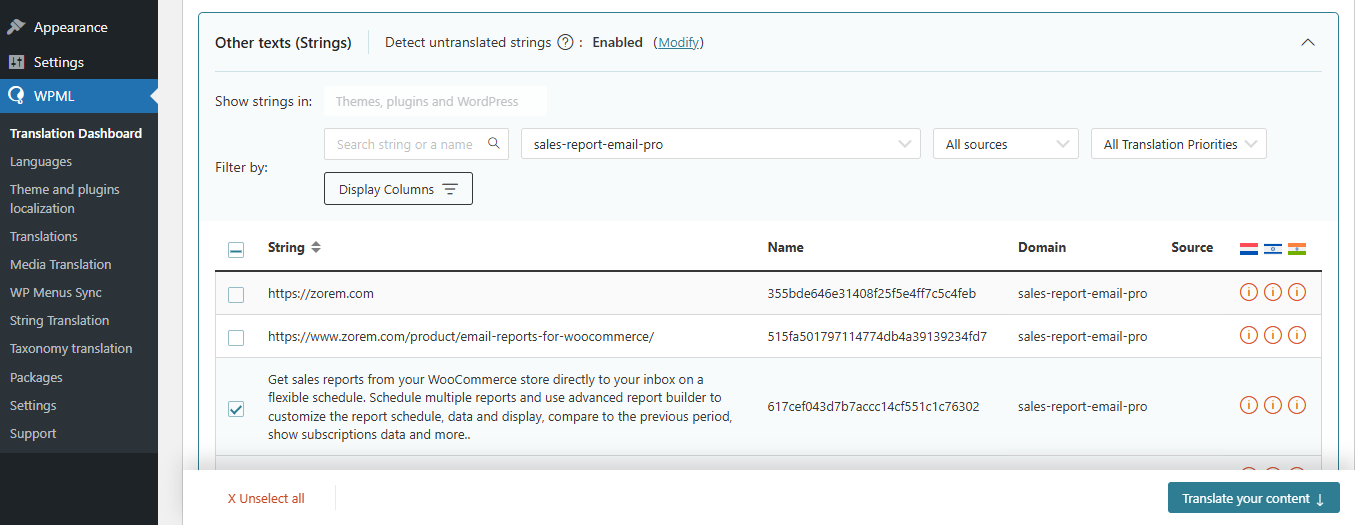
- Scroll down to the Other texts (Strings) section.
- In the Domains filter, search for Email Reports for WooCommerce strings such as
sales-report-email-pro
- Once the relevant strings are displayed, you can translate them in bulk
- Select the checkboxes for all the strings you want to translate and click Translate your content.
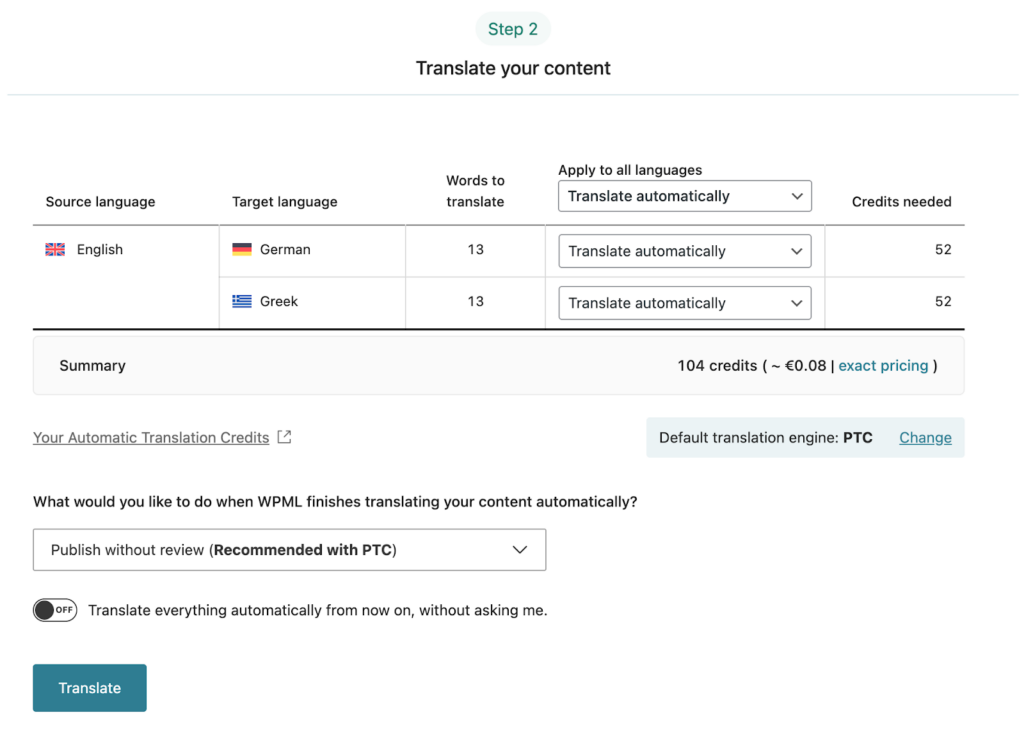
- When ready, click Translate.
- With automatic translation, you’re all set! PTC translates your selected content in a few minutes. If you’ve chosen to translate yourself, navigate to WPML > Translations to add your translations for each string
Sync Your Translations
Once you’ve translated the strings, ensure they are synced across your website. If you’ve chosen to publish without review, WPML automatically applies translations. Otherwise, go to WPML > Translations to review translated content and publish.