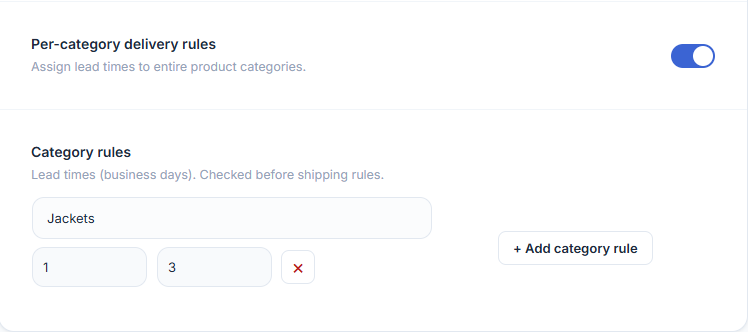
EDD PRO lets you override the global lead time on a per-product and per-category basis so you can show accurate delivery windows for products with different handling times. Both features are enabled from the Advanced Rule Targeting section in the Delivery Rules tab.
WooCommerce → Estimated Delivery → Delivery Rules → Advanced Rule TargetingPriority Order
When calculating the delivery estimate, the plugin checks lead time in this order:
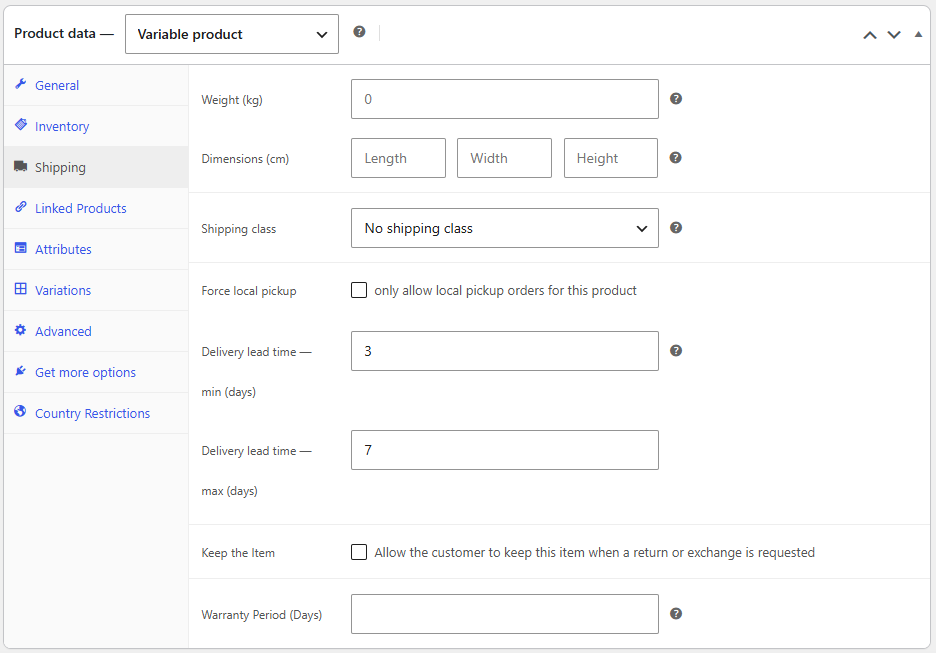
- Per-product lead time — set on the individual product’s Shipping tab. Always used when present.
- Category rules — assigned to a product category in Delivery Rules. Checked before shipping rules.
- Shipping method / class / zone rules — from the standard Delivery Rules table.
- Global default lead time — the fallback from the Scheduling tab.
Per-Product Lead Time
Per-Category Delivery Rules
Variable Products
For variable products, you can set a lead time on the parent product (applies to all variations) or on each individual variation (overrides the parent for that variation only).