Requirements
- WordPress installed and running
- WooCommerce 4.0 or higher installed and active
- PHP 7.2 or higher
How to Install the Plugin (Method 1: From WordPress Admin Search)
This is the easiest method — no file download needed.
WordPress Admin → Plugins → Add New Plugin- In your WordPress admin, go to Plugins → Add New Plugin.
- In the search field, type: Estimated Delivery Date for WooCommerce
- Find the plugin called “Estimated Delivery Date for WooCommerce” by Zorem in the search results.
- Click Install Now.
- Once installed, click Activate.
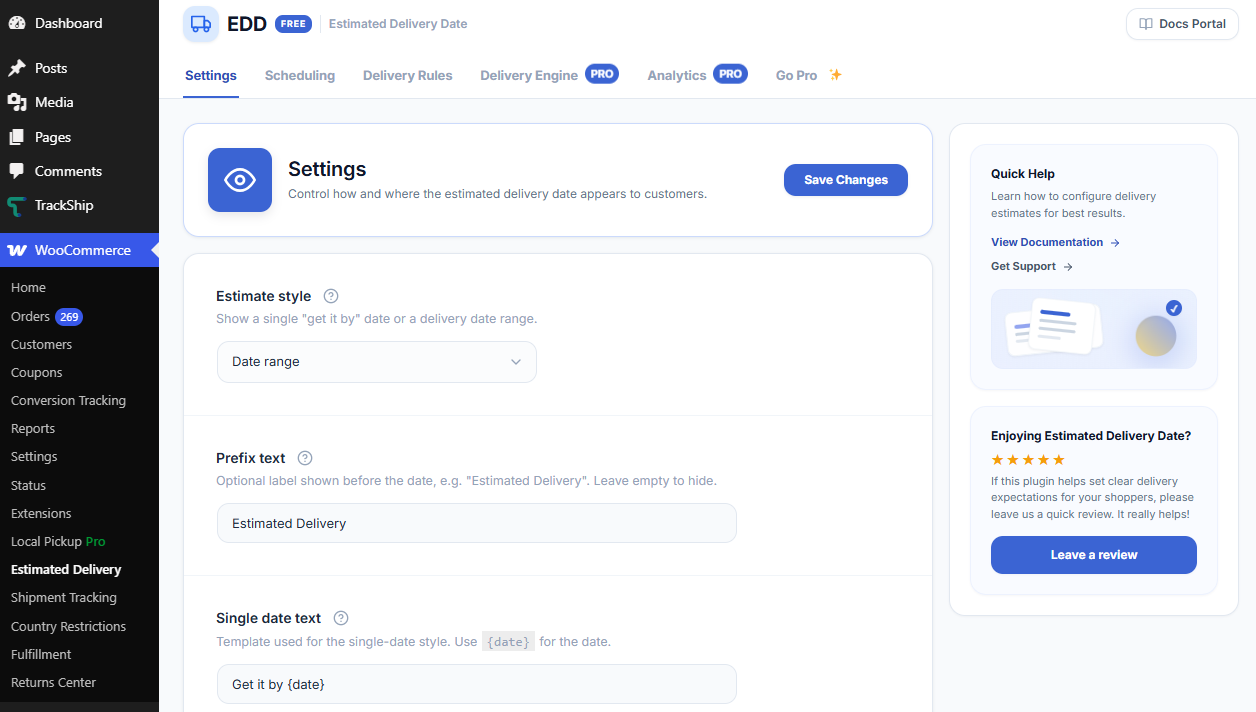
- After activation, navigate to WooCommerce → Estimated Delivery to access all settings.
[Add screenshot: WordPress plugin search results showing Estimated Delivery Date for WooCommerce]
How to Install the Plugin (Method 2: From a .zip File)
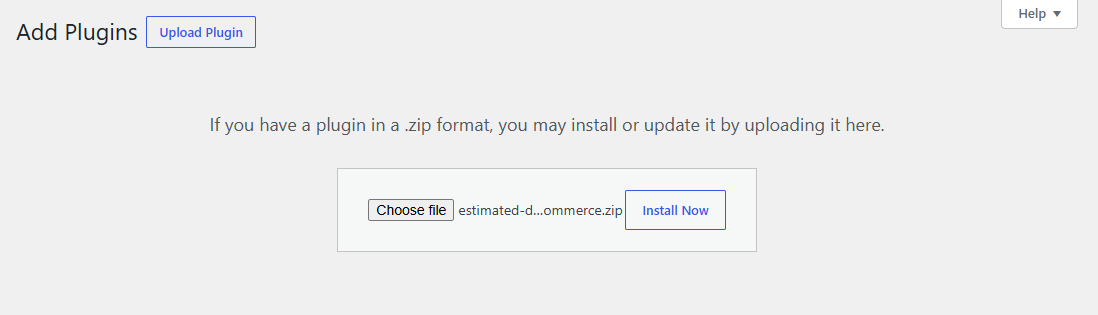
WordPress Admin → Plugins → Add New Plugin → Upload Plugin- Download the plugin .zip file from wordpress.org.
- In your WordPress admin, go to Plugins → Add New Plugin.
- Click Upload Plugin at the top of the page.
- Click Choose File and select the downloaded .zip file.
- Click Install Now, then click Activate Plugin.
How to Access the Plugin Settings
Once activated, all settings are accessible from:
WooCommerce → Estimated DeliveryThe settings screen has three tabs in the free version:
- Settings — control the estimate style, display text templates, and where the estimate appears on your store.
- Scheduling — set working days, order cut-off time, global default lead time, and store holidays.
- Delivery Rules — configure lead times per shipping method, class, or zone.