Customize the Pickup Information Widget
The pickup information widget displays your location name, address, business hours, and special instructions. It appears on the order received page, in order emails, and in the customer’s My Account order history. You can customize its appearance using the WordPress Customizer, which provides a live preview.
To open the customizer, go to WooCommerce → Local Pickup and click the Customize tab.
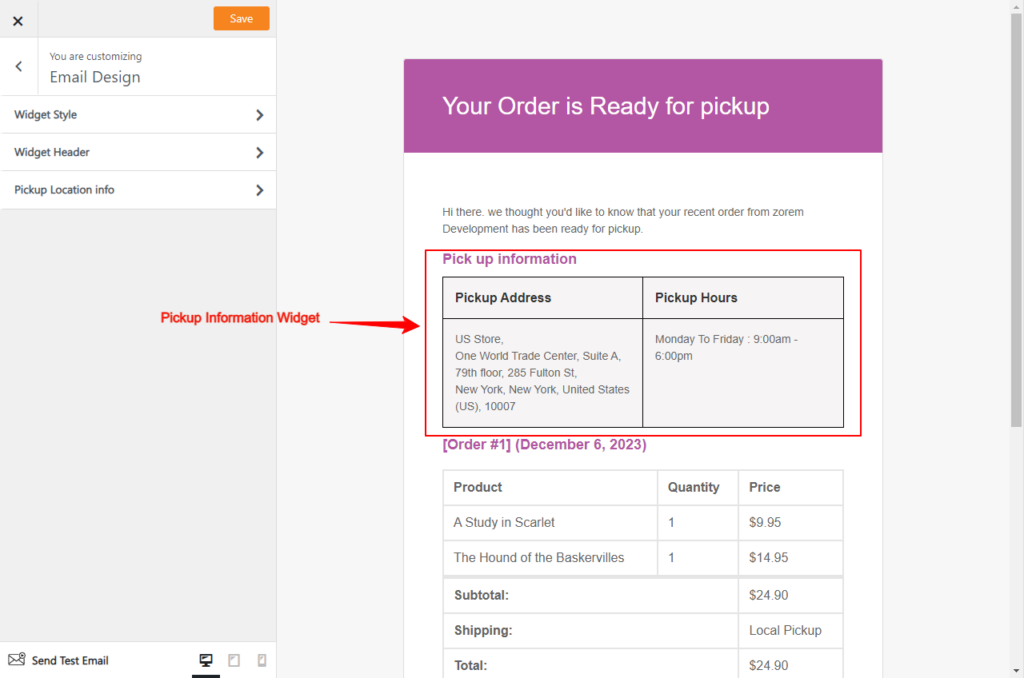
Widget Customizer Options
- Widget Style
- Background Color — Set the background color of the widget.
- Border Color — Set a border color for the widget.
- Padding — Add spacing around the widget content.
- Widget Header
- Hide Widget Header — Hide the header for a simplified display.
- Widget Header Text — Customize the header text.
- Pickup Location Info
- Hide Pickup Address Header — Hide the address section header.
- Pickup Address Header Text — Customize the address header text.
- Hide Office Hours Header — Hide the office hours section header.
- Office Hours Header Text — Customize the office hours header text.
Customize the Pickup Email Notifications
Advanced Local Pickup sends two automated email notifications to customers based on order status:
- Order Ready for Pickup — sent when you mark an order as Ready for Pickup
- Order Picked Up — sent when you mark an order as Picked Up (optional)
You can fully customize both email templates using the email customizer with live preview. Customizable elements include the email subject, heading, and body content.
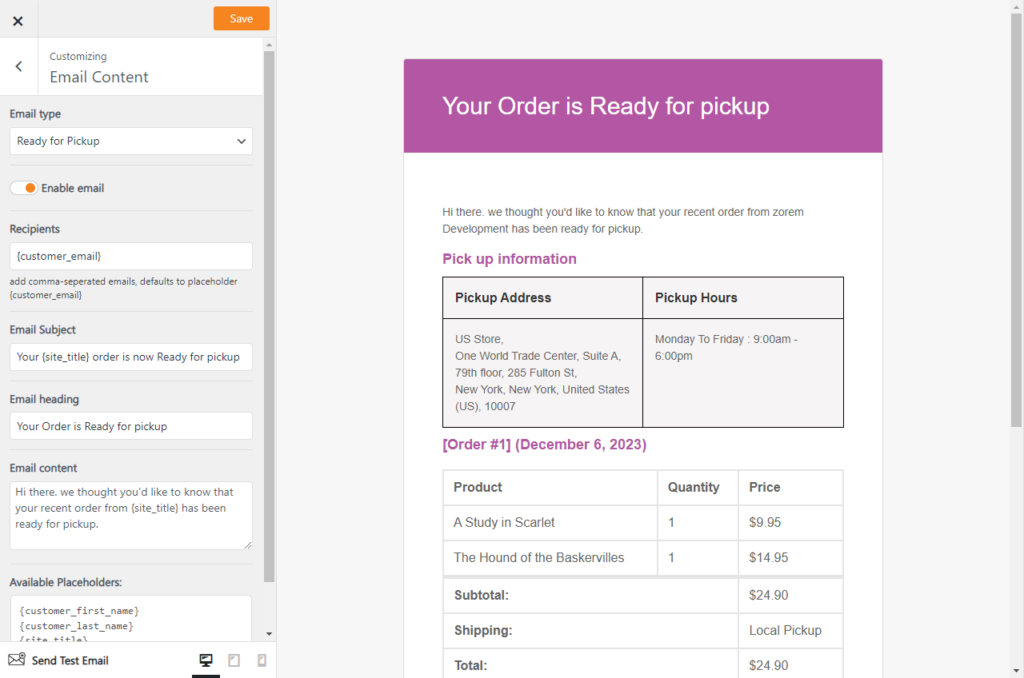
Email Customizer Options
- Header Options
- Email type — select the order status to preview (Ready for Pickup or Picked Up).
- Email Settings
- Enable email
- Email Subject
- Email Heading
- Email content
- Available variables
- {customer_first_name}
- {customer_last_name}
- {site_title}
- {order_number}