All settings are found at:
WooCommerce → Delivery Slots → Settings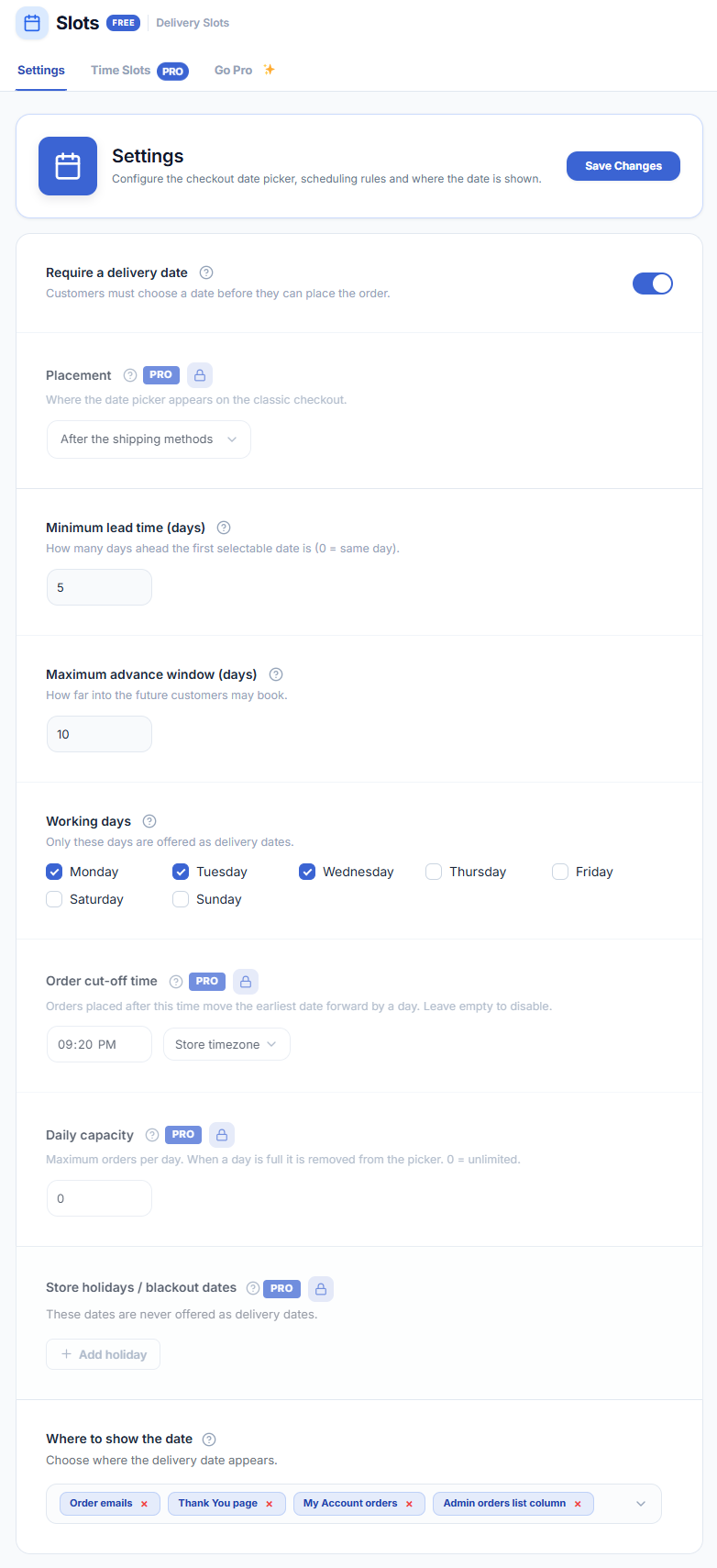
General Settings
Enable Delivery Date
Toggle this on to show the delivery date picker on the checkout page. When disabled, no date field appears and no data is saved to orders.
Date Picker Label
The label shown above the calendar on checkout. Default: Delivery Date. Customise to match your store’s language or terminology.
Date Format
Choose how the selected date is displayed in the picker and on orders:
- DD/MM/YYYY — e.g. 25/12/2024 (day-first, common in Europe and India).
- MM/DD/YYYY — e.g. 12/25/2024 (month-first, common in the US).
- YYYY-MM-DD — ISO 8601 format.
Order Cut-off Time
Orders placed after this time are treated as if they were placed on the next working day. Enter a time in HH:MM format. Leave empty to disable.
Minimum Delivery Lead Time
The minimum number of working days before the first selectable delivery date. For example, a value of 1 means the earliest available date is tomorrow (or the next working day).
Maximum Delivery Lead Time
How many days into the future the calendar stays open. Dates beyond this limit cannot be selected.
Display Settings
Make Delivery Date Required
When enabled, customers must select a delivery date before they can place an order. Leave disabled to make the field optional.
Show Delivery Date on Order Pages
When enabled, the chosen delivery date is visible on the order-received (thank-you) page, My Account → Orders, and admin order detail screens.
Show Delivery Date in Order Emails
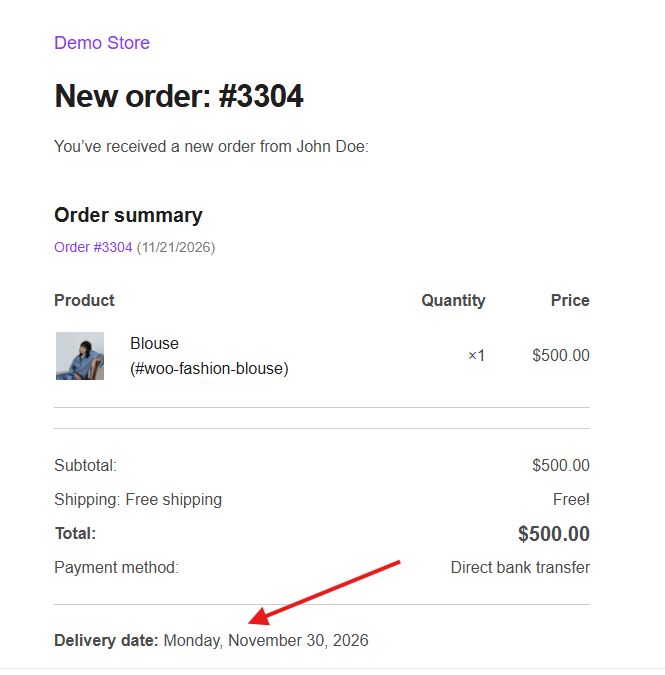
When enabled, the chosen delivery date is included in WooCommerce order notification emails sent to both the customer and the store admin.
Save your settings after any change. Click Save Changes at the bottom of the settings page.