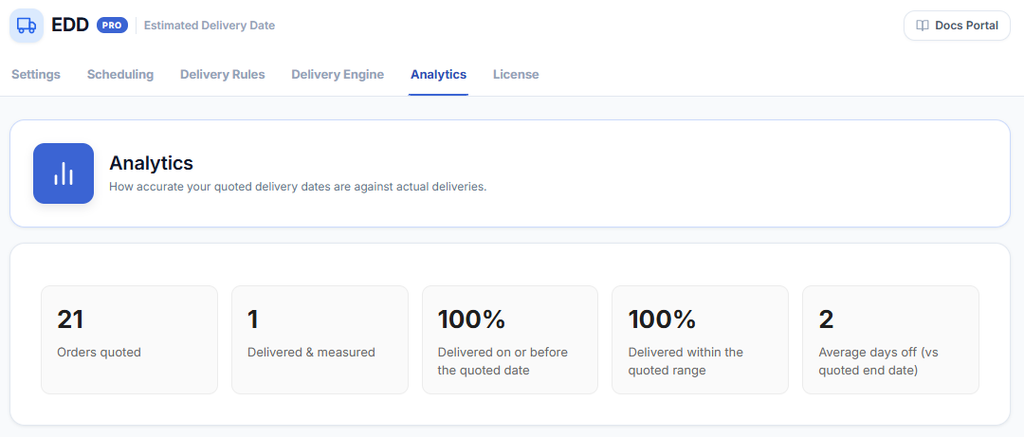
The Analytics tab shows how accurate your quoted delivery dates are against actual deliveries. Use it to see whether your lead times and rules are set correctly and whether customers receive orders within the windows shown at checkout.
WooCommerce → Estimated Delivery → AnalyticsMetrics
- Orders quoted — the total number of orders where a delivery estimate was shown to the customer.
- Delivered & measured — orders that have been shipped and tracked with an actual delivery date recorded, allowing the estimate to be compared against reality.
- Delivered on or before the quoted date — the percentage of measured orders delivered on or before the quoted delivery date.
- Delivered within the quoted range — the percentage of measured orders delivered within the quoted date range (min–max window).
- Average days off (vs quoted end date) — how many days early or late deliveries arrived on average, compared to the quoted end date.
Using the Data
Tip
If your ‘Delivered on or before the quoted date’ percentage is consistently below 90%, your lead times may be set too aggressively. Try increasing the minimum lead time in Scheduling or the relevant Delivery Rule to give yourself more buffer.
Tip
A high ‘Average days off’ value (e.g. 3–4 days early) suggests your lead times are set too conservatively and you could tighten them to make estimates more precise for customers.