The Delivery Engine tab gives you carrier-powered ZIP-based transit estimates, storefront widgets, backorder display settings, and per-context cut-off overrides.
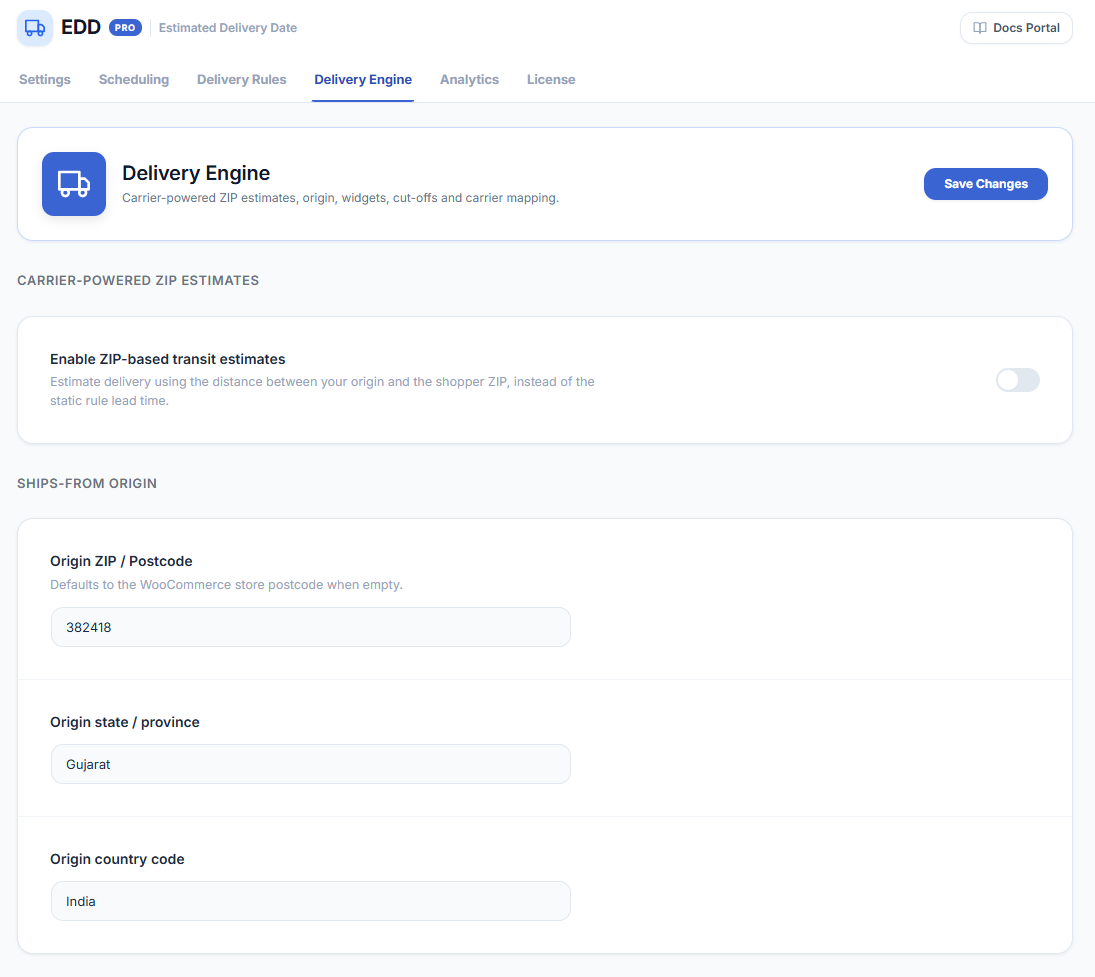
WooCommerce → Estimated Delivery → Delivery EngineCarrier-Powered ZIP Estimates
Enable this section to calculate delivery estimates based on the distance between your origin and the customer’s ZIP code, instead of using static lead time rules.
- Enable ZIP-based transit estimates — turn on to use distance-based calculation instead of static rule lead times.
Ships-From Origin
Set your warehouse or dispatch location. These values are used as the origin point for transit calculations.
- Origin ZIP / Postcode — your dispatch postcode. Defaults to the WooCommerce store postcode when left empty.
- Origin state / province — your dispatch state or province.
- Origin country code — your dispatch country.
Storefront Widgets
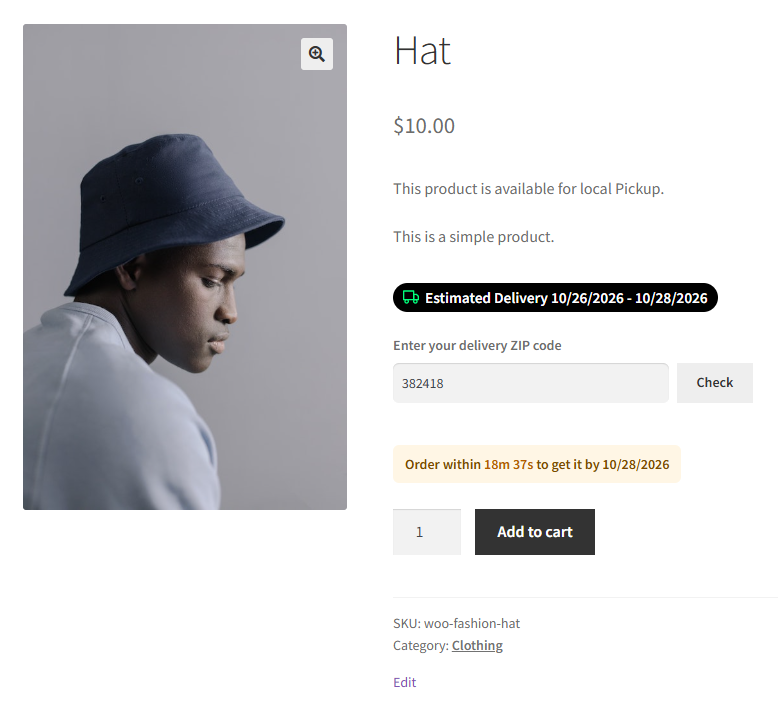
ZIP Widget on Product Page
Let shoppers enter their ZIP code on the product page to see a delivery estimate tailored to their location.
- Show the ZIP widget on the product page — enable to display the ZIP entry field.
- ZIP widget title — the label shown above the ZIP input field. Default: Enter your delivery ZIP code.
Order Cut-off Countdown
Display a live countdown timer on the product page showing how long customers have left to order and still receive the quoted delivery date.
- Show the order cut-off countdown — enable to display the live timer.
- Countdown text — the message template. Use {countdown} for the remaining time and {date} for the delivery date. Default: Order within {countdown} to get it by {date}.
Backorder & Additional Display
- Extra days (min) for backordered items — additional business days added to the minimum lead time when a product is on backorder.
- Extra days (max) for backordered items — additional business days added to the maximum lead time when a product is on backorder.
- Show estimate column in My Account orders — display the quoted delivery date in the customer’s order history.
- Show estimate column in admin orders — display the quoted delivery date in the WooCommerce admin orders list.

Per-Context Cut-offs
Override the global order cut-off time for a specific shipping method, shipping class, or shipping zone. The most specific rule wins: method first, then class, then zone.