The Estimated Delivery Date plugin calculates and displays a delivery window based on your store’s schedule, the current time, and your configured lead times.
Calculation Logic
When a customer views a product, the plugin calculates the estimated delivery date in the following steps:
- Determine the dispatch date — if the current time is before the cutoff time, today is the dispatch date. If after the cutoff, the next working day is used.
- Skip non-working days — days not marked as working days in Scheduling are skipped.
- Skip holidays — any dates added to the Holidays list in Delivery Rules are skipped.
- Apply lead time — the minimum and maximum lead times (in business days) are added from the dispatch date to produce the estimated delivery window.
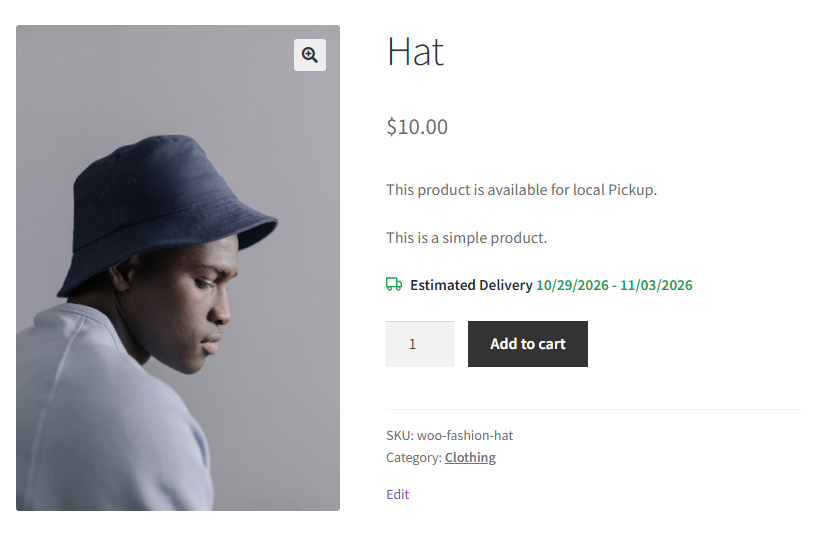
Where the Estimate Appears
Depending on your Display Options settings, the estimate is shown on:
- Product page — below the add-to-cart button, visible to customers before they add the item to their cart.
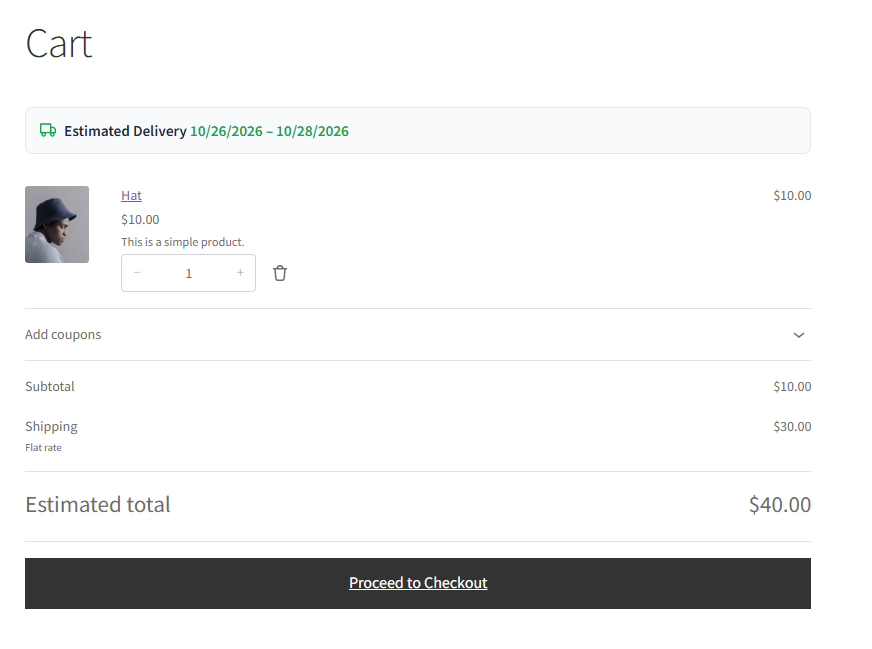
- Cart page — next to each line item in the cart.
- Checkout page — shown per item at checkout to reassure customers before they place the order.

Product Eligibility
The delivery estimate is displayed only for products that are:
- In stock and purchasable.
- Physical products — virtual and downloadable products do not have a delivery estimate shown by default, as they do not require physical shipping.